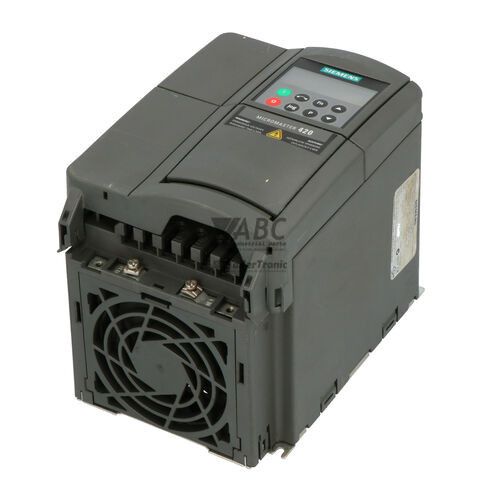
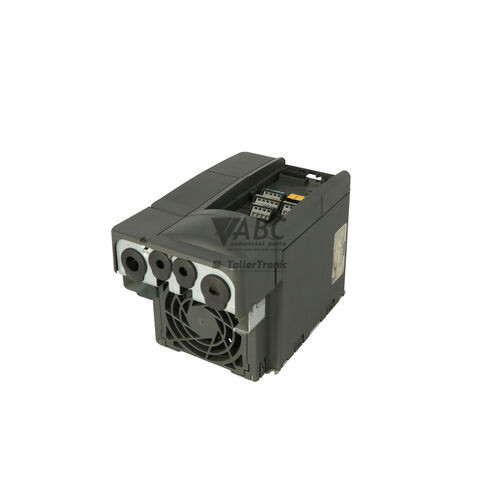
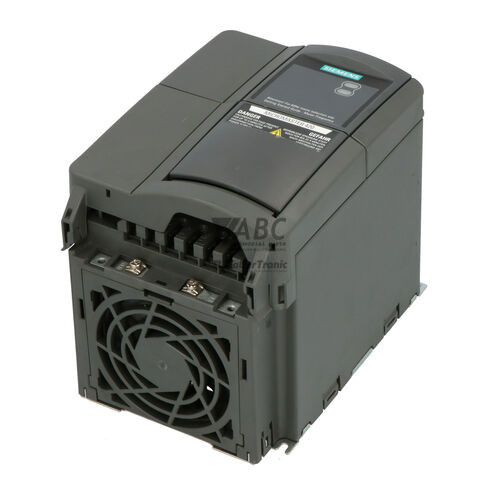
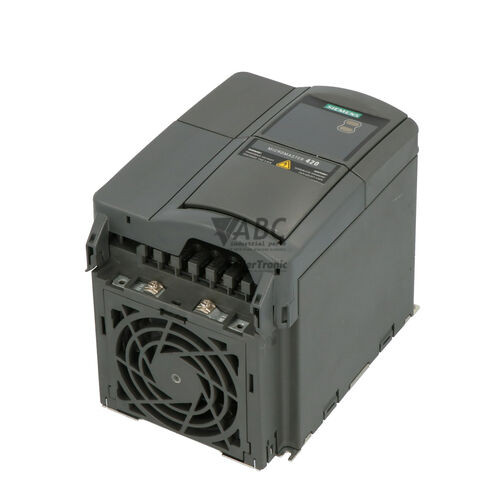
Siemens 6SE6420-2AD24-0BA1 MICROMASTER 420 Variable Frequency Drive


Het item werd toegevoegd aan uw offerteaanvraag
Product Information
The Siemens 6SE6420-2AD24-0BA1 is a 4.0 kW (5.0 HP) variable frequency drive from the MICROMASTER 420 family, designed for precise variable speed control of 3-phase AC electric motors in industrial automation systems. Operating on a 3-phase supply voltage of 380 V AC to 480 V AC at 47 to 63 Hz, this frame size FSB unit provides flexible V/f control with linear, square-law, and programmable multi-point characteristics. Constructed in an IP20 rated housing measuring 202 mm high, 149 mm wide, and 172 mm deep with a net weight of 3.30 kg, the drive integrates a Class A EMC line filter that reduces electromagnetic interference without external filter components in industrial panel designs. Delivering an operating efficiency of 96% and an output frequency range of 0 to 650 Hz at a 4 kHz pulse frequency, it supports dynamic speed regulation across conveyor systems, industrial pumps, ventilation fans, and process machinery.
System connectivity and commissioning depend on onboard serial hardware and configured parameter profiles. The drive incorporates a native RS-485 serial interface supporting the Siemens USS protocol for direct point-to-point or multi-drop fieldbus communication. Extended network integration is achieved using optional PROFIBUS-DP or DeviceNet communication modules attached to the unit. Placing a replacement drive into service requires transferring application parameters, as spare units must be configured with motor data, acceleration ramps, and interface profiles before operating. Parameter sets can be backed up and restored using PC commissioning tools such as STARTER or DriveMonitor, or cloned directly off an existing setup using an Advanced Operator Panel (AOP) or Basic Operator Panel (BOP). Maintenance technicians can work with ABC Industrial Parts to source tested spare drives and restore operational configurations efficiently.
Operational diagnostic feedback is available directly through display hardware and network polling. Built-in LED indicators on the Status Display Panel (SDP) or installed Basic Operator Panel (BOP) indicate power status, run states, active warnings, and fault conditions. When an operational interruption occurs, the drive records explicit trip codes, including F0001 (overcurrent), F0002 (overvoltage), F0003 (undervoltage), and F0004 (inverter overtemperature). Routine line-level checks include verifying mains power stability, evaluating output motor wiring for short circuits or ground faults, and checking cooling fan operation. Persistent hardware failures such as F0022 (power stage fault), F0101 (stack overflow), or F0450 (built-in self-test failure) indicate internal component failure that cannot be serviced in the field. When internal faults occur, securing a tested replacement drive or sending the unit for repair through ABC Industrial Parts ensures a reliable return to production.
Technical Specifications
| Manufacturer | Siemens |
| Part Number | 6SE6420-2AD24-0BA1 |
| Model / Type | MICROMASTER 420 |
| Component Type | Variable Frequency Drive |
| Rated Power | 4.0 kW |
| Rated Power (HP) | 5.0 HP |
| Supply Voltage Range | 380 - 480 V AC (3-phase) |
| Supply Frequency | 47 - 63 Hz |
| Power Factor | 0.95 |
| Efficiency | 96% |
| Output Frequency Range | 0 - 650 Hz |
| Pulse / Switching Frequency | 4000 Hz |
| Control Mode | V/f control (linear, square-law, multi-point) |
| Integrated EMC Filter | Class A |
| Frame Size | FSB |
| Degree of Protection | IP20 |
| Dimensions (H x W x D) | 202 x 149 x 172 mm |
| Weight | 3.30 kg |
| Serial Interface | RS-485 |
| Integrated Protocol | USS |
| Operating Temperature Range | -10 to 50 °C |
Programming and Configuration
Configuration of the Siemens 6SE6420-2AD24-0BA1 inverter relies on parameter-driven motion control settings stored within non-volatile memory. Parameters control essential drive behavior, including motor nameplate ratings, dynamic linear or square-law V/f curves, acceleration and deceleration profiles, thermal motor protection thresholds, and braking options such as DC braking and compound braking. Parameters can be modified directly on the unit using a detachable Basic Operator Panel (BOP) or Advanced Operator Panel (AOP).
For advanced commissioning and parameter management, software engineering tools such as Siemens STARTER and DriveMonitor connect to the drive over its RS-485 serial port. These tools allow maintenance personnel to perform offline parameter creation, upload existing configurations from online units, and back up parameter projects to a PC. When commissioning a replacement drive, using an Advanced Operator Panel (AOP) allows quick parameter set cloning between drives, transferring complete configuration profiles without manual parameter entry.
Communication and System Integration
The 6SE6420-2AD24-0BA1 inverter comes equipped with an integrated RS-485 serial port supporting Siemens USS protocol natively. This interface permits master-slave communications with host controllers, HMIs, or Supervisory Control and Data Acquisition (SCADA) networks, enabling direct transmission of speed setpoints, command signals, operating state words, and diagnostic status over simple twisted-pair wiring.
For integration into broader fieldbus networks, the drive supports optional front-mounted communication modules. Installing optional fieldbus interface boards enables communication over PROFIBUS-DP or DeviceNet networks. Fieldbus interfaces allow the host controller to continuously control the inverter, monitor load current and output frequency, and track fieldbus communication loss errors directly through telegram timeout logic.
Diagnostics and Status Indication
System diagnostic evaluation on the MICROMASTER 420 is conducted using physical LED indicators, operator panel displays, and software diagnostic tools. The drive transmits status words via the USS protocol or optional fieldbus interfaces, giving remote control systems real-time visibility into operational conditions, trip states, and warning alarms.
PC-based tools like STARTER and DriveMonitor provide online diagnostic capabilities, allowing technicians to inspect real-time operating variables, track historical fault codes, and monitor internal status signals. Hardware indicators on the Status Display Panel (SDP) or attached Basic Operator Panel (BOP) provide quick visual verification during routine maintenance checks.
Status LED Indicators
| LED | Color/Status | Meaning |
|---|---|---|
| SDP / BOP Status LEDs | Solid / Flashing | Indicates power, run, fault, and warning conditions on the Status Display Panel or Basic Operator Panel. |
Replacement and Spare Part Considerations
When replacing an existing Siemens 6SE6420-2AD24-0BA1 inverter, confirm that the replacement drive matches the mechanical frame size FSB (202 x 149 x 172 mm) and electrical ratings (4.0 kW / 5.0 HP, 3-phase 380-480 V AC supply). This specific model includes an integrated Class A EMC line filter; installing an unfiltered replacement drive in the same control cabinet may lead to electromagnetic compatibility non-compliance unless an equivalent external EMC filter is added.
A replacement drive cannot run directly out of the box without configuration. Prior to placing a spare into service, application parameters must be loaded. Technicians should clone the parameter profile from the faulty unit using an Advanced Operator Panel (AOP) or download saved parameter files via STARTER or DriveMonitor software over the RS-485 interface to match motor parameters, ramp times, thermal settings, and communication options.
Error Codes & Fault Codes
The following error codes may be displayed during operation or diagnostics:
| Code | Name | Description | Possible Cause | Recommended Action |
|---|---|---|---|---|
| F0001 | Overcurrent | Motor power or current exceeds drive limit. | Motor power does not match inverter power; short circuit on output cable; ground fault; motor overload. | Check motor power rating; check output motor cable for short circuits or earth faults; check motor parameter configuration. |
| F0002 | Overvoltage | DC-link voltage exceeds trip level. | Supply voltage too high; motor regenerating due to short deceleration time or high inertia. | Check supply voltage; increase deceleration time (P1121); enable DC braking or Vdc controller. |
| F0003 | Undervoltage | DC-link voltage fell below trip limit. | Mains supply failure; main supply voltage out of limits; transient supply dip. | Check line supply voltage and supply stability. |
| F0004 | Inverter Overtemperature | Inverter heatsink temperature exceeds trip threshold. | Cooling fan defective or blocked; ambient temperature too high; pulse frequency set too high. | Check inverter fan operates; verify ventilation and ambient conditions; lower pulse frequency if necessary. |
| F0005 | Inverter I2t Overload | Inverter loaded beyond continuous thermal limit. | Drive overloaded; duty cycle too severe. | Check application load cycle; check motor match to drive rating. |
| F0011 | Motor Overtemperature (I2t) | Calculated motor thermal temperature exceeded limit. | Motor overloaded or operating continuously at low speeds without forced cooling. | Check motor loading and cooling; check motor thermal parameter settings (P0611, P0614). |
| F0022 | Power Stage Fault | Hardware fault in output stage or power circuit. | Hardware error in internal power component, output short circuit, ground fault. | Internal hardware fault — if persistent after verifying field wiring, return unit for repair. |
| F0070 | CB Setpoint Fault | Communication lost with optional communication board (CB). | Bus connection interrupted; fieldbus telegram timeout. | Check fieldbus cable connections and master station status. |
| F0101 | Stack Overflow | Internal software / processor execution error. | Internal memory error or microprocessor malfunction. | Internal hardware/software failure — cycle power; replace unit if error persists. |
| F0450 | BIST Failure | Built-in self-test failure during startup. | Internal board component failed self-test. | Internal hardware fault — return unit for repair or replace device. |
Frequently Asked Questions
How do I transfer parameter settings to a replacement 6SE6420-2AD24-0BA1 drive?
Parameter settings can be cloned using an Advanced Operator Panel (AOP) by uploading the original drive profile and downloading it to the spare unit. Alternatively, parameter projects can be loaded via a PC using Siemens STARTER or DriveMonitor software over the RS-485 serial connection.
Does the 6SE6420-2AD24-0BA1 inverter require an external EMC filter?
No, this specific part number features an integrated Class A EMC filter that meets standard industrial electromagnetic interference requirements without needing external line filters in the enclosure.
Which communication fieldbus modules are supported by this inverter?
In addition to the built-in RS-485 interface running USS protocol, the drive supports optional communication modules for PROFIBUS-DP and DeviceNet networks.
What should I check when fault code F0001 appears?
Fault F0001 indicates an overcurrent condition. Check that the connected motor matches the drive's 4.0 kW rating, inspect output power cables for phase-to-phase short circuits or ground faults, and verify motor configuration parameters.
What actions are required if fault code F0022 or F0450 occurs continuously?
Fault codes F0022 (power stage fault) and F0450 (built-in self-test failure) indicate internal hardware faults. If these codes persist after verifying external field wiring and cycling input power, the drive hardware has failed and requires component repair or full replacement.
Take advantage of our exchange formula
A defective product does not have to be worthless. At ABC Industrial Parts, you can hand in defective products and immediately benefit from a discount on your new purchase. This is a smart way to save money while contributing to a circular economy.
Play it safe with our warranty conditions
Industrial plants prefer to keep running invariably, no matter what. Therefore, it is essential that you can rely on high-quality products and/or sustainable repairs. With our warranty conditions, you can count on certainty, whether you choose new, used or repaired products.
Data backup and recovery
Have you lost valuable parameters or data due to a malfunction while the manufacturer no longer provides support? At ABC Industrial Parts, we help you secure this data, both for common and specific products.
Specific firmware and hardware versions
If you are working with specific hardware or firmware versions that are no longer available from the manufacturer, ABC Industrial Parts is your partner. When making your enquiry, clearly state which versions you need, we will then look at the possibilities of supplying those versions, so that your installations continue to function optimally.
Disclaimer:
We are not an authorised distributor of Siemens.
Product photos are for illustration purposes only and may differ from the actual product delivered.
Some of the content on this page was created with the help of AI. While we strive to provide accurate and up-to-date information, errors may occur.