Siemens 6SL3130-1TE31-0AA0 Sinamics S120 Basic Line Module



Het item werd toegevoegd aan uw offerteaanvraag
Product Information
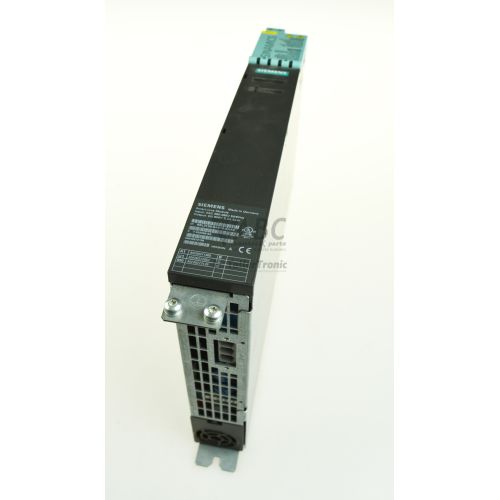
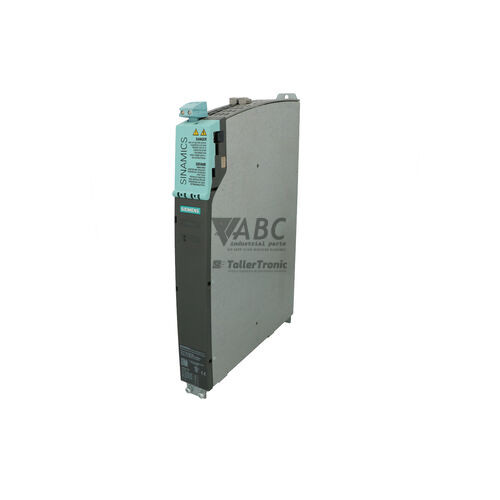
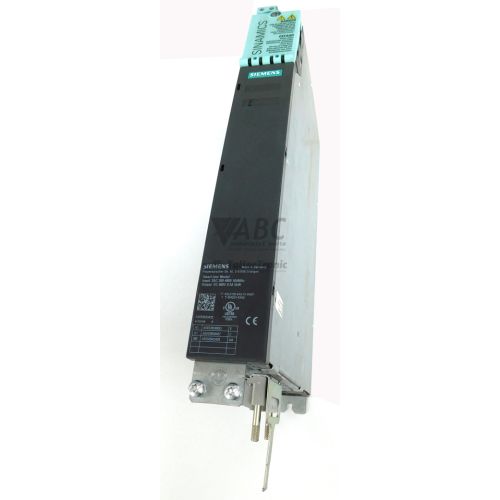
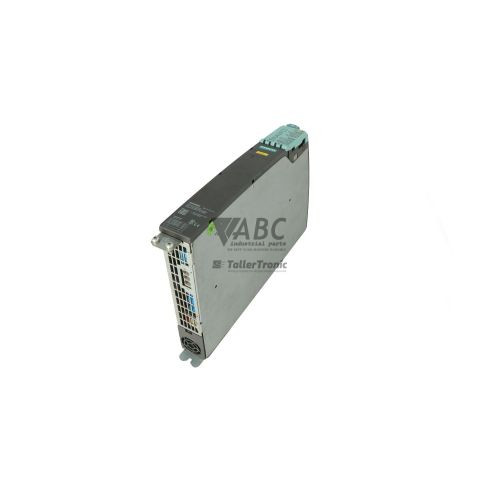
The Siemens 6SL3130-1TE31-0AA0 is a SINAMICS S120 Booksize Basic Line Module engineered to serve as a central power supply unit for multi-axis industrial drive configurations. Operating on a three-phase input supply range of 380 V AC to 480 V AC with a rated input current of 188 A, this uncontrolled non-regenerative infeed module converts AC line power into a continuous 600 V DC link supply. Delivering a rated power output of 100 kW and a continuous output current of 208 A, the air-cooled unit utilizes a diode and thyristor bridge design with internal precharging circuitry. Operating heat loss is maintained at 420 W, optimizing cabinet space and thermal management in high-density drive enclosures.
System connectivity relies on an integrated DRIVE-CLiQ interface with a single RJ45 socket operating at 100 Mbit/s, connecting directly to a central Siemens SINAMICS CU320-2 Control Unit. An internal electronic rating plate automatically transfers module identification and operating parameters over DRIVE-CLiQ, eliminating manual data entry during commissioning. Commissioning, configuration, and diagnostics are managed using engineering tools such as STARTER or SINAMICS Startdrive in TIA Portal, or via attached BOP20 and AOP30 operator panels. Integration into a drive lineup requires connecting the 3-phase line AC input, external 24 V DC control power at terminal X24, line reactors, and side-by-side DC busbars shared with adjacent Booksize Motor Modules. When configuring a spare unit, ABC Industrial Parts can assist maintenance teams with tested replacement modules and technical support for rapid setup.
Visual status monitoring is located on the front panel via multi-color RDY (Ready) and DC LINK LEDs. The RDY LED indicates readiness (green), precharging status (yellow), active faults (red), or firmware download status (flashing green/red). The DC LINK LED displays orange when DC link busbar voltage exceeds safe touch thresholds at 60 V DC or above, turning off below 60 V DC and showing red during overvoltage conditions. Diagnostic mechanisms record active fault codes in the Control Unit buffer, providing clear failure indicators such as precharge path faults (F06000), line supply failures (F06100), power unit overcurrent (F30001), and heat sink overtemperature (F30004). Board-level hardware errors, such as internal component or memory corruption (F30050), are not field-serviceable; in such instances, ABC Industrial Parts offers repair services and replacement units to minimize machine downtime.
Technical Specifications
| Manufacturer | Siemens |
| Part Number | 6SL3130-1TE31-0AA0 |
| Model / Type | Sinamics S120 Basic Line Module |
| Product Family | SINAMICS S120 Booksize |
| Component Type | Line Module |
| Rated Power | 100 kW |
| Input Supply Voltage Range | 380 - 480 V AC |
| Rated Input Current | 188 A |
| DC Link Output Voltage | 600 V DC |
| DC Link Output Current | 208 A |
| Control Electronics Supply Voltage | 24 V DC |
| Power Loss | 420 W |
| Cooling Method | Air-cooled |
| DRIVE-CLiQ Port | 1x RJ45 Socket (100 Mbit/s) |
Programming and Configuration
Parameterization and commissioning of the 6SL3130-1TE31-0AA0 are performed through standard Siemens software environments, specifically the STARTER commissioning tool and SINAMICS Startdrive integrated within TIA Portal. These software suites communicate with the line module indirectly via the connected SINAMICS CU320-2 Control Unit.
The module features an integrated electronic rating plate stored in non-volatile internal memory. Upon establishing physical connectivity via the DRIVE-CLiQ interface, the CU320-2 Control Unit automatically reads the rating plate data, configuring the drive topology, voltage constraints, and power limits without requiring manual hardware parameter definition.
Direct control cabinet diagnostics and configuration monitoring can also be executed without a laptop using attached BOP20 (Basic Operator Panel) or AOP30 (Advanced Operator Panel) units mounted directly to the host Control Unit.
Communication and System Integration
System communication is established via a built-in DRIVE-CLiQ interface featuring a single RJ45 socket rated for 100 Mbit/s transfer speeds. DRIVE-CLiQ carries digital diagnostic signals, operational telemetry, and electronic rating plate identification between the module and the CU320-2 Control Unit.
In cabinet layouts, the module integrates into multi-axis systems using the modular Booksize format. It connects physically to adjoining Motor Modules via shared top-mounted DC link busbars supplying 600 V DC and internal 24 V DC auxiliary power terminals.
Diagnostics and Status Indication
Operational state diagnostics are communicated via front-panel LED indicators and internal registers. The RDY LED displays module readiness, precharging activity, active faults, and firmware updates, while the DC LINK LED provides visual indication of the DC busbar voltage state relative to safety levels.
Detailed fault logs and alarm history are continuously monitored and logged by the central Control Unit. Maintenance personnel can interrogate the diagnostic buffer through STARTER, Startdrive in TIA Portal, or connected BOP20/AOP30 panels to investigate line voltage instability, ground faults, or overtemperature events.
Status LED Indicators
| LED | Color/Status | Meaning |
|---|---|---|
| RDY (READY) | Green/Yellow/Red - Solid / Flashing | Green: Ready for operation. Yellow: Precharging active or line voltage present. Red: Fault present (e.g. overtemperature, precharge fault, hardware fault). Flashing Green/Red: Firmware downloading. |
| DC LINK | Orange/Red - Solid / Off | Off: DC link voltage < 60 V DC. Orange: DC link voltage >= 60 V DC. Red: DC link overvoltage or fault condition. |
Replacement and Spare Part Considerations
Before replacing a 6SL3130-1TE31-0AA0 line module, ensure incoming 3-phase line power and auxiliary 24 V DC supply are disconnected. Confirm that the DC LINK LED is completely unlit, verifying that the DC link busbars have discharged below 60 V DC.
Because Basic Line Modules are non-regenerative and cannot send power back to the grid, applications subject to motor braking deceleration must be equipped with external braking modules and resistors attached to the DC link to avoid overvoltage faults (F30002). Ensure that matching line reactors are correctly installed in line with the AC input to prevent internal precharging path failures (F06000).
When mounting a spare module, ensure all DC link busbar fastening screws, 24 V DC connections at terminal X24, and DRIVE-CLiQ communications cables are firmly secured. Once connected, the Control Unit automatically reads the unit's electronic rating plate upon power-up.
Error Codes & Fault Codes
The following error codes may be displayed during operation or diagnostics:
| Code | Name | Description | Possible Cause | Recommended Action |
|---|---|---|---|---|
| F06000 | Infeed: Pre-charging path fault | Precharging of the DC link was not completed within the monitored precharging time limit. | Line voltage too low, line reactor missing or improper value, short-circuit in DC link, or defective internal precharge circuit. | Check line voltage supply and phase connection. Verify line reactor installation. Check DC link for external short circuit. If line power is correct and short circuit is ruled out, replace module. |
| F06100 | Infeed: Line supply fault | Line supply voltage failed, phase failure occurred, or line voltage dip exceeded limits. | Line phase failure, line fuse blown, line power drop, main contactor opened during operation. | Check line supply fuses, incoming 3-phase line AC power lines, line contactor control, and line connections. |
| F06200 | Infeed: Line frequency out of range | Measured line supply frequency is outside permissible operating limits (47-63 Hz). | Unstable generator supply or severe mains frequency fluctuation. | Check line supply frequency stability and line connection. |
| F06300 | Infeed: Line supply overvoltage | Line supply voltage has exceeded permissible maximum limit. | Line voltage surge or incorrect transformer tapping. | Check AC line input voltage level against module specification. |
| F30001 | Power unit: Overcurrent | Infeed power unit limit for peak current exceeded. | Short-circuit in DC link, earth fault, or defective power semiconductor. | Check DC link busbar insulation and ground fault presence. If output short circuit is absent, internal power module failure occurred — replace or repair module. |
| F30002 | Power unit: DC link overvoltage | DC link voltage level exceeded shutdown threshold. | Excessive regenerative energy returned from motor drives (Basic Line Modules cannot feed energy back to grid), high line voltage. | Verify line input voltage. Ensure braking modules / braking resistors are installed on the DC link to absorb generatoric energy. |
| F30003 | Power unit: DC link undervoltage | DC link voltage dropped below permissible minimum operating threshold. | Line supply failure, phase drop, mains supply failure during load pulse. | Check line voltage supply and fuses. |
| F30004 | Power unit: Overtemperature heat sink | Heat sink temperature of the line module exceeded threshold limit. | Cooling fan failed, air flow blocked, ambient enclosure temperature too high, module overloaded. | Check integrated cooling fan function, clear air intake/outlet blockages, reduce continuous current load. |
| F30005 | Power unit: Overload I2t | I2t thermal load limit for power unit exceeded. | Continuous operating current exceeded continuous rated current rating. | Check operating duty cycle and continuous load requirements against 100 kW module capacity. |
| F30021 | Power unit: Ground fault | Ground fault detected in power circuit. | Insulation failure in DC link, cable insulation fault to ground, or internal module insulation failure. | Check DC link cables and motor module connections for ground faults. If external wiring is intact, replace or repair unit. |
| F30040 | Power unit: 24 V supply undervoltage | External 24 V DC control power supply voltage dropped below minimum operating limit. | 24 V DC power supply overloaded or supply line drop. | Check 24 V DC control voltage at terminal X24. |
| F30050 | Power unit: Internal hardware fault | Internal hardware or memory error detected on internal power unit board. | Internal component failure or corrupt internal EEPROM data. | Internal hardware error is not field-serviceable. Return unit for repair or replace module. |
Frequently Asked Questions
What engineering software is required to commission the 6SL3130-1TE31-0AA0?
The module is commissioned and monitored using Siemens STARTER software or SINAMICS Startdrive within TIA Portal, communicating via the connected CU320-2 Control Unit.
Does the 6SL3130-1TE31-0AA0 support energy regeneration back into the power grid?
No, the 6SL3130-1TE31-0AA0 is a non-regenerative Basic Line Module. Regenerative braking energy must be managed using optional braking modules and braking resistors connected to the shared DC link.
How is the module automatically identified during replacement?
The module contains an integrated electronic rating plate. When connected via DRIVE-CLiQ, the host CU320-2 Control Unit automatically reads the module's technical parameters and topology during startup.
What does fault code F06000 indicate?
Fault F06000 indicates a pre-charging path fault, meaning the DC link failed to precharge within the allowed time limit. Causes include low line voltage, missing line reactor, short circuit on the DC link, or defective internal precharge circuits.
What steps should be taken if fault F30050 appears?
Fault F30050 indicates an internal hardware error or EEPROM memory corruption within the power unit. This internal fault is not field-serviceable and requires returning the module for repair or replacing the unit.
Take advantage of our exchange formula
A defective product does not have to be worthless. At ABC Industrial Parts, you can hand in defective products and immediately benefit from a discount on your new purchase. This is a smart way to save money while contributing to a circular economy.
Play it safe with our warranty conditions
Industrial plants prefer to keep running invariably, no matter what. Therefore, it is essential that you can rely on high-quality products and/or sustainable repairs. With our warranty conditions, you can count on certainty, whether you choose new, used or repaired products.
Data backup and recovery
Have you lost valuable parameters or data due to a malfunction while the manufacturer no longer provides support? At ABC Industrial Parts, we help you secure this data, both for common and specific products.
Specific firmware and hardware versions
If you are working with specific hardware or firmware versions that are no longer available from the manufacturer, ABC Industrial Parts is your partner. When making your enquiry, clearly state which versions you need, we will then look at the possibilities of supplying those versions, so that your installations continue to function optimally.
Disclaimer:
We are not an authorised distributor of Siemens.
Product photos are for illustration purposes only and may differ from the actual product delivered.
Some of the content on this page was created with the help of AI. While we strive to provide accurate and up-to-date information, errors may occur.