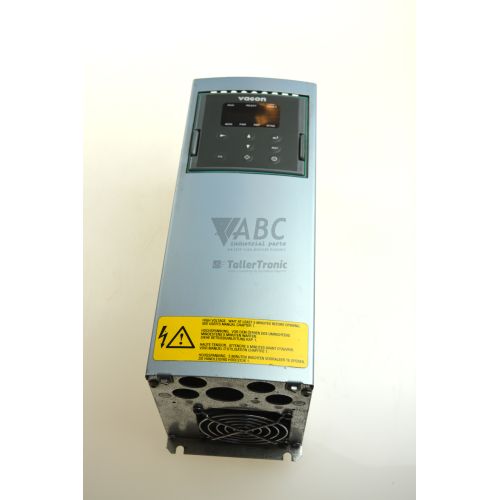
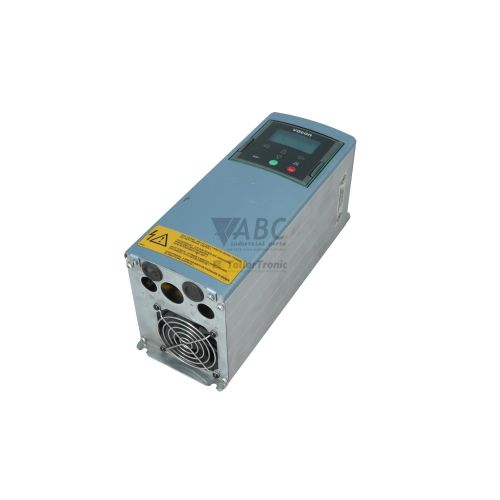
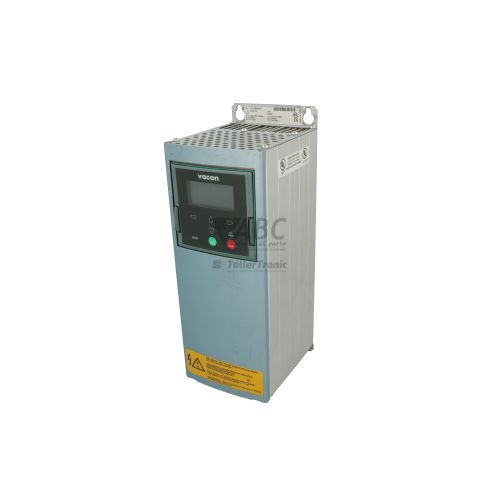
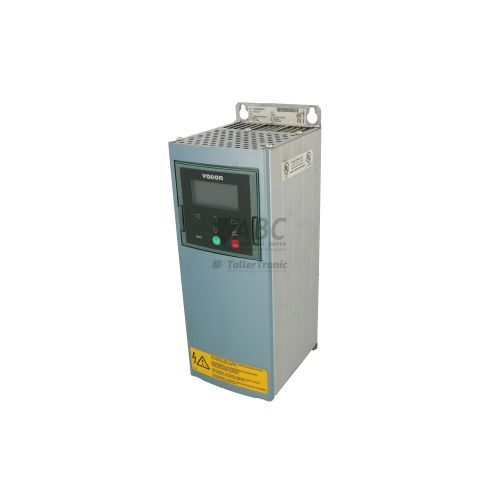
Vacon NXP03855A0N0SSAA1A2A500C5 NXP Drive AC Frequency Inverter



Het item werd toegevoegd aan uw offerteaanvraag
Product Information
The Vacon NXP03855A0N0SSAA1A2A500C5 is an air-cooled AC frequency inverter within the Vacon NXP series, built for heavy-duty motor control applications. Operating from a 380 V AC to 500 V AC three-phase supply, this Frame Size FR9 drive housed in an IP20 enclosure supplies up to 385 A continuous output current (200 kW) under low overload conditions, or 300 A continuous output current (160 kW) under heavy-duty ratings. It supports open-loop, closed-loop vector control, and frequency (V/Hz) control modes, making it suitable for continuous high-torque industrial machinery, mixers, extruders, pumps, and fans.
Integration and commissioning rely on a modular five-slot card system pre-configured with dedicated control, feedback, and communication modules. Slot A contains the OPTA1 standard I/O card (6 digital inputs, 2 analog inputs, 1 digital output, 1 analog output), Slot B holds the OPTA2 card (2 relay outputs, 1 thermistor input), Slot C houses the OPTA5 HTL encoder card for closed-loop motor feedback, and Slot E contains the OPTC5 PROFIBUS DP interface board. Commissioning a replacement unit involves transferring saved parameter sets, which are maintained in non-volatile EEPROM/Flash memory and can be copied via the removable keypad module or configured through Vacon Live and NCDrive engineering tools. ABC Industrial Parts provides assistance with unit selection, parameter backup, and donor drive setup.
System state and fault tracking are available on the six-line alphanumeric keypad display, supplemented by four dedicated front panel status indicators for ready, run, fault, and alarm conditions. The internal Fault History Menu (M8) records the last 30 trip events with associated timestamps and operating values, while fieldbus status registers transmit real-time diagnostics over PROFIBUS DP. First-line troubleshooting involves checking input line fuses, main supply symmetry, power cable shielding, encoder signal integrity, and verifying board seating in slots A through E. When severe internal hardware or power stage trips occur, ABC Industrial Parts can support rapid turnaround with replacement units or specialist repair services to minimize system downtime.
Technical Specifications
| Manufacturer | Vacon |
| Part Number | NXP03855A0N0SSAA1A2A500C5 |
| Model / Type | NXP0385 5 |
| Product Family | Vacon NXP |
| Component Type | AC Frequency Inverter |
| Supply Voltage Range | 380 - 500 V AC (3-phase) |
| Low Overload Continuous Current | 385 A |
| Heavy Duty Continuous Current | 300 A |
| Motor Power (Low Overload@ 400V) | 200 kW |
| Motor Power (Heavy Duty @ 400V) | 160 kW |
| Output Frequency Range | 0 - 320 Hz |
| Switching Frequency | 3 kHz |
| Frame Size | FR9 |
| Protection Rating | IP20 |
| Slot A Option Card | OPTA1 Standard I/O |
| Slot B Option Card | OPTA2 Relay / Thermistor Input |
| Slot C Option Card | OPTA5 HTL Incremental Encoder |
| Slot E Option Card | OPTC5 PROFIBUS DP |
Programming and Configuration
Parameterization and monitoring for the Vacon NXP03855A0N0SSAA1A2A500C5 are managed using the removable alphanumeric keypad display or PC engineering packages including Vacon Live and NCDrive. Operational configurations, motor nameplate values, control curves, and custom I/O mappings are written directly to non-volatile EEPROM/Flash storage on the drive control board, preventing data loss during total power interruption.
When replacing an existing drive, the keypad parameter copy feature allows complete parameter sets to be uploaded from an operating drive into the keypad memory and downloaded into a spare unit. Alternatively, parameter files can be uploaded, stored, and commissioned using Vacon Live software over a direct serial connection. Automatic option board recognition immediately detects cards in option slots A through E upon startup, though hardware profile or board model changes require acknowledgment via a panel parameter reset.
Communication and System Integration
Network integration for the NXP03855A0N0SSAA1A2A500C5 drive is achieved using the pre-installed OPTC5 PROFIBUS DP fieldbus card located in option Slot E. This interface enables high-speed cyclical communication with host PLCs, allowing control word commands, speed references, and status word monitoring to pass directly across the PROFIBUS bus.
In addition to fieldbus integration, this build configuration includes three internal I/O and feedback option cards across slots A, B, and C. Slot A houses the OPTA1 board providing 6 digital inputs, 2 analog inputs, 1 digital output, and 1 analog output. Slot B includes the OPTA2 card with 2 programmable relay outputs and a thermistor input for direct motor thermal protection. Slot C contains the OPTA5 HTL incremental encoder card, supporting 10-30V encoder feedback signals to execute closed-loop vector control and precise speed feedback.
Diagnostics and Status Indication
The drive provides continuous diagnostic output via its 6-line control panel display, local status LEDs, and digital fieldbus diagnostic registers. Front-panel LED indicators display the fundamental operational state, identifying power presence, modulating status, active warnings, or fault trips instantly.
Detailed fault logging is recorded automatically in the Fault History Menu (M8), which stores up to 30 sequential fault records accompanied by timestamp markers, operating frequency, output current, and DC-link voltage at the moment of tripping. Diagnostic parameter values can also be monitored live or saved using Vacon Live and NCDrive software tools.
Status LED Indicators
| LED | Color/Status | Meaning |
|---|---|---|
| READY | Green - Solid | Drive ready for operation / Mains voltage present |
| RUN | Green - Solid | Drive running and modulating motor output |
| FAULT | Red - Solid/Flashing | Drive stopped due to active fault condition |
| ALARM | Yellow - Solid/Flashing | Active warning/alarm condition, drive continues running |
Replacement and Spare Part Considerations
When swapping out a Vacon NXP03855A0N0SSAA1A2A500C5 drive, it is essential to ensure that the replacement unit shares the exact hardware option card allocation. This specific model code specifies pre-installed option boards in Slot A (OPTA1 I/O), Slot B (OPTA2 Relay/Thermistor), Slot C (OPTA5 HTL Encoder), and Slot E (OPTC5 PROFIBUS DP). If a replacement unit lacks any of these boards, hardware fault codes such as F26, F37, F39, or F54 will occur.
Mechanical and electrical matching requires confirmation of the FR9 frame size dimensions, IP20 protection class, and 380-500 V AC input supply ratings. Prior to powering up the motor on a replacement unit, motor parameter configurations and encoder feedback settings must be uploaded using the keypad parameter copy feature or software tools (Vacon Live or NCDrive) to ensure proper vector control and speed scaling.
Error Codes & Fault Codes
The following error codes may be displayed during operation or diagnostics:
| Code | Name | Description | Possible Cause | Recommended Action |
|---|---|---|---|---|
| F1 | Overcurrent | Output current has exceeded peak current limit / hardware trip limit. | Sudden heavy load increase, short circuit in motor cable, motor insulation failure, improper motor parameters, wrong acceleration time. | Check motor and cable insulation. Verify acceleration time and motor parameter data. Check for mechanical blockages. If trip recurs instantly on power-up with motor disconnected, internal power stage failure is likely - contact service. |
| F2 | Overvoltage | DC-link voltage has exceeded maximum allowable threshold limit. | Deceleration time too short, overhauling load generating regenerative energy, sharp mains voltage spike. | Increase deceleration time, activate overvoltage controller, install brake chopper and braking resistor. |
| F3 | Earth Fault / Ground Fault | Current measurement detects imbalance in phase currents indicating current leakage to ground. | Insulation breakdown in motor or motor cable, earth fault in motor windings. | Check motor cables and motor insulation with a megohmmeter (disconnect drive first). |
| F8 | System Fault | Internal component or micro-controller execution failure. | Control unit component failure, noise interference on control board, corrupted memory. | Power cycle the drive. Reset drive to factory defaults. If fault persists, replace control board or contact service. |
| F9 | Undervoltage | DC-link voltage drops below minimum allowable threshold limit. | Mains supply phase failure, blown line fuse, mains supply dip, internal pre-charge circuit fault. | Check mains voltage input and line fuses. Check pre-charge relay / resistor circuit. |
| F10 | Line Sync Fault | Phase supervision detected abnormal main supply synchronization or phase drop. | Input phase missing, unbalanced AC mains supply. | Check input power supply phases and fuses. |
| F11 | Output Phase Supervision | Current measurement detects missing output phase to motor. | Motor cable disconnected, phase wire loose, motor contactor opened during operation. | Check connections between drive output terminals U, V, W and motor. |
| F13 | Drive Undertemperature | Heatsink temperature below minimum threshold (-10°C). | Ambient temperature too low for operation. | Install cabinet heating or warm up environment prior to operation. |
| F14 | Drive Overtemperature | Heatsink temperature exceeded maximum safety limit (typically >90°C). | Cooling fan failed, clogged heatsink air passages, ambient temperature too high, continuous heavy load. | Clean heatsink, inspect cooling fan operation, ensure adequate ventilation space around drive enclosure. |
| F15 | Motor Stalled | Motor operates in stall region exceeding stall time and torque limits. | Excessive mechanical load, mechanical jam, wrong motor parameters. | Check load mechanics for blockages. Verify current limits and stall protection parameters. |
| F16 | Motor Overtemperature | Calculated motor thermal model or thermistor sensor signals excessive temperature. | Motor overloaded, low cooling airflow at low speed, incorrect motor parameter settings. | Reduce motor load. Check motor cooling fan. Verify motor thermal model parameters. |
| F25 | Microprocessor Watchdog Fault | Internal ASIC / Microprocessor execution crash or reset. | Severe electrical noise (EMC), internal micro-controller board failure. | Power cycle unit. Check EMC shielding and grounding. If fault returns, control unit replacement is required. |
| F26 | Option Board Communication Fault | Data transfer error between control board and installed option board. | Option board poorly seated in slot, damaged option board, bad internal ribbon bus connection. | Power down, remove and re-seat option boards in slots A through E. Replace option board if fault persists. |
| F29 | Thermistor Fault | Thermistor input on option board (e.g., OPTA2) detected overtemperature or open wire. | Motor overheating, broken thermistor cable, short circuit. | Check motor temperature, verify thermistor resistance and wiring to board OPTA2. |
| F31 | IGBT Overtemperature / Hardware Trip | IGBT junction temperature model calculation or hardware sensor detected extreme overtemperature. | High short-duration peak current, insufficient cooling, high switching frequency under high load. | Reduce switching frequency, check cooling fan performance and heatsink airflow. |
| F32 | Fan Cooling Fault | Cooling fan feedback signal indicates fan speed is zero or out of range. | Cooling fan damaged, fan clogged by dust/debris, disconnected fan power plug. | Inspect fan for physical obstruction. Clean or replace cooling fan module. |
| F37 | Device Change Fault | Option board hardware configuration changed without re-commissioning acknowledgement. | An option board in slot A, B, C, D, or E was replaced with a different card model. | Press reset to acknowledge new card setup or re-insert the original option board. |
| F38 | Device Added Fault | An option board was inserted into an empty option slot. | Option board newly added into slot. | Press reset button to accept hardware layout change. |
| F39 | Device Removed Fault | An option board previously present was removed or lost power. | Option board physically removed or card slot socket connection failed. | Re-install missing option board or press reset if removal was intentional. |
| F50 | Analog Input Signal Selection Fault (<4mA Supervision) | Analog input current signal AI1 or AI2 fell below 4 mA threshold level. | Transmitter cable wire break, sensor supply failure, transmitter fault. | Check analog loop sensor power supply and wiring integrity. |
| F52 | Keypad Communication Fault | Control unit lost RS232 communication connection with keypad. | Keypad disconnected, bad keypad connector, electrical noise. | Check keypad seating and connection cable. |
| F53 | Fieldbus Fault | Communication breakdown between fieldbus master (e.g. PLC via PROFIBUS OPTC5) and drive. | Fieldbus cable disconnected/damaged, wrong baud rate, PLC stopped, incorrect node address. | Check PROFIBUS DP cabling, termination resistors, OPTC5 LED indicators, and PLC bus master status. |
| F54 | Slot Fault | Option board fault in slot A, B, C, D, or E. | Defective option board inserted in slot. | Check slot diagnosis register, replace defective option board module. |
Frequently Asked Questions
What power ratings does the Vacon NXP03855A0N0SSAA1A2A500C5 drive support?
The drive delivers a continuous current output of 385 A (200 kW) under low overload conditions and 300 A (160 kW) under heavy-duty ratings, operating on a 380 V AC to 500 V AC three-phase supply.
Which option cards are installed in the NXP03855A0N0SSAA1A2A500C5 build?
This unit comes pre-equipped with four option cards: OPTA1 standard I/O in Slot A, OPTA2 relay/thermistor expansion in Slot B, OPTA5 10-30V HTL incremental encoder card in Slot C, and OPTC5 PROFIBUS DP interface card in Slot E.
How are parameters transferred to a replacement spare drive?
Parameter sets stored in the non-volatile EEPROM/Flash memory can be uploaded into the removable alphanumeric keypad from an existing drive and downloaded directly into the replacement drive. Parameters can also be backed up and restored using Vacon Live or NCDrive software.
What software tools can be used for commissioning and monitoring?
This drive is supported by Vacon Live and NCDrive commissioning and monitoring PC software tools.
What causes an F1 Overcurrent trip and how should it be addressed?
An F1 Overcurrent fault indicates output current has exceeded the peak hardware trip limit. Key causes include heavy load surges, short circuits in motor cabling, motor insulation breakdown, or wrong acceleration parameters. Check motor insulation, check mechanics for jams, and verify parameter settings. If F1 trips immediately upon power-up with the motor disconnected, an internal power stage failure is indicated.
Take advantage of our exchange formula
A defective product does not have to be worthless. At ABC Industrial Parts, you can hand in defective products and immediately benefit from a discount on your new purchase. This is a smart way to save money while contributing to a circular economy.
Play it safe with our warranty conditions
Industrial plants prefer to keep running invariably, no matter what. Therefore, it is essential that you can rely on high-quality products and/or sustainable repairs. With our warranty conditions, you can count on certainty, whether you choose new, used or repaired products.
Data backup and recovery
Have you lost valuable parameters or data due to a malfunction while the manufacturer no longer provides support? At ABC Industrial Parts, we help you secure this data, both for common and specific products.
Specific firmware and hardware versions
If you are working with specific hardware or firmware versions that are no longer available from the manufacturer, ABC Industrial Parts is your partner. When making your enquiry, clearly state which versions you need, we will then look at the possibilities of supplying those versions, so that your installations continue to function optimally.
Disclaimer:
We are not an authorised distributor of Vacon.
Product photos are for illustration purposes only and may differ from the actual product delivered.
Some of the content on this page was created with the help of AI. While we strive to provide accurate and up-to-date information, errors may occur.