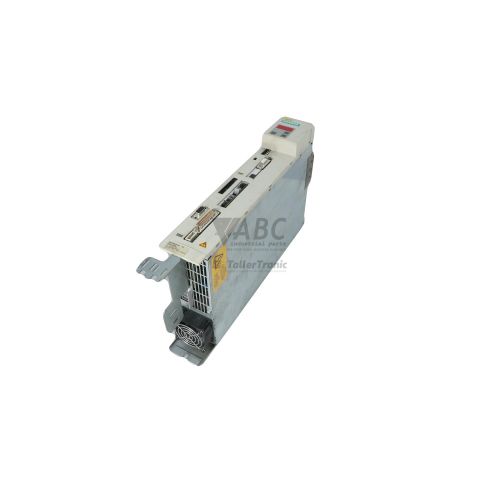
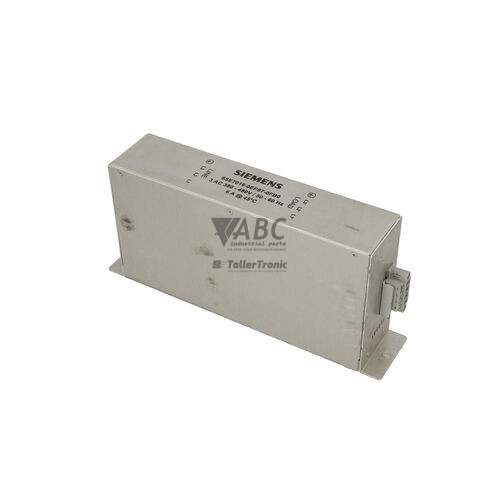
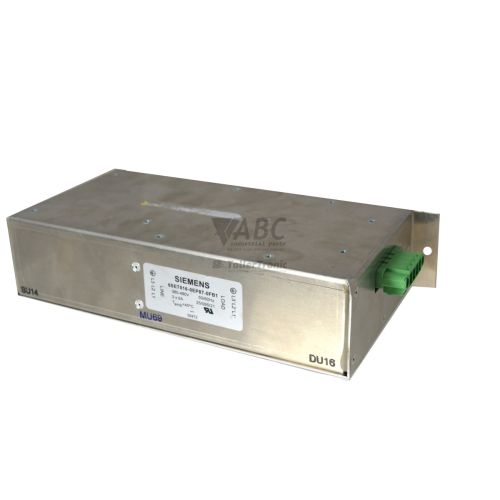
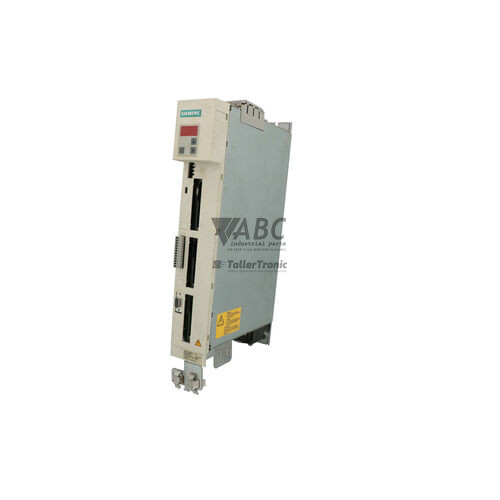
Siemens 6SE7016-0TP50-Z MASTERDRIVES MC 2.2kW AC Servo Drive


Het item werd toegevoegd aan uw offerteaanvraag
Product Information
The Siemens 6SE7016-0TP50-Z is a 2.2 kW AC servo drive within the SIMOVERT MASTERDRIVES MC family, constructed in a space-saving Compact PLUS housing. Designed for high-speed dynamic positioning and multi-axis angular synchronization, this drive operates from an AC line input of 380 V to 480 V 3AC (or a 510 V to 650 V DC link supply) at 50/60 Hz, delivering a 6.0 A continuous output current with a 5 kHz pulse switching frequency. This specific model features factory-configured Z-options (Z=F01+G91+C43+G42) that integrate specialized positioning control software alongside multi-interface option cards directly into the drive enclosure.
Connecting and commissioning this drive within an existing automation system relies on its factory-installed option modules. Interface support includes option C43 (CBP2 PROFIBUS DP board) for network integration up to 12 Mbit/s, option G91 (SLB fiber optic module) for 11 Mbit/s SIMOLINK peer-to-peer drive synchronization, and option G42 (SBM2 sensor board) for multiturn encoder and resolver feedback. Placing a spare unit into service requires matching these option cards and transferring the complete drive parameter set via DriveMonitor v5.x software or an OP1S operator panel using the onboard RS-485 USS protocol interface. ABC Industrial Parts can assist maintenance technicians with parameter extraction from existing drives or supplying pre-configured replacement units.
Visual system diagnostics are displayed via front-panel LEDs—Green (Run/Ready), Red (Fault), and Yellow (Alarm)—supplemented by parameter readout of fault history in r947 and active alarms in r2121. Initial troubleshooting steps should verify 3-phase line supply voltages, input fuse integrity, encoder wiring, and option card seating in their respective slots. Internal control board failures, such as memory corruption or hardware trip F100, are not field-serviceable; replacing the drive or utilizing ABC Industrial Parts for unit repair provides a fast route to restoring machine productivity.
Technical Specifications
| Supply Voltage Range | 380 - 480 V AC |
| DC Link Voltage Range | 510 - 650 V DC |
| Input Frequency | 50/60 Hz |
| Rated Output Power | 2.2 kW |
| Continuous Output Current | 6.0 A |
| Pulse Switching Frequency | 5 kHz |
| Digital Inputs | 6 |
| Digital Outputs | 3 |
Programming and Configuration
Parameterization and commissioning for the 6SE7016-0TP50-Z are executed using Siemens DriveMonitor software (v5.x) or the OP1S handheld operator panel (6SE7090-0XX84-2FK0). Serial communication with engineering tools is conducted via the built-in RS-485 USS protocol interface.
The inclusion of factory option F01 embeds advanced technology firmware directly into the drive controller. This software expansion enables local positioning control, electronic shaft capabilities, angular synchronism, and motion profiling without requiring an external positioning module.
When commissioning a replacement unit, drive parameters must be transferred from a saved backup or read directly from the original converter. Motor parameters (P100 onwards), interface options, and station addresses must match system requirements. A complete factory reset can be initiated via parameter P060=2 prior to reloading the configuration file.
Communication and System Integration
Fieldbus communication is provided by option C43 (CBP2 PROFIBUS DP card) fitted in Slot C. Supporting transmission speeds up to 12 Mbit/s, this card enables real-time cyclic data exchange with SIMATIC S7-300 and S7-400 PLC architecture.
High-speed multi-axis motion control is achieved via option G91 (SLB board) installed in Slot D. Operating over an 11 Mbit/s fiber optic ring network, the SIMOLINK interface synchronizes speed and position setpoints across multiple drives in complex line applications such as multi-axis conveyors or packaging machines.
Feedback evaluation is managed through option G42 (SBM2 sensor board) in Slot B, accommodating multiturn absolute encoders and resolvers. Local control signals are handled via 6 programmable digital inputs and 3 digital outputs.
Diagnostics and Status Indication
Drive status and fault conditions are continuously monitored through onboard parameters and diagnostic interfaces. Parameter r947 holds the fault code log, r949 stores diagnostic values at the time of trip, and r2121 displays active alarm conditions. DriveMonitor software offers real-time parameter tracing for signal analysis.
Three status LEDs on the front panel provide instant visual feedback regarding operational readiness, active alarms, or shutdown trips.
Status LED Indicators
| LED | Color/Status | Meaning |
|---|---|---|
| Green LED (Run / Ready) | Green - Flashing / Solid | Flashing: Power-up, pre-charge, or waiting state. Solid ON: Inverter operational and running. |
| Red LED (Fault) | Red - Solid / Flashing | Active drive fault; internal or external trip condition detected. |
| Yellow LED (Alarm) | Yellow - Flashing / Solid | Alarm or warning condition present; drive continues operation. |
Replacement and Spare Part Considerations
When replacing a 6SE7016-0TP50-Z unit, ensure the spare part maintains the exact Z-option code (Z=F01+G91+C43+G42). Installing a unit lacking these option boards will result in missing communications (F082 or F243) or encoder feedback failures (F065).
Option card seating must be confirmed before powering up a replacement drive: Slot B houses the G42 (SBM2) sensor module, Slot C contains the C43 (CBP2) PROFIBUS card, and Slot D holds the G91 (SLB) SIMOLINK fiber optic board. Verify that internal module seating and earthing clips are secure.
Although the SIMOVERT MASTERDRIVES series has reached end-of-life status, direct replacement remains the most practical method for maintaining production continuity. Siemens identifies the SINAMICS S120 platform as the long-term migration route when upgrading system architecture.
Error Codes & Fault Codes
The following error codes may be displayed during operation or diagnostics:
| Code | Name | Description | Possible Cause | Recommended Action |
|---|---|---|---|---|
| F001 | Main Contactor / Precharge Fault | Precharging was not completed within prescribed time limit, or main contactor failed to close. | Line supply voltage too low, precharge resistor defect, or main contactor feedback missing. | Check line supply voltage, check line fuse, inspect precharging circuit and contactor feedback wiring. |
| F002 | Pre-Charging Undervoltage | Minimum DC link voltage threshold not reached during pre-charging process. | Supply voltage dropped below limit during precharge phase, rectifier fault. | Check supply voltage, verify power input connections. |
| F006 | DC Link Overvoltage | DC link voltage exceeded upper trip limit. | Regenerative energy from motor deceleration without braking chopper or braking resistor, or main supply voltage too high. | Check supply voltage, increase deceleration ramp time, verify operation of braking unit / braking resistor. |
| F008 | DC Link Undervoltage | DC link voltage dropped below trip limit during operation. | Mains supply interruption, phase loss, or sudden heavy load transient. | Check line input voltage, line fuses, supply phase continuity. |
| F011 | Overcurrent | Output current exceeded instantaneous peak limit threshold. | Short circuit or ground fault at inverter output, motor overload, highly dynamic load step, incorrect motor parameter settings. | Check motor and motor leads for insulation fault/short circuit; verify motor data parameters (P100 onwards); check mechanical load for jamming. |
| F015 | Motor Blocked / Stalled | Drive motor is stalled or rotor is locked under load command. | Mechanical jam, load torque exceeds motor capability, torque limit set too low. | Inspect mechanical system for blockage; verify load limits and current limits. |
| F021 | Motor Overtemperature | Motor temperature sensor (KTY84/PTC) indicated overtemperature trip. | Motor thermal overload, insufficient cooling, defective temperature sensor or disconnected cable. | Allow motor to cool; verify cooling fan and airflow; check sensor connection and parameter settings (P381). |
| F023 | Inverter Overtemperature | Inverter heatsink temperature exceeded maximum threshold. | Inadequate drive ventilation, ambient temperature too high, internal fan fault, clogged heat sink fins. | Check cabinet fan operation, clear heatsink airflow path, verify ambient temperature. |
| F025 | Precharge Phase Failure | One phase of the AC input supply is missing during precharge. | Blown input fuse, broken line wire, unbalanced mains supply. | Check input supply line voltages and fuses across all 3 phases. |
| F026 | Output Phase Failure | Phase interruption detected on inverter output side. | Disconnected motor cable, motor contactor open, open motor winding. | Check output cable connection, motor contactors, motor winding resistance. |
| F035 | External Fault 1 | External fault condition triggered via digital input signal assignment. | External safety trip, thermal switch, or PLC digital signal deactivated. | Check external fault signal source and associated wiring connected to configured digital input. |
| F051 | Speed Feedback Fault | Encoder / speed feedback signal lost or inconsistent relative to motor model. | Defective encoder, damaged encoder cable, loose connector at SBM2 card, incorrect pulse encoder parameterization. | Inspect SBM2 card seating, check encoder wiring, shield earthing, and verify encoder type settings. |
| F061 | Parameter Checksum Fault | EEPROM parameter checksum error detected during self-test. | Internal EEPROM corruption or power loss during parameter save procedure. | Re-initialize drive parameters to factory default (P060=2) and reload configuration; if persistent, internal board replacement is required. |
| F065 | SBR/SBM Sensor Board Fault | Communication breakdown or failure on installed sensor option card (SBM2). | Option board improperly seated in slot B/G42, hardware failure on SBM2 board. | Power down drive, re-seat SBM2 module in slot, check slot ground connections. Internal hardware fault - return unit for repair if persistent. |
| F082 | CBP Communications Fault | Communication failure between inverter and CBP2 PROFIBUS option board, or PROFIBUS master loss of telegrams. | PROFIBUS bus cable failure, master stopped, incorrect station address, CBP2 board failure. | Check PROFIBUS cable, termination resistors, PLC status, and CBP2 seating in slot C/C43. |
| F100 | Internal Hardware Fault | Self-test failure on internal main control board (CUVC/CUMC). | Internal processor, memory, or ASIC hardware failure. | Internal hardware fault - unit is not field-serviceable; return for repair or replace unit. |
| F243 | SIMOLINK Module / Ring Interrupted Fault | SIMOLINK optical fiber ring loop interrupted or SLB board failure. | Fiber optic cable damaged, unplugged cable, power loss on neighboring SIMOLINK node, SLB board fault. | Check fiber optic cables for breaks/bending radius, verify optical light transmission, check SLB module power in slot D/G91. |
Frequently Asked Questions
What tools are needed to configure parameters on the Siemens 6SE7016-0TP50-Z?
Configuration requires Siemens DriveMonitor software v5.x connected via an RS-485 USS communication interface cable, or an OP1S handheld operator panel (part number 6SE7090-0XX84-2FK0).
What functions do the Z-options (F01, G91, C43, G42) add to this drive?
Option F01 activates integrated positioning software in the firmware, G91 adds the SLB SIMOLINK optical fiber card for multi-axis sync, C43 adds the CBP2 PROFIBUS DP interface up to 12 Mbit/s, and G42 adds the SBM2 sensor card for multiturn encoder and resolver feedback.
How can I resolve a PROFIBUS communication fault (F082)?
Check the PROFIBUS cable and line termination resistors, verify the assigned station address matches the PLC hardware setup, confirm the PLC is in RUN mode, and ensure the CBP2 option card is securely seated in Slot C.
What action should be taken if the drive displays fault code F100?
Fault F100 indicates a hardware failure on the internal main control board (CUVC or CUMC). This fault cannot be repaired in the field and requires sending the unit for specialized repair or installing a replacement drive.
Is the 6SE7016-0TP50-Z compatible with SIMATIC S7 controllers?
Yes, with the factory-installed CBP2 PROFIBUS DP option board (Option C43), the drive integrates directly with SIMATIC S7-300 and S7-400 automation systems.
Take advantage of our exchange formula
A defective product does not have to be worthless. At ABC Industrial Parts, you can hand in defective products and immediately benefit from a discount on your new purchase. This is a smart way to save money while contributing to a circular economy.
Play it safe with our warranty conditions
Industrial plants prefer to keep running invariably, no matter what. Therefore, it is essential that you can rely on high-quality products and/or sustainable repairs. With our warranty conditions, you can count on certainty, whether you choose new, used or repaired products.
Data backup and recovery
Have you lost valuable parameters or data due to a malfunction while the manufacturer no longer provides support? At ABC Industrial Parts, we help you secure this data, both for common and specific products.
Specific firmware and hardware versions
If you are working with specific hardware or firmware versions that are no longer available from the manufacturer, ABC Industrial Parts is your partner. When making your enquiry, clearly state which versions you need, we will then look at the possibilities of supplying those versions, so that your installations continue to function optimally.
Disclaimer:
We are not an authorised distributor of Siemens.
Product photos are for illustration purposes only and may differ from the actual product delivered.
Some of the content on this page was created with the help of AI. While we strive to provide accurate and up-to-date information, errors may occur.