Lenze E94AYCEC Powerlink CN Communication Module


Het item werd toegevoegd aan uw offerteaanvraag
Product Information
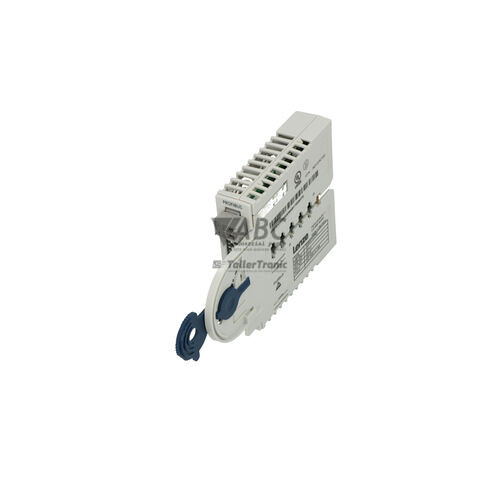
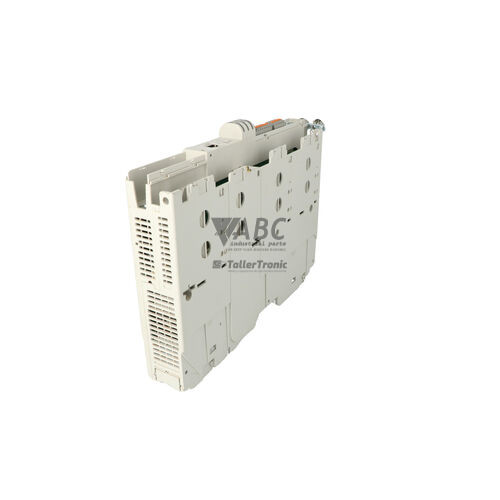
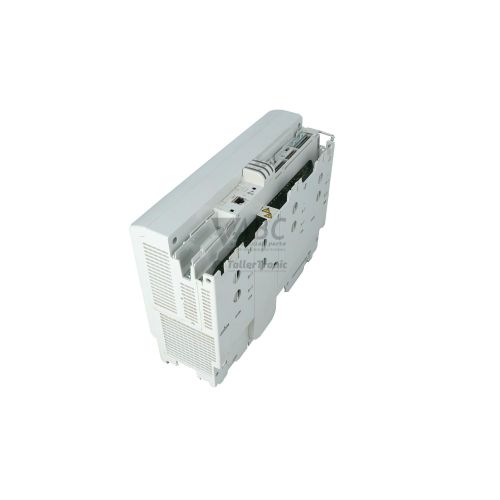
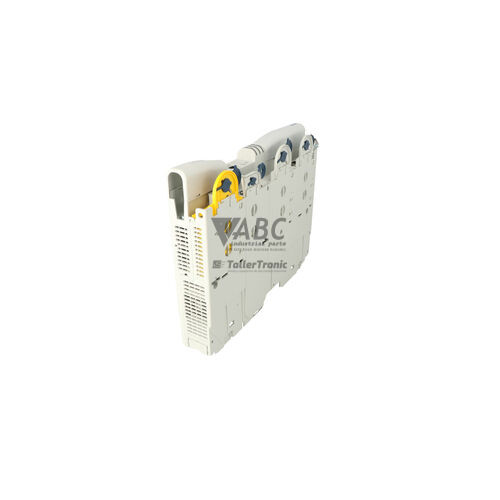
The Lenze E94AYCEC is an Ethernet POWERLINK Controlled Node (CN) communication module designed for the Lenze Servo Drives 9400 platform, including StateLine, HighLine, SingleDrive, and MultiDrive configurations. Operating as a high-speed slave interface, this module enables deterministic cyclic process data exchange and real-time multi-axis motion control across automated machinery. The unit mounts directly into extension slot 1 or slot 2 of the host drive and draws electrical power straight from the internal drive backplane, eliminating the need for external auxiliary power supply wiring. It features an integrated 2-port Ethernet switch with front-accessible X201 and X202 RJ45 connectors, facilitating efficient line-topology fieldbus cabling.
Interfacing the E94AYCEC with host controllers and network nodes is achieved via standard shielded CAT5e STP cabling running at full-duplex data transmission rates of 100 Mbit/s. Commissioning or replacing a module within an existing installation relies on configuration tools such as Lenze Engineer (version 2.6 or higher) or the Lenze EASY Starter service tool. Crucially, device parameters and network mapping profiles are retained in the host drive's non-volatile memory module (MM2k0). This architecture allows maintenance personnel to swap a damaged E94AYCEC card without losing drive parameters, though proper Node ID assignment and matching XDD device description files in the Managing Node master controller must be verified. ABC Industrial Parts provides tested replacement units to support rapid line recovery when network cards fail.
Diagnostic evaluation is simplified through four status LEDs positioned on the module front panel: Bus Status (BS), Bus Error (BE), and Link/Activity indicators for Port 1 (L/A1) and Port 2 (L/A2). These indicators provide immediate visual feedback on network operational modes, frame synchronization, CRC errors, or lost physical link states. First-line troubleshooting for suspected faults involves inspecting RJ45 connectors, checking cable continuity, verifying Managing Node status, and examining backplane bus connector pins for mechanical damage. Persistent internal memory errors or hardware initialization failures signal internal electronic faults that cannot be repaired in the field, making replacement with a functional E94AYCEC unit from ABC Industrial Parts the most reliable solution to minimize machine downtime.
Technical Specifications
| Communication Protocol | Ethernet POWERLINK (V2 Profile) |
| Node Type | Controlled Node (CN / Slave) |
| Transmission Rate | 100 Mbit/s |
| Port Count | 2 |
| Connector Type | RJ45 |
| Mounting Location | Drive Extension Slot 1 or Slot 2 |
| Power Supply | Internal via Host Drive Backplane |
| Supported Drives | Lenze 9400 StateLine, HighLine, SingleDrive, MultiDrive |
| Software Compatibility | Lenze Engineer Software v2.6 or higher, Lenze EASY Starter |
Programming and Configuration
Configuring the Lenze E94AYCEC communication module is performed using standard Lenze software utilities, specifically Lenze Engineer version 2.6 or higher and the Lenze EASY Starter service tool. These engineering environments allow technicians to set up process data mapping (PDOs), manage parameter sets, and assign the appropriate Node ID required for network communication.
A key operational feature of the Lenze 9400 platform is the non-volatile memory module (MM2k0) integrated into the host drive. Network configurations, node addresses, and parameter definitions transferred to the E94AYCEC are stored within this MM2k0 memory module. When exchanging a communication card, the replacement module automatically reads operational parameters directly from the drive memory, reducing configuration effort during service events.
For master-side integration, the Managing Node (MN) requires a matching XML/XDD device description file corresponding to the E94AYCEC Controlled Node. Ensuring that the XDD profile on the master controller aligns with the installed firmware version and drive configuration prevents PDO mapping discrepancies and configuration error alarms upon startup.
Communication and System Integration
The E94AYCEC module operates as a Controlled Node (CN) under the Ethernet POWERLINK V2 profile, providing real-time, low-jitter communication for demanding motion control tasks. Operating at 100 Mbit/s full-duplex speed, it delivers deterministic process data exchange between Lenze 9400 servo drives and central POWERLINK Managing Node controllers.
Equipped with an integrated 2-port Ethernet switch, the module provides two RJ45 female connectors labeled X201 (Port 1) and X202 (Port 2). This dual-port architecture enables direct line topology (daisy-chain) cabling between adjacent drives inside control cabinets without requiring external industrial Ethernet switches, reducing hardware overhead and wiring complexity.
To ensure reliable operation in noisy industrial environments—such as packaging lines, automotive assembly systems, and textile machinery—the E94AYCEC relies on shielded CAT5e STP cabling. Proper cable shielding and secure RJ45 latching protect real-time cyclic data streams against electromagnetic interference and high-frequency noise.
Diagnostics and Status Indication
Real-time diagnostic assessment for the E94AYCEC module is facilitated by four LED indicators on the front panel: Bus Status (BS), Bus Error (BE), Link/Activity Port 1 (L/A1), and Link/Activity Port 2 (L/A2). These indicators display the immediate physical link state, network operating mode, and communication fault conditions.
In addition to visual LED checks, detailed diagnostic logging is available through software interfaces. System bus error logs and network status registers can be accessed using Lenze EASY Starter or Lenze Engineer software, while the POWERLINK Managing Node monitors the NMT status of the Controlled Node continuously during operation.
Status LED Indicators
| LED | Color/Status | Meaning |
|---|---|---|
| BS (Bus Status) | Green - Solid / Blinking / Off | Displays POWERLINK network operational status. Off = Is-NMT-Off/Initialisation; Blinking = Pre-Operational 1/2 or ReadyToOperate; On = Operational. Hardware fault if off during active bus. |
| BE (Bus Error) | Red - Solid / Flashing / Off | Displays communication or module error status. Off = No error; On = Fatal bus error or loss of frame sync; Blinking = Collision, CRC error, or invalid configuration. |
| L/A1 (Link / Activity Port 1) | Green - Solid / Flickering / Off | Displays physical Ethernet link and traffic state on Port 1 (X201). On = Link established; Flickering = Data transfer active; Off = No link. |
| L/A2 (Link / Activity Port 2) | Green - Solid / Flickering / Off | Displays physical Ethernet link and traffic state on Port 2 (X202). On = Link established; Flickering = Data transfer active; Off = No link. |
Replacement and Spare Part Considerations
When replacing a Lenze E94AYCEC module, ensure that the host drive is powered down before inserting the card into extension slot 1 or slot 2 of a Lenze 9400 StateLine, HighLine, SingleDrive, or MultiDrive unit. Mechanical insertion engages the internal backplane bus interface, providing both data connectivity and operating power without external wiring.
Because operational parameters are saved in the host drive's MM2k0 non-volatile memory module, a replacement E94AYCEC card generally inherits parameter settings upon power-up. However, technicians should verify that the Node ID setting matches the master configuration and confirm that the Managing Node is running with the correct XML/XDD device description file.
If a replacement module fails to initialize or displays a permanent Bus Error (BE) after inspecting connector pins and cables, an internal hardware error may be present. In such cases, replacing the module with a functional spare ensures immediate system recovery without extensive board-level troubleshooting.
Error Codes & Fault Codes
The following error codes may be displayed during operation or diagnostics:
| Code | Name | Description | Possible Cause | Recommended Action |
|---|---|---|---|---|
| 0x00b10001 | POWERLINK Communication Error | Cyclic communication interrupted or cyclic process data timeout on POWERLINK network. | Network cable disconnected, broken connector, Managing Node stopped, excessive jitter or electromagnetic interference. | Check RJ45 Ethernet cables, check status of POWERLINK MN master, verify network cycle time and termination/topology. |
| 0x00b10002 | POWERLINK Configuration Error | Invalid parameter configuration or mismatch between CN XML device description and MN configuration. | Incorrect PDO mapping, invalid Node ID assignment, or incompatible XML/XDD file in master. | Verify Node ID settings, check XDD file in controller, reload drive parameter set using Lenze Engineer. |
| 0x00b10005 | POWERLINK Internal Hardware Error | Communication module initialization failed or internal memory fault detected on E94AYCEC. | Defective module electronics, bent connector pins on backplane bus, corrupted onboard firmware. | Power cycle the drive. Inspect connector pins. Internal hardware fault - if issue persists, replace the E94AYCEC module. |
Frequently Asked Questions
What drive models are compatible with the Lenze E94AYCEC communication module?
The E94AYCEC module is compatible with Lenze 9400 Servo Drives, including StateLine, HighLine, SingleDrive, and MultiDrive units.
Does the E94AYCEC require an external power supply?
No, the module receives its operating power directly from the internal backplane of the host Lenze 9400 drive when installed in slot 1 or slot 2.
What software is required to configure the E94AYCEC POWERLINK module?
Configuration and software diagnosis can be performed using Lenze Engineer software version 2.6 or higher, as well as the Lenze EASY Starter service tool.
Do I need to re-program the module when replacing an E94AYCEC on a Lenze 9400 drive?
The host drive stores network and drive parameters in its MM2k0 non-volatile memory module. When a replacement E94AYCEC is installed, it retrieves parameters automatically, though Node ID and master XML/XDD file settings should still be verified.
What does a blinking red Bus Error (BE) LED indicate on the module?
A blinking red BE LED indicates a communication or configuration error, such as a frame collision, CRC checksum error, or an invalid network parameter configuration.
How does the integrated 2-port switch benefit installation topology?
The built-in 2-port switch (ports X201 and X202) allows line topology (daisy-chaining) between multiple drives, eliminating the need for an external Ethernet switch in the panel.
Take advantage of our exchange formula
A defective product does not have to be worthless. At ABC Industrial Parts, you can hand in defective products and immediately benefit from a discount on your new purchase. This is a smart way to save money while contributing to a circular economy.
Play it safe with our warranty conditions
Industrial plants prefer to keep running invariably, no matter what. Therefore, it is essential that you can rely on high-quality products and/or sustainable repairs. With our warranty conditions, you can count on certainty, whether you choose new, used or repaired products.
Data backup and recovery
Have you lost valuable parameters or data due to a malfunction while the manufacturer no longer provides support? At ABC Industrial Parts, we help you secure this data, both for common and specific products.
Specific firmware and hardware versions
If you are working with specific hardware or firmware versions that are no longer available from the manufacturer, ABC Industrial Parts is your partner. When making your enquiry, clearly state which versions you need, we will then look at the possibilities of supplying those versions, so that your installations continue to function optimally.
Disclaimer:
We are not an authorised distributor of Lenze.
Product photos are for illustration purposes only and may differ from the actual product delivered.
Some of the content on this page was created with the help of AI. While we strive to provide accurate and up-to-date information, errors may occur.