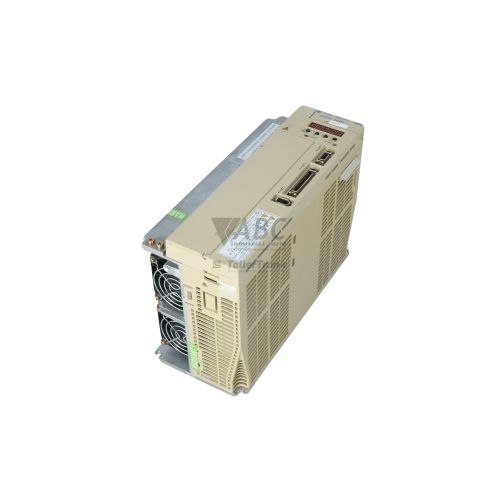
Yaskawa SGDH-30DE-OY Sigma II 3.0 kW Servopack Servo Drive


Het item werd toegevoegd aan uw offerteaanvraag
Product Information
The Yaskawa SGDH-30DE-OY is a 3.0 kW digital AC servo drive belonging to the Sigma II Servopack series. Operating on a 3-phase AC input supply ranging from 380 V to 480 V AC, this drive utilizes sine wave pulse-width modulation (PWM) control to operate 400 V class AC servomotors. It delivers a continuous output current of 11.2 A with a peak output rating of 28.0 A, serving as a core motion component in multi-axis CNC machining centers, automated packaging systems, robotic assembly arms, and gantry transfer drives. The unit supports versatile operation across position, speed, and torque control modes to deliver smooth motor rotation and rapid dynamic response.
Connecting and commissioning a replacement SGDH-30DE-OY unit requires attention to interface matching and configuration transfer. The drive features a CN3 serial port supporting RS-232, RS-422, and RS-485 Modbus RTU communication, alongside an internal option card expansion slot (CN5) designed for fieldbus cards including MECHATROLINK (JUSP-NS100), DeviceNet (JUSP-NS300), and PROFIBUS-DP (JUSP-NS500). Parameter profiles are stored in non-volatile internal EEPROM, meaning a spare unit is rarely plug-and-run. Field service personnel must back up and load parameter settings using SigmaWin+ configuration software or handheld Digital Operators (JUSP-OP02A or JUSP-OP03A), or draw on expert assistance from ABC Industrial Parts for parameter extraction from donor boards.
For operational status monitoring and diagnostic troubleshooting, the SGDH-30DE-OY is equipped with a 5-digit LED front-panel display and a dedicated red CHARGE LED indicator. The CHARGE LED provides an essential safety indication whenever dangerous DC bus voltage is present across the main circuit capacitors. Diagnostic software utilities allow operators to review historical error logs via function code Fn000 or execute independent motor rotation checks using Fn002 and Fn003 JOG test modes. Initial field troubleshooting should verify 3-phase line input voltage, CN2 encoder cable latching and shielding, and motor output phase continuity across U, V, and W terminals. When internal microprocessor exceptions or power hardware faults occur, on-site board repair is not viable, and acquiring a tested exchange unit or professional repair through ABC Industrial Parts provides the fastest path back to production.
Technical Specifications
| Manufacturer | Yaskawa |
| Part Number | SGDH-30DE-OY |
| Model / Type | Servopack |
| Product Family | Sigma II |
| Rated Power Output | 3.0 kW |
| Supply Voltage Range | 380 - 480 V AC |
| Input Phase | 3-Phase |
| Continuous Output Current | 11.2 A |
| Peak Output Current | 28.0 A |
| Control Method | Sine wave PWM control |
Programming and Configuration
Programming and parameter management on the Yaskawa SGDH-30DE-OY Servopack center around its integrated non-volatile EEPROM memory. This non-volatile storage retains drive configuration profiles without requiring battery power. Parameter settings define control operating modes—including position, speed, and torque modes—as well as current limits, feedback ratios, and custom system gains. Parameter modification and system setup can be performed through PC-based SigmaWin+ diagnostic software via the CN3 port or manually using handheld JUSP-OP02A and JUSP-OP03A Digital Operators.
To simplify drive commissioning and dynamic tuning, the unit includes adaptive autotuning features. Real-time online autotuning continuously monitors load inertia fluctuations during operation, automatically updating loop gain parameters to maintain stability and response speed. Function code Fn005 provides a full parameter initialization to factory defaults when reconfiguring a drive, after which application-specific parameters must be written back to the drive.
Communication and System Integration
The SGDH-30DE-OY provides serial and fieldbus interface options to integrate into broader automation networks. The onboard CN3 serial communications port supports Modbus RTU protocol across RS-232, RS-422, or RS-485 physical links, establishing connections to host controllers, HMIs, and diagnostic equipment. Encoder feedback is interfaced via the dedicated CN2 port, supporting direct communication with high-speed serial incremental encoders as well as 17-bit absolute encoders.
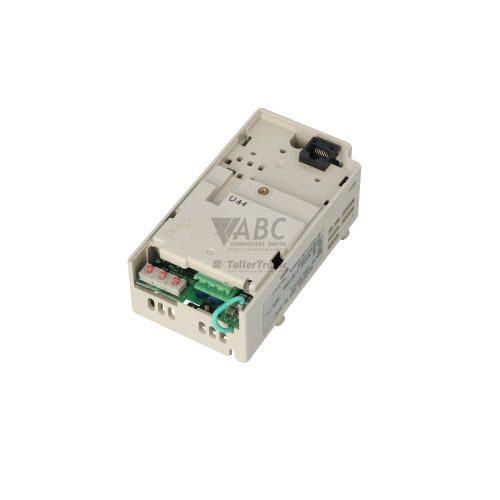
For real-time industrial fieldbus connectivity, the Servopack includes an internal CN5 option card slot. Installing specific expansion modules into slot CN5 allows direct integration into MECHATROLINK-I/II (JUSP-NS100), DeviceNet (JUSP-NS300), or PROFIBUS-DP (JUSP-NS500) communication networks. Proper physical alignment and mechanical seating of option cards in CN5 are critical to prevent fieldbus communication faults during operation.
Diagnostics and Status Indication
System state monitoring on the SGDH-30DE-OY relies on a 5-digit LED display located on the front panel, combined with physical status LED indicators. The 5-digit display shows active alarm codes, parameter addresses, and operating state data. Operators can utilize diagnostic function routines to access historical fault records using code Fn000 or execute isolated motor rotation checks using Fn002 and Fn003 JOG operation functions to test motor movement independently of external command signals.
The drive also features a red CHARGE LED located on the front housing. This safety indicator lights up whenever main circuit DC bus voltage is present across the internal power capacitors, serving as a warning against touching electrical terminals.
Status LED Indicators
| LED | Color/Status | Meaning |
|---|---|---|
| CHARGE | Red - Solid | Illuminated when main circuit DC bus voltage is present. Indicates hazardous voltage on main circuit capacitor. |
Replacement and Spare Part Considerations
When replacing an SGDH-30DE-OY drive, confirm that the replacement matches the original 3.0 kW power rating and 380–480 V AC 3-phase input specifications. Mismatches between drive output capacity and motor power ratings lead to alarm code A.05 (Combination Error). In addition, any fieldbus communication option modules installed in slot CN5—such as MECHATROLINK, DeviceNet, or PROFIBUS-DP cards—must be mechanically transferred to the replacement Servopack to preserve network integration.
Parameter transfer must be completed before putting a spare unit into production service. Drive parameters stored in non-volatile EEPROM should be downloaded from the original unit using SigmaWin+ or a Digital Operator (JUSP-OP02A or JUSP-OP03A) and uploaded to the replacement drive. If an absolute encoder system is utilized and backup battery power was lost, maintenance technicians must execute the absolute encoder setup utility (Fn008) to clear encoder alarms and re-establish machine zero reference positions.
Error Codes & Fault Codes
The following error codes may be displayed during operation or diagnostics:
| Code | Name | Description | Possible Cause | Recommended Action |
|---|---|---|---|---|
| A.02 | Parameter Checksum Error | Parameter data in non-volatile memory (EEPROM) is corrupt or invalid. | Power failure during parameter write, hardware memory corruption, or control board defect. | Re-initialize parameters to factory defaults (Fn005) and re-download parameter file. Internal hardware fault requiring drive repair if error persists. |
| A.03 | Main Circuit Interface Error | Detection error on internal control board or power circuit interface. | Internal board hardware fault or control board failure. | Internal hardware fault — power cycle drive; replace drive or return unit for repair if error recurs. |
| A.04 | Parameter Setting Error | A parameter setting is outside the valid allowable range. | Out-of-range parameter programmed or incompatible combination of parameters configured. | Check parameters modified recently and re-enter valid parameter values according to manual. |
| A.05 | Combination Error | Incompatible combination of Servopack capacity and servomotor capacity. | Connected motor model or capacity does not correspond to Servopack rating. | Verify connected servomotor model matches SGDH-30DE capacity rating or re-configure motor code. |
| A.10 | Overcurrent or Heat Sink Overheat | Output current exceeded peak limit threshold or power module heat sink overheated. | Short circuit in motor output wiring (U, V, W), motor winding insulation breakdown, grounded motor phase, or cooling fan failure. | Check motor power wiring for short circuits or grounds. Check motor insulation resistance. Verify internal heat sink cooling fan is operating. Return unit for repair if error triggers with motor cable disconnected. |
| A.30 | Regeneration Error | Regenerative transistor fault or abnormal operation of regeneration circuit. | Defective regenerative transistor, disconnected/damaged external regenerative resistor, or excess deceleration energy. | Check external regenerative resistor resistance and connection wiring. If resistor is normal, internal switching transistor may be damaged — return unit for repair. |
| A.32 | Regenerative Overload | Regenerative energy continuously exceeded processing capacity of internal or external resistor. | Deceleration time too short, continuous negative load / overhaul load, or regenerative resistor capacity insufficient. | Increase motor deceleration time, reduce load inertia, or install an external regenerative resistor with higher capacity. |
| A.40 | Main Circuit Overvoltage | Main circuit DC bus voltage exceeded maximum safety threshold. | AC line voltage exceeds 480 VAC, excessive deceleration energy feed back without adequate regeneration resistor, or phase loss. | Measure input supply line voltage. Increase deceleration time or add an external braking resistor. |
| A.41 | Main Circuit Undervoltage | Main circuit DC bus voltage dropped below minimum operating limit. | Input AC line voltage lower than 380 VAC rating, momentary power interruption, or blown input fuse. | Measure input AC power supply line-to-line voltage. Inspect power supply lines, contactors, and input protection fuses. |
| A.51 | Overspeed | Motor rotation speed exceeded maximum allowable speed limit. | Incorrect speed reference input, wiring error on motor output phases (U, V, W), or gain tuning instability causing oscillation. | Check motor phase phase-sequence wiring (U, V, W). Verify speed command scaling and encoder feedback signals. |
| A.71 | Overload (High Load) | Servopack operated continuously above rated load output for several seconds to minutes. | Mechanical jam, binding in load, motor undersized, drive current limit improperly set, or holding brake engaged during run. | Check mechanical system for jamming or binding. Verify mechanical holding brake releases when drive is enabled. Reduce load or duty cycle. |
| A.72 | Overload (Low Load) | Servopack operated continuously at moderate overload level for extended period. | Continuous torque demand exceeds rated continuous torque rating of servomotor/servopack. | Check operating duty cycle and RMS torque requirement. Verify motor capacity is adequate for load profile. |
| A.7A | Heat Sink Overheated | Servopack cooling heat sink temperature exceeded maximum allowable thermal limit. | Internal cooling fan stopped or clogged, ambient air circulation obstructed, or heat sink fins covered in dust. | Clean heat sink cooling fins. Verify internal fan turns freely. Ensure proper panel ventilation and clearance around drive. |
| A.81 | Absolute Encoder Backup Error | Absolute position data in multi-turn encoder was cleared due to complete battery backup power loss. | Absolute encoder battery disconnected or completely discharged while main control power was turned off. | Replace absolute encoder backup battery. Perform absolute encoder setup/clear procedure (Fn008) and re-establish machine zero reference. |
| A.82 | Encoder Checksum Error | Memory checksum error detected inside encoder serial communications memory. | Internal encoder hardware failure or heavy electrical noise interference on encoder cable. | Check encoder cable shielding and ground connections. If error persists, replace servomotor / encoder. |
| A.83 | Encoder Battery Alarm | Absolute encoder backup battery voltage dropped below specified warning voltage limit. | Absolute encoder backup battery exhausted. | Replace backup battery while control power to Servopack is ON to prevent losing position home position. |
| A.84 | Encoder Data Error | Abnormal absolute position data detected inside multi-turn encoder. | Electrical noise coupling into encoder serial communication lines or internal encoder component failure. | Verify encoder cable grounding and shielding. Execute absolute encoder reset (Fn008). Replace motor encoder if failure recurs. |
| A.85 | Encoder Overspeed | Encoder rotated at speed exceeding 200 r/min when main control power was turned ON. | Motor was rotating at high speed when control power supply was energized. | Ensure motor is completely stopped before turning on control power. |
| A.86 | Encoder Overheated | Internal temperature of absolute encoder exceeded operating limit. | Servomotor body overheating or severe ambient temperature rise. | Check servomotor operating load and cooling. Reduce motor temperature. |
| A.b1 | Option Card Communication Error | Communication failure between Servopack main CPU and installed optional module in slot CN5. | Option card loosely seated or hardware failure in option board. | Power off, remove and re-seat option module in CN5 slot. Replace option card if defect persists. |
| A.C1 | Servo Control Error / System Error | Internal microprocessor system control error or execution exception. | Internal circuit error or CPU control malfunction. | Internal hardware fault — turn power off and back on. Replace Servopack if error recurs. |
| A.C9 | Encoder Communications Error | Serial communication link between Servopack and motor encoder failed. | Encoder cable disconnected, broken wire, loose connector at CN2, or severe noise interference. | Check CN2 cable connector latching, inspect encoder cable wire continuity, and verify shield grounding. |
| A.F1 | Power Line Open Phase | Missing phase detected in main circuit 3-phase AC power input (R, S, T). | Unbalanced AC input line voltage, open line phase fuse, or loose power terminal connection. | Measure 3-phase input supply voltage line-to-line across L1, L2, L3 (R, S, T) terminals. |
Frequently Asked Questions
What software and engineering tools are used to configure the Yaskawa SGDH-30DE-OY?
Drive configuration, parameter editing, and diagnostics are performed using Yaskawa SigmaWin+ software via the CN3 serial port or using handheld JUSP-OP02A and JUSP-OP03A Digital Operators.
What line input supply voltage is required for the SGDH-30DE-OY Servopack?
The SGDH-30DE-OY requires a 3-phase AC main circuit supply operating between 380 V and 480 V AC.
How are parameters transferred when replacing an SGDH-30DE-OY drive?
Parameter profiles stored in non-volatile internal EEPROM must be uploaded via SigmaWin+ or a Digital Operator from the original unit and downloaded into the replacement Servopack before operation.
Which fieldbus expansion options are supported on the SGDH-30DE-OY?
Via internal slot CN5, the drive supports optional fieldbus modules including the JUSP-NS100 (MECHATROLINK-I/II), JUSP-NS300 (DeviceNet), and JUSP-NS500 (PROFIBUS-DP).
What does the red CHARGE LED indicate on the front panel?
The illuminated red CHARGE LED indicates that main circuit DC bus voltage is actively present on the power capacitors, warning of hazardous voltage inside the unit.
How should an absolute encoder battery warning or backup error be handled?
If alarm A.83 appears, replace the encoder backup battery while control power is turned ON to preserve position memory. If alarm A.81 occurs due to total battery loss, replace the battery and execute function Fn008 to reset the encoder and re-establish machine zero.
Take advantage of our exchange formula
A defective product does not have to be worthless. At ABC Industrial Parts, you can hand in defective products and immediately benefit from a discount on your new purchase. This is a smart way to save money while contributing to a circular economy.
Play it safe with our warranty conditions
Industrial plants prefer to keep running invariably, no matter what. Therefore, it is essential that you can rely on high-quality products and/or sustainable repairs. With our warranty conditions, you can count on certainty, whether you choose new, used or repaired products.
Data backup and recovery
Have you lost valuable parameters or data due to a malfunction while the manufacturer no longer provides support? At ABC Industrial Parts, we help you secure this data, both for common and specific products.
Specific firmware and hardware versions
If you are working with specific hardware or firmware versions that are no longer available from the manufacturer, ABC Industrial Parts is your partner. When making your enquiry, clearly state which versions you need, we will then look at the possibilities of supplying those versions, so that your installations continue to function optimally.
Disclaimer:
We are not an authorised distributor of Yaskawa.
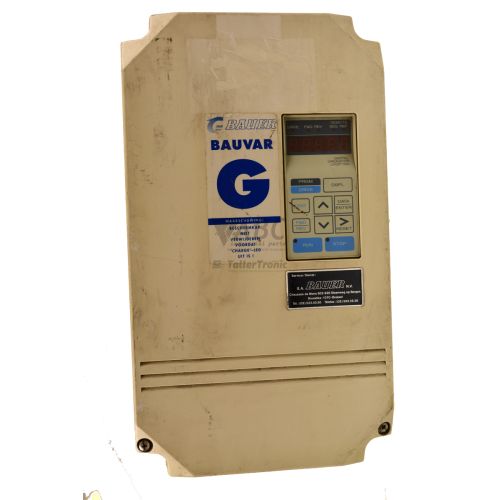
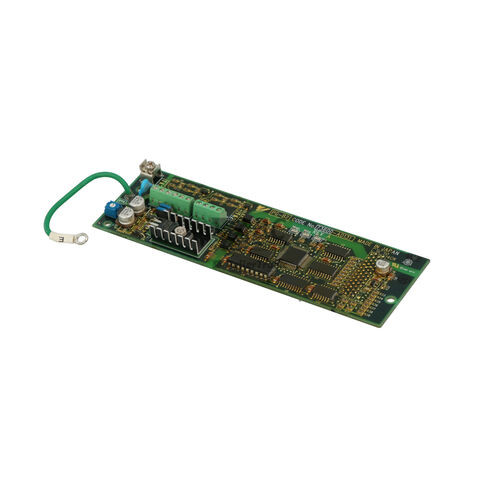
Product photos are for illustration purposes only and may differ from the actual product delivered.
Some of the content on this page was created with the help of AI. While we strive to provide accurate and up-to-date information, errors may occur.