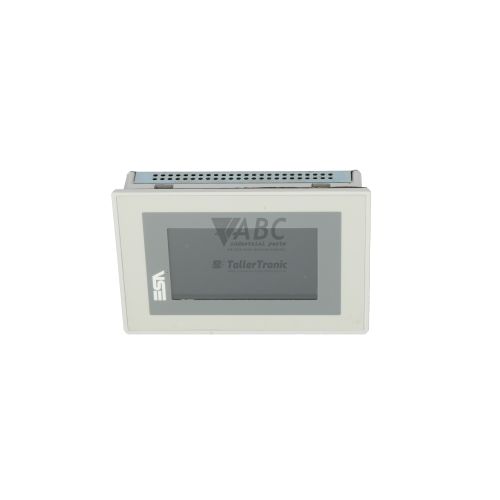
ESA VT300WA0000 VT300W HMI Touch Screen Panel


Het item werd toegevoegd aan uw offerteaanvraag
Product Information
The ESA VT300WA0000 is a 5.7-inch monochrome graphic HMI touch screen panel belonging to the ESA VT Series, designated under model type VT300W. Engineered for industrial visualization and machine control across processing, packaging, and manufacturing environments, this operator interface features a high-contrast blue and white STN LCD screen with a resolution of 320x240 QVGA pixels. The unit operates on a standard 24V DC supply voltage with an operational tolerance spanning 18V to 32V DC and maintains a low power consumption of 12W.
Interfacing with control systems is facilitated through two onboard serial communication interfaces: a primary DB25 female Main Serial Port (MSP) supporting RS-232, RS-422, RS-485, and TTY 20mA current loop modes at speeds up to 115200 bps, alongside a secondary DB9 male Auxiliary Serial Port (ASP) for RS-232 and RS-485 connections. Commissioning a replacement unit requires restoring the compiled project file and runtime operating system into the internal 1024 KB non-volatile Flash memory using ESA VT-Win or Polymath software paired with the VT-505 serial programming cable. Because HMI units store machine-specific graphic screens, driver configurations, and system parameters, an off-the-shelf spare will not operate until configured with the matching application backup. ABC Industrial Parts provides tested replacement units and technical support to help extract or transfer project files during panel swap-outs.
System status and communication activity are indicated through onboard indicators, including the PWR LED for 24V DC power verification and the COM LED, which flashes during active data exchange with connected controllers. Diagnostic utilities are accessible directly on the terminal via the VT System Menu during boot, touch screen calibration menu, and online testing modes within VT-Win to evaluate RAM, Flash memory, and serial link integrity. When a unit fails to illuminate its PWR LED despite correct input voltage or encounters unrecoverable hardware memory errors, internal power or storage component failure is indicated. In these instances, field maintenance is limited, and replacing the assembly or utilizing tested exchange units from ABC Industrial Parts offers a direct path back to full operational status.
Technical Specifications
| Manufacturer | ESA |
| Part Number | VT300WA0000 |
| Model / Type | VT300W |
| Product Family | VT Series |
| Component Type | HMI Touch Screen Panel |
| Display Size | 5.7 in |
| Display Resolution | 320x240 pixels |
| Display Type | STN LCD Blue/White |
| Supply Voltage | 24 V DC |
| Supply Voltage Range | 18 - 32 V DC |
| Power Consumption | 12 W |
| Program Memory | 1024 KB |
| Main Serial Port (MSP) | DB25 Female (RS-232/RS-422/RS-485/TTY 20mA) |
| Auxiliary Serial Port (ASP) | DB9 Male (RS-232/RS-485) |
| Baud Rate | 115200 bps |
| Integrated Protocols | Modbus RTU |
| Optional Expansion Fieldbus | Profibus DP, CANopen |
Programming and Configuration
Programming the ESA VT300WA0000 HMI panel is conducted using ESA VT-Win or ESA Polymath software packages. Project setup requires selecting the appropriate controller protocol driver, defining tags, and designing screen layouts for process monitoring and parameter adjustment. Physical connection between the engineering PC and the terminal is established using the ESA VT-505 serial programming cable connected to the main serial interface.
Application projects and the runtime operating system are retained in 1024 KB of non-volatile Flash memory, ensuring project logic and display layouts remain protected against unexpected power loss. When upgrading or replacing a unit, the runtime OS version on the panel must align with the protocol drivers used in the compiled software project to prevent runtime driver incompatibilities.
Communication and System Integration
The VT300WA0000 terminal provides dual serial communications to integrate with diverse automation networks. The primary DB25 female Main Serial Port (MSP) supports multi-protocol serial communication including RS-232, RS-422, RS-485, and TTY 20mA current loop configurations at data rates up to 115200 bps. A secondary DB9 male Auxiliary Serial Port (ASP) provides additional RS-232 or RS-485 connectivity for peripheral devices, printers, or secondary control links.
Native protocol support includes Modbus RTU for direct communication with compatible programmable logic controllers. For broader fieldbus network integration, the panel can be expanded using optional plug-in expansion cards to support Profibus DP and CANopen architectures.
Diagnostics and Status Indication
Diagnostic monitoring on the VT300WA0000 is supported through hardware status LEDs and integrated system menu functions. The PWR LED indicates the status of the incoming 24V DC power supply, while the COM LED flashes during active transmission and reception over serial lines.
In-depth diagnostic routines can be launched via the VT System Menu, accessed during boot by touching the designated screen area, or via VT-Win Online Diagnostic Mode. These tools allow maintenance technicians to verify touch screen alignment, test internal RAM and Flash memory modules, and monitor active serial communication parameters.
Status LED Indicators
| LED | Color/Status | Meaning |
|---|---|---|
| PWR / POWER | Solid / Unlit | Indicates 24V DC auxiliary power supply status. Unlit indicates lack of power input or internal board power supply failure requiring repair. |
| COM / RX-TX | Flashing | Flashes during active serial communication data exchange with controller/PLC. |
Replacement and Spare Part Considerations
Replacing a VT300WA0000 panel requires matching both hardware physical interfaces and software project configurations. Before removing an existing unit, an accurate backup of the application project file must be secured using ESA VT-Win or Polymath software and the VT-505 programming cable. Transferring this backup to the replacement panel ensures touch screen navigation, communication drivers, and parameter addresses align with plant machinery.
When commissioning a spare terminal, care must be taken to match protocol driver configurations, fieldbus expansion modules, and operating voltage specifications. The panel requires a 24V DC power source within 18V to 32V DC. If the replacement unit exhibits driver mismatch errors or protocol timeouts upon installation, verifying software driver compatibility and checking serial wiring pinouts will restore communication across the automation network.
Error Codes & Fault Codes
The following error codes may be displayed during operation or diagnostics:
| Code | Name | Description | Possible Cause | Recommended Action |
|---|---|---|---|---|
| E-COM-01 | PLC Communication Timeout | The HMI terminal did not receive a response from the configured PLC within the specified timeout interval. | Faulty serial cable, incorrect baud rate/parity setting, PLC powered off, or wrong node address. | Check cable connection, verify PLC power supply, and verify serial settings in VT-Win software project. |
| E-MEM-01 | Flash Checksum Error | Corrupted application program or system firmware stored in non-volatile Flash memory. | Interrupted project download, power outage during flash write operation, or internal hardware Flash chip failure. | Attempt re-downloading project file via VT-Win. If error persists, internal memory hardware fault exists requiring return for service. |
| E-CFG-02 | Invalid Protocol Driver | The selected communication driver in the project is incompatible with the loaded runtime firmware version. | Mismatch between runtime OS version on HMI and compiled project driver. | Update HMI firmware/OS via VT-Win or recompile project using compatible software version. |
Frequently Asked Questions
What software is used to program the ESA VT300WA0000?
The ESA VT300WA0000 is programmed using ESA VT-Win or ESA Polymath software along with the ESA VT-505 serial programming cable.
What communication protocols are natively supported on the VT300WA0000?
The panel includes native support for Modbus RTU over its serial interfaces, with multi-protocol support for RS-232, RS-422, RS-485, and TTY 20mA. Profibus DP and CANopen can also be supported via optional expansion cards.
How do I resolve fault code E-COM-01 on the VT300WA0000?
Fault code E-COM-01 indicates a PLC communication timeout. To resolve it, check the serial cable connection, verify that the controller is powered on, and ensure that the baud rate, parity, and node address settings in the VT-Win software project match the PLC configuration.
What causes fault code E-MEM-01 on the VT300WA0000?
Fault code E-MEM-01 indicates a Flash checksum error caused by a corrupted application project or firmware file, often due to an interrupted download or power loss during writing. Re-downloading the project via VT-Win usually resolves the error unless an internal hardware memory chip failure has occurred.
What power supply voltage is required for the ESA VT300WA0000?
The VT300WA0000 operates on a 24V DC nominal power supply with a permitted voltage range of 18V to 32V DC and consumes a maximum of 12W.
Take advantage of our exchange formula
A defective product does not have to be worthless. At ABC Industrial Parts, you can hand in defective products and immediately benefit from a discount on your new purchase. This is a smart way to save money while contributing to a circular economy.
Play it safe with our warranty conditions
Industrial plants prefer to keep running invariably, no matter what. Therefore, it is essential that you can rely on high-quality products and/or sustainable repairs. With our warranty conditions, you can count on certainty, whether you choose new, used or repaired products.
Data backup and recovery
Have you lost valuable parameters or data due to a malfunction while the manufacturer no longer provides support? At ABC Industrial Parts, we help you secure this data, both for common and specific products.
Specific firmware and hardware versions
If you are working with specific hardware or firmware versions that are no longer available from the manufacturer, ABC Industrial Parts is your partner. When making your enquiry, clearly state which versions you need, we will then look at the possibilities of supplying those versions, so that your installations continue to function optimally.
Disclaimer:
We are not an authorised distributor of ESA.
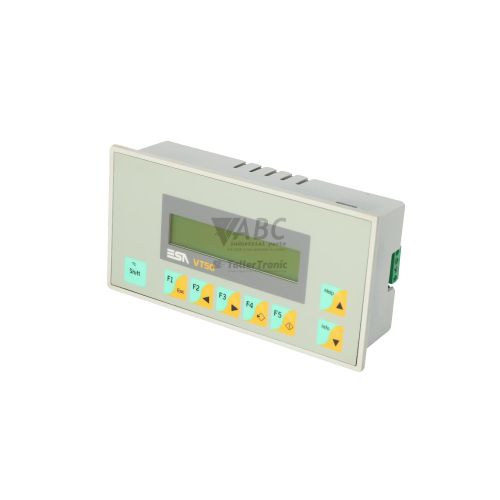
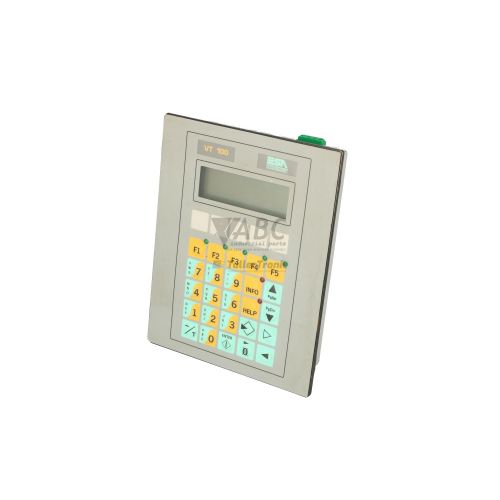
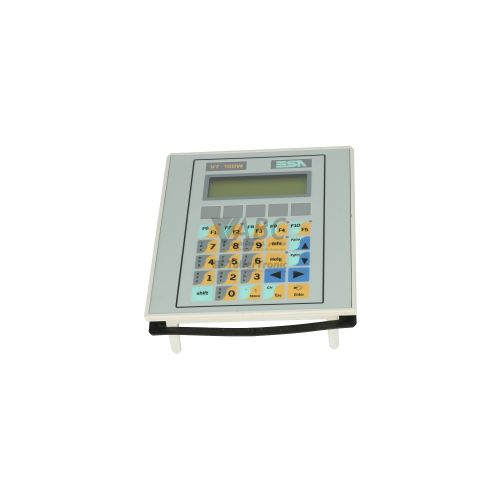
Product photos are for illustration purposes only and may differ from the actual product delivered.
Some of the content on this page was created with the help of AI. While we strive to provide accurate and up-to-date information, errors may occur.