Siemens 6AV6647-0AA11-3AX0 SIMATIC KTP400 Basic Mono PN HMI Panel


Het item werd toegevoegd aan uw offerteaanvraag
Product Information
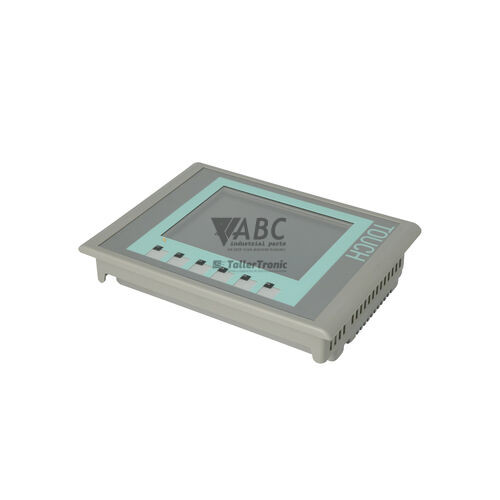
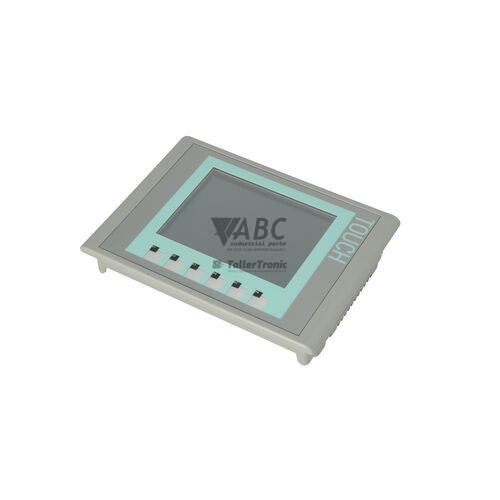
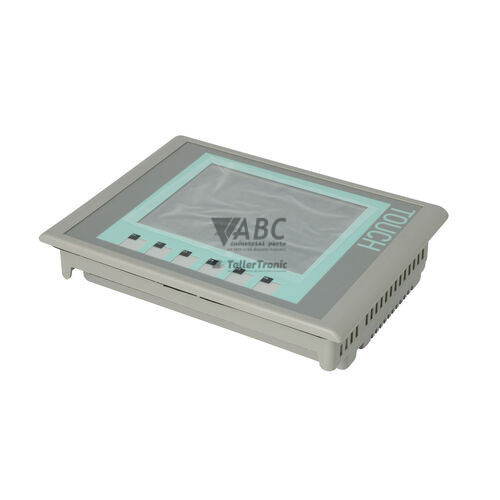
The Siemens 6AV6647-0AA11-3AX0 SIMATIC KTP400 Basic Mono PN is an operator panel designed for entry-level monitoring and control in compact automated machinery. As part of the 1st Generation SIMATIC Basic Panels family, this human-machine interface features a 3.8-inch monochrome STN LCD screen delivering 240 x 120 pixel resolution across 4 grayscale levels. Operator input is handled through a combination of an analog resistive touchscreen and four tactile, user-programmable function keys. Built for industrial environments, the front face carries an IP65 protection rating to guard against dust and moisture, while the rear housing is rated IP20. Electrical power is supplied via a nominal 24 V DC input with an operating range of 19.2 to 28.8 V DC, consuming 2.4 W at a rated current of 0.1 A.
System connectivity relies on an integrated 10/100 Mbit/s Ethernet port with an RJ45 interface, supporting PROFINET and Industrial Ethernet protocols. Pre-installed communication drivers enable direct integration with Siemens SIMATIC S7-200, S7-300, S7-400, and S7-1200 controllers, as well as third-party PLCs operating on Modbus TCP or EtherNet/IP networks. Project files and runtime data reside in 512 KB of non-volatile flash memory without requiring an external storage card. Engineering and commissioning require WinCC flexible 2008 SP2 Compact or higher, or TIA Portal WinCC V11 or higher. Putting a spare unit into service involves downloading the compiled screen project or restoring an image via the SIMATIC ProSave utility. ABC Industrial Parts can support maintenance teams needing assistance with replacement hardware selection or configuration recovery.
Diagnostics and operating conditions are signaled directly on the unit and through software tools. Physical network link status and data transmission are indicated by green and yellow status LEDs on the RJ45 port. The panel maintains an internal system message buffer to log operational events and bus errors, alongside an automated self-test routine during startup. Communication timeouts and tag address mismatches can be diagnosed online through WinCC flexible or TIA Portal. When persistent hardware failures arise, such as unrecoverable flash memory faults (error code 700001), factory resets via SIMATIC ProSave may be attempted. If internal component failures prevent operation, replacement or a tested exchange unit from ABC Industrial Parts offers a direct route to restoring machine uptime.
Technical Specifications
| Manufacturer | Siemens |
| Part Number | 6AV6647-0AA11-3AX0 |
| Model / Type | SIMATIC KTP400 Basic Mono PN |
| Component Type | Human Machine Interface (HMI) |
| Display Size | 3.8 in |
| Display Resolution | 240 x 120 pixels |
| Display Colors | 4 grayscale levels |
| Touch Screen Technology | Analog Resistive |
| Function Keys | 4 keys |
| Supply Voltage | 24 V DC |
| Supply Voltage Range | 19.2 - 28.8 V DC |
| Rated Current | 0.1 A |
| Power Consumption | 2.4 W |
| Usable Memory | 512 KB |
| Protection Rating Front | IP65 |
| Protection Rating Rear | IP20 |
| Ethernet Interface | 1x RJ45 (10/100 Mbit/s) |
Programming and Configuration
Engineering and configuration for the Siemens 6AV6647-0AA11-3AX0 panel are carried out using WinCC flexible 2008 SP2 Compact or higher, as well as TIA Portal WinCC V11 or higher. The development environment allows engineers to design user screens, define function key assignments, and configure communication tags linked to connected controllers.
The panel contains 512 KB of onboard non-volatile flash memory to retain projects, system settings, and screens. External memory cards are not required for standard runtime operation. Maintenance personnel can utilize the SIMATIC ProSave utility to perform operating system updates, execute factory resets, and complete backup or restore operations across the Ethernet interface.
Communication and System Integration
The 6AV6647-0AA11-3AX0 features a single RJ45 Ethernet port operating at 10/100 Mbit/s speeds. This interface supports PROFINET and Industrial Ethernet protocols, allowing integration into industrial network structures.
Native drivers support communication with Siemens SIMATIC S7-200, S7-300, S7-400, and S7-1200 PLCs. Additionally, multi-vendor control architectures are supported through driver integration for Modbus TCP and EtherNet/IP networks.
Diagnostics and Status Indication
Operational health and interface activity are indicated directly on the physical hardware and within the software runtime environment. Two dedicated status LEDs on the RJ45 Ethernet socket provide instant physical confirmation of network cable connectivity and active data traffic.
System diagnostic messages are buffered internally to record active operating states and bus communication faults. Online diagnostic features are accessible through TIA Portal WinCC and WinCC flexible, while lower-level operating system routines can be monitored using SIMATIC ProSave.
Status LED Indicators
| LED | Color/Status | Meaning |
|---|---|---|
| RJ45 Port Link LED | Green - Solid | Indicates active physical network connection |
| RJ45 Port Activity LED | Yellow - Flashing | Indicates network data transmission |
Replacement and Spare Part Considerations
Replacing a Siemens 6AV6647-0AA11-3AX0 unit requires transferring the original application project to the new panel. Because runtime files are stored in internal flash memory, technicians must reload the project using WinCC flexible, TIA Portal, or restore a complete image backup using SIMATIC ProSave.
Network settings, such as the IP address and subnet mask, must match the original panel configuration to ensure communication with connected controllers resumes immediately after installation. Matching exact part numbers ensures complete physical and electrical compatibility with existing enclosure cutouts and 24 V DC power connections.
Error Codes & Fault Codes
The following error codes may be displayed during operation or diagnostics:
| Code | Name | Description | Possible Cause | Recommended Action |
|---|---|---|---|---|
| 100000 | Connection disconnected | Communication connection to the PLC / controller has been broken. | Network cable disconnected, PLC powered off, incorrect IP address, network switch failure. | Check physical Ethernet cabling, verification of IP addresses and subnet masks, confirm PLC operational state. |
| 100001 | Connection established | Communication link to the target controller successfully established. | Normal operation message after boot or network recovery. | No action required. |
| 140000 | Connection error: address fault | Configured tag address is invalid or outside permitted memory space on PLC. | Tag address in project does not exist in PLC program. | Verify address syntax and controller tag configuration in WinCC / TIA Portal project. |
| 700001 | Flash memory error | Internal flash memory corruption or hardware read/write failure. | Flash chip fault or interrupted write operation. | Attempt OS update / factory reset with ProSave. Internal hardware fault — replace the unit if error persists. |
Frequently Asked Questions
What software is required to configure the Siemens 6AV6647-0AA11-3AX0 panel?
The panel is configured using WinCC flexible 2008 SP2 Compact or higher, or TIA Portal WinCC V11 or higher.
Which programmable logic controllers are compatible with this panel?
It features native drivers for SIMATIC S7-200, S7-300, S7-400, and S7-1200 PLCs, and supports Modbus TCP and EtherNet/IP for third-party control systems.
What do the RJ45 socket LEDs indicate?
A solid green LED indicates an active physical network connection, while a flashing yellow LED signals network data transmission.
How can an image backup be restored to a replacement HMI unit?
Backups and operating system updates can be loaded directly onto the panel across Ethernet using the SIMATIC ProSave utility.
What causes error code 100000 and how is it resolved?
Error code 100000 indicates a broken connection to the controller, caused by disconnected cables, unpowered PLCs, incorrect IP settings, or network switch failure. Check cabling, IP settings, and PLC power status to resolve it.
How should error code 700001 be addressed?
Error code 700001 represents an internal flash memory error. Perform an OS update or factory reset with SIMATIC ProSave; if the error persists, the hardware must be replaced.
Take advantage of our exchange formula
A defective product does not have to be worthless. At ABC Industrial Parts, you can hand in defective products and immediately benefit from a discount on your new purchase. This is a smart way to save money while contributing to a circular economy.
Play it safe with our warranty conditions
Industrial plants prefer to keep running invariably, no matter what. Therefore, it is essential that you can rely on high-quality products and/or sustainable repairs. With our warranty conditions, you can count on certainty, whether you choose new, used or repaired products.
Data backup and recovery
Have you lost valuable parameters or data due to a malfunction while the manufacturer no longer provides support? At ABC Industrial Parts, we help you secure this data, both for common and specific products.
Specific firmware and hardware versions
If you are working with specific hardware or firmware versions that are no longer available from the manufacturer, ABC Industrial Parts is your partner. When making your enquiry, clearly state which versions you need, we will then look at the possibilities of supplying those versions, so that your installations continue to function optimally.
Disclaimer:
We are not an authorised distributor of Siemens.
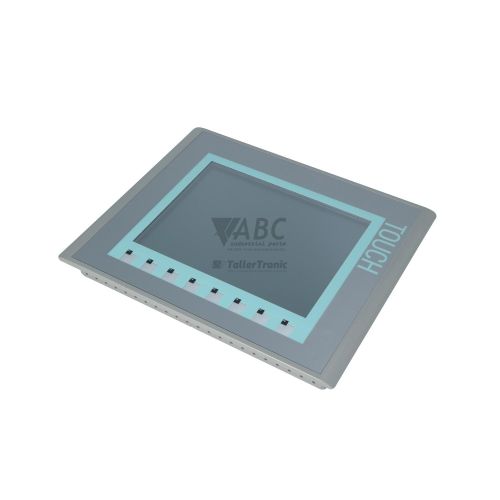
Product photos are for illustration purposes only and may differ from the actual product delivered.
Some of the content on this page was created with the help of AI. While we strive to provide accurate and up-to-date information, errors may occur.