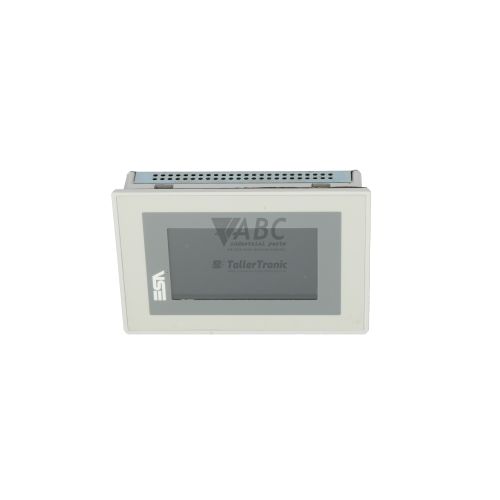
ESA VT555WA0000 VT555W 5.7-Inch HMI Touch Panel


Het item werd toegevoegd aan uw offerteaanvraag
Product Information
The ESA VT555WA0000 (Model VT555W) is an industrial human-machine interface terminal in the ESA VT Series designed for real-time process monitoring, alarm tracking, and machine control. Featuring a 5.7-inch STN blue-mode LCD display with 320 x 240 pixel QVGA resolution and 16 blue shade levels, this panel uses an analog resistive touchscreen for interactive plant-floor operation. The unit operates from a nominal 24V DC power supply with an allowable input range of 18V to 32V DC at a power consumption of 15W. Housed in a rugged enclosure with an IP65 front panel protection rating against dust and moisture, it is built for continuous operation in packaging, material handling, water treatment, food processing, and automotive assembly environments.
Connecting the VT555WA0000 to control equipment relies on dual serial interfaces: a main DB25 female MSP serial port supporting RS232, RS422, RS485, and 20mA TTY current loop modes up to 115.2 kbps, and an auxiliary DB9 male ASP port supporting RS232 and RS485 up to 38.4 kbps. Commissioning a spare unit requires loading the compiled project application into the panel's 1024 kB non-volatile Flash memory using ESA VTWin software (Version 4.x or 5.x) and an ESA CV50 serial programming cable. Because replacement terminals do not run without an uploaded application, active recipe parameters and network addresses stored in the 512 kB execution RAM must be backed up or configured during commissioning. ABC Industrial Parts can support maintenance teams with tested spare terminals and software transfer needs.
System state and port activity are monitored through front-panel LED indicators and on-screen diagnostic screens. The PWR LED confirms active 24V DC power, while the COM LED indicates serial communication exchange between the interface and connected PLCs. Fault indications such as PLC NO RESPONSE, COMMS ERROR, BATTERY LOW, or PROJECT CORRUPTED signal wiring problems, node address mismatches, low backup battery voltage, or Flash memory corruption. Internal hardware faults or unrecoverable memory checksum errors are not field-serviceable, making tested replacement units or bench repair through ABC Industrial Parts the standard path to restore production.
Technical Specifications
| Manufacturer | ESA Automation |
| Part Number | VT555WA0000 |
| Model / Type | VT555W |
| Component Type | HMI Terminal |
| Product Family | VT Series |
| Display Size | 5.7 in |
| Display Resolution | 320 x 240 pixels |
| Display Type | STN LCD Blue Mode (16 Shades) |
| Touch Screen Technology | Analog Resistive |
| Supply Voltage | 24 V DC |
| Supply Voltage Range | 18 - 32 V DC |
| Rated Power Consumption | 15 W |
| Project Flash Memory | 1024 kB |
| Execution RAM | 512 kB |
| Front Panel Protection Rating | IP65 |
| MSP Main Serial Port | RS-232 / RS-422 / RS-485 / TTY 20mA (DB25 Female, 115.2 kbps max) |
| ASP Auxiliary Serial Port | RS-232 / RS-485 (DB9 Male, 38.4 kbps max) |
| Fieldbus Options | PROFIBUS-DP, CANopen (via expansion modules) |
Programming and Configuration
Programming and project screen configuration for the ESA VT555WA0000 are carried out using ESA VTWin programming software (Version 4.x or Version 5.x). Application projects are compiled on a PC and transferred to the HMI using the dedicated ESA CV50 serial programming cable connected to the main serial port.
The hardware includes 1024 kB (1 MB) of non-volatile Flash memory designed for permanent retention of the compiled application project, shielding program data against main power outages. Real-time task execution, alarm logging, and recipe data management are handled in 512 kB of dynamic RAM, which is backed up by an internal lithium battery when auxiliary power is disconnected.
Communication and System Integration
The VT555WA0000 provides two built-in serial communication channels for system integration. The main MSP DB25 female port supports RS232, RS422, RS485, and 20mA TTY current loop modes at speeds up to 115.2 kbps. The auxiliary ASP DB9 male port supports RS232 and RS485 at speeds up to 38.4 kbps, making it suitable for secondary controllers, barcode scanners, or printers.
Native protocol drivers supplied within VTWin enable direct communication with Siemens SIMATIC S7-200, S7-300, and S7-400 PLCs using PPI or MPI protocols, as well as Modbus RTU master and slave devices. For integration into higher-level fieldbus networks, the terminal accepts optional internal expansion modules for PROFIBUS-DP and CANopen communication.
Diagnostics and Status Indication
Operational diagnostics can be evaluated directly on the terminal or via software. Hardware diagnostic tools include built-in setup menus accessible during bootup for touchscreen calibration, serial baud rate verification, and station address testing, alongside VTWin Online Diagnostics utilities.
Front-panel LED indicators display hardware power status and active serial communication link activity during machine operation.
Status LED Indicators
| LED | Color/Status | Meaning |
|---|---|---|
| PWR / Power LED | Solid / Off | ON indicates 24V DC auxiliary power supply is connected and active; OFF indicates power supply is missing or internal power failure. |
| COM / TX-RX LED | Flashing / Off | Flashing indicates active serial communication with configured PLC; OFF indicates no communication activity. |
Replacement and Spare Part Considerations
When replacing an existing VT555WA0000, verify that the 24V DC power line falls within the nominal 18V to 32V DC operating range and that the panel mounting gasket is intact to preserve the IP65 seal against moisture and dust.
A replacement terminal requires the original VTWin project file downloaded into its 1024 kB Flash memory using an ESA CV50 programming cable before installation into the control cabinet. If recipe data or clock settings were maintained in RAM on the original unit, check the state of the internal backup battery before commissioning to prevent data loss upon power removal.
For modernizing production lines, Esaware EW100, EW105, and IT105 series operator panels represent official migration pathways. Replacing with an identical VT555WA0000 avoids the software adaptation work required when transitioning to newer hardware platforms.
Error Codes & Fault Codes
The following error codes may be displayed during operation or diagnostics:
| Code | Name | Description | Possible Cause | Recommended Action |
|---|---|---|---|---|
| PLC NO RESPONSE | PLC Communication Timeout | The HMI is sending communication requests to the PLC via MSP/ASP port, but no response is received within the specified timeout interval. | Incorrect serial cable pinout, disconnected communication cable, wrong station ID/address, misconfigured PLC protocol or baud rate. | Check physical cable connection, verify baud rate and parity settings in VTWin and PLC software, ensure PLC is in RUN mode. |
| COMMS ERROR | Serial Communication Framing/Parity Error | Corrupted data packets received on the serial channel. | Noise on serial line, improper termination on RS485/422 network, incorrect baud rate or parity configuration. | Verify shielding and grounding of serial lines, verify line termination resistors on RS485 networks, double check serial port parameters. |
| BATTERY LOW | Low Backup Battery Voltage | Internal lithium battery voltage for RAM/RTC retention has dropped below operational threshold. | Depleted internal backup battery. | Replace internal lithium battery while unit is powered down or follow user manual battery replacement procedure to avoid recipe/clock loss. |
| PROJECT CORRUPTED | Project Flash Memory Checksum Failure | The runtime application stored in internal Flash memory failed integrity check during startup. | Power interruption during project download, degraded Flash memory chip, or severe internal hardware failure. | Download project again using VTWin and programming cable. If error persists, internal memory is faulty and panel requires hardware repair or replacement. |
Frequently Asked Questions
What software and cable are required to transfer a project to the ESA VT555WA0000?
Project files are transferred using ESA VTWin software (Version 4.x or 5.x) and an ESA CV50 serial programming cable connected to the main serial port.
Which PLC drivers are available natively on the VT555WA0000?
The panel includes native drivers for Siemens SIMATIC S7-200, S7-300, and S7-400 PLCs (via PPI or MPI) as well as Modbus RTU master and slave controllers.
What should be done when a BATTERY LOW error occurs?
Replace the internal lithium backup battery according to standard maintenance procedures to prevent the loss of production recipes and real-time clock data when system power is disconnected.
Can fieldbus modules like PROFIBUS or CANopen be added to the VT555W?
Yes, fieldbus capabilities can be added to the terminal by installing optional internal expansion modules for PROFIBUS-DP or CANopen.
What causes a PROJECT CORRUPTED message on bootup?
This message indicates a Flash memory checksum failure, typically caused by power interruptions during software transfer, degraded Flash chips, or hardware failure. Downloading the application via VTWin again is required.
Take advantage of our exchange formula
A defective product does not have to be worthless. At ABC Industrial Parts, you can hand in defective products and immediately benefit from a discount on your new purchase. This is a smart way to save money while contributing to a circular economy.
Play it safe with our warranty conditions
Industrial plants prefer to keep running invariably, no matter what. Therefore, it is essential that you can rely on high-quality products and/or sustainable repairs. With our warranty conditions, you can count on certainty, whether you choose new, used or repaired products.
Data backup and recovery
Have you lost valuable parameters or data due to a malfunction while the manufacturer no longer provides support? At ABC Industrial Parts, we help you secure this data, both for common and specific products.
Specific firmware and hardware versions
If you are working with specific hardware or firmware versions that are no longer available from the manufacturer, ABC Industrial Parts is your partner. When making your enquiry, clearly state which versions you need, we will then look at the possibilities of supplying those versions, so that your installations continue to function optimally.
Disclaimer:
We are not an authorised distributor of ESA.
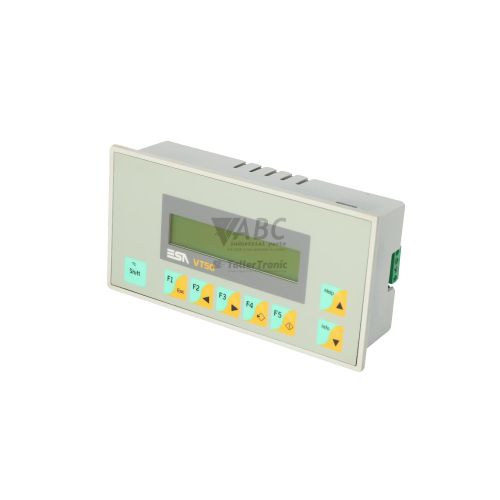
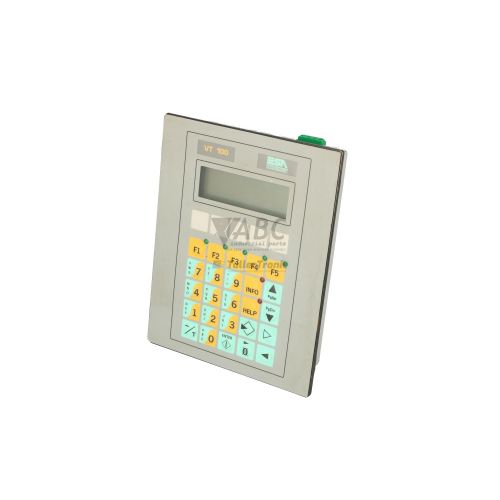
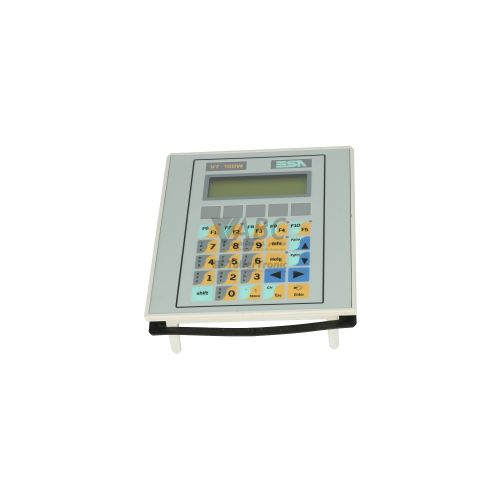
Product photos are for illustration purposes only and may differ from the actual product delivered.
Some of the content on this page was created with the help of AI. While we strive to provide accurate and up-to-date information, errors may occur.