Jumo 703575/181-1100-510000-23-00/00 DICON 400 Process Controller



Het item werd toegevoegd aan uw offerteaanvraag
Product Information
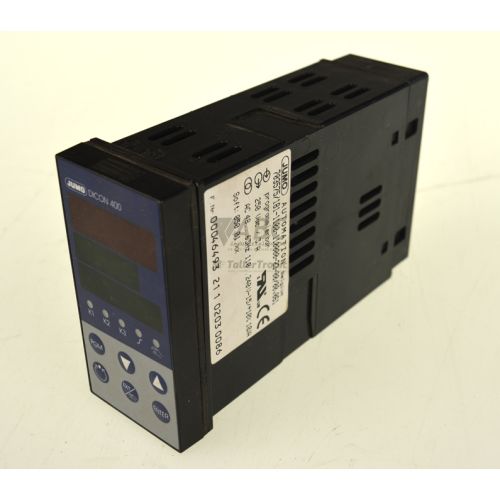
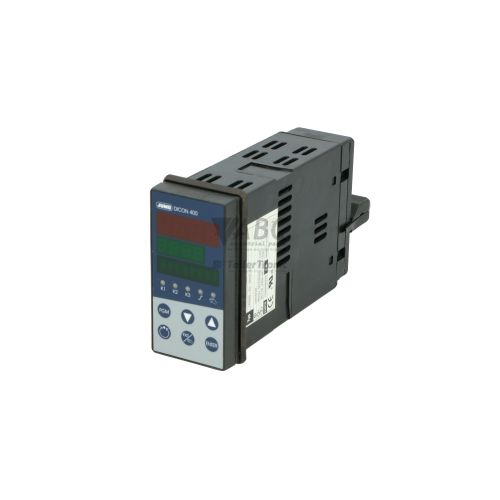
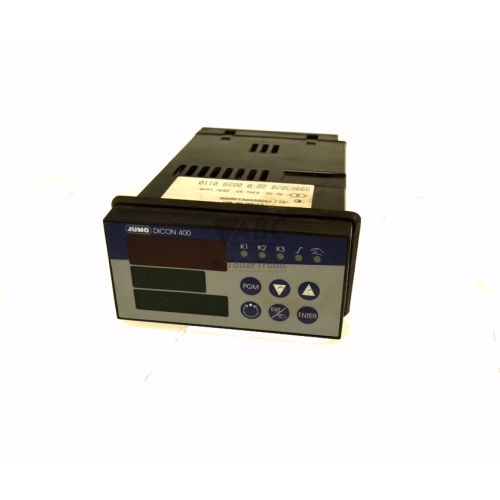
The Jumo 703575/181-1100-510000-23-00/00 is a universal 1/4 DIN process and program controller from the DICON 400 model series, engineered for precise closed-loop control in automated industrial thermal systems. Built in a standard 96 x 96 mm front panel enclosure with an IP65 rated front seal, this panel-mount instrument operates on an AC supply voltage ranging from 110 V to 240 V at 48 to 63 Hz. The front panel features a high-contrast LC display that presents process values, program setpoints, and explicit status messages clearly during operation.
Integrating a replacement unit into an existing system requires aligning parameter settings and physical inputs with your system setup. Featuring two configurable analog inputs, the controller interfaces directly with temperature sensors, transmitters, and standard process signals. Parameter adjustments can be completed through the front TTL interface using the JUMO PC Interface Adapter (TTL-to-USB/RS232) and the JUMO Setup Program. Because parameters are saved in non-volatile EEPROM memory, saved configuration files can be cloned directly to a replacement controller to minimize commissioning downtime. ABC Industrial Parts can support maintenance teams requiring tested spare units and software parameter extraction.
System state and process errors are indicated directly on the LC display alongside designated status LEDs. Four front indicators (K1, K2, K3, and K4) signal the active switching states of outputs 1 through 4. Diagnostic display messages include error codes such as ERR4 for option module faults or 9999 and -999 for sensor overrange and underrange conditions. While input open-circuit faults or module seating issues can be addressed through field cable checks and module inspection, internal hardware errors such as ERR1, ERR2, or ERR3 indicate non-serviceable internal circuit faults where swapping the unit for a reconditioned spare from ABC Industrial Parts is the most effective solution.
Technical Specifications
| Manufacturer | Jumo |
| Part Number | 703575/181-1100-510000-23-00/00 |
| Model / Type | DICON 400 |
| Component Type | Process and Program Controller |
| Product Family | DICON |
| Supply Voltage Range | 110 - 240 V AC |
| Supply Frequency Range | 48 - 63 Hz |
| Analog Inputs | 2 |
| Front Panel Dimensions | 96 x 96 mm (1/4 DIN) |
| Panel Cutout Dimensions | 92 x 92 mm |
| Mounting Type | Panel mounting |
| Protection Rating (Front) | IP65 |
| Protection Rating (Rear) | IP20 |
Programming and Configuration
Parameterization of the Jumo 703575/181-1100-510000-23-00/00 is performed via the front-side TTL interface using the official JUMO Setup Program and a compatible JUMO PC Interface Adapter (TTL-to-USB/RS232). The software allows technicians to define control structures, linearize analog inputs, configure math and logic modules, and manage multi-segment profile programs.
The unit supports flexible control configurations including single-setpoint, double-setpoint, modulating, continuous, and program control modes. Parameters edited via software or the front key matrix are stored directly into non-volatile EEPROM memory, eliminating the risk of data loss caused by main power interruptions.
When installing a spare unit, configuration files saved from previous backups can be cloned directly to the controller via software. This setup workflow guarantees exact replication of original control responses and sensor calibration settings without requiring manual re-entry of complex program profiles.
Communication and System Integration
Designed for standard panel installation, the unit occupies a standard 92 x 92 mm panel cutout with a 96 x 96 mm front bezel (1/4 DIN). The front enclosure is sealed to IP65, offering protection against airborne dust and liquid splashing in aggressive industrial environments such as chemical processing and food production.
The instrument includes two configurable analog inputs capable of accepting direct signals from thermal sensors, process transmitters, and standard current or voltage loops. Modular internal option slots permit hardware configuration tailored to specific plant requirements, supporting diverse control loops across industrial furnaces, environmental test chambers, and batch reactors.
Local communication for service and configuration cloning is provided through the dedicated front TTL interface. The rear housing retains an IP20 rating for safe integration inside standard electrical enclosures.
Diagnostics and Status Indication
The Jumo 703575/181-1100-510000-23-00/00 features explicit visual status feedback through its integrated LC display and front panel LED indicators. Clear-text diagnostic messages alert operators to hardware conditions, parameter inconsistencies, and input limit violations in real time.
Four status indicators on the front panel provide real-time operational feedback regarding output activity, enabling rapid visual verification during routine process monitoring or troubleshooting.
Status LED Indicators
| LED | Color/Status | Meaning |
|---|---|---|
| K1 | Active | Output 1 active status indicator |
| K2 | Active | Output 2 active status indicator |
| K3 | Active | Output 3 active status indicator |
| K4 | Active | Output 4 active status indicator |
Replacement and Spare Part Considerations
The Jumo 703575/181-1100-510000-23-00/00 serves as a direct drop-in replacement for legacy DICON 400 installations. Because the manufacturer has discontinued the DICON 400 series, replacing a failed unit with an exact matching part number avoids the need for panel modifications or wiring redesigns.
Before placing a spare unit into service, verify that all plug-in option modules match the physical slots of the original unit. Parameter settings stored in the EEPROM must be transferred using the JUMO Setup Program and interface adapter to mirror original setpoints, input scaling, and output control modes.
When swapping units, ensure the supply power matches the 110 to 240 V AC nominal range and inspect the front panel Gasket seal to maintain the IP65 ingress protection standard in damp or washdown environments.
Error Codes & Fault Codes
The following error codes may be displayed during operation or diagnostics:
| Code | Name | Description | Possible Cause | Recommended Action |
|---|---|---|---|---|
| ERR1 | Internal memory error | Checksum fault in EEPROM / memory corruption | Strong electromagnetic interference or internal hardware failure | Internal hardware fault — check supply line filtering or return unit for repair |
| ERR2 | Calibration error | Factory / user calibration dataset inconsistent or missing | Corrupted calibration constants in non-volatile memory | Internal hardware fault — service re-calibration required or contact JUMO service |
| ERR3 | A/D converter error | Analog-to-digital conversion failure | Internal measurement circuit / ADC component fault | Internal hardware fault — replace or return unit for repair |
| ERR4 | Option module fault | Hardware configuration or plug-in module failure | Plug-in option board not recognized, loose connection, or defective module | Check slot module seating and correct hardware configuration |
| ERR5 | Parameter fault | Inconsistent or out-of-range parameter values detected | Invalid parameter configuration loaded or memory corrupted during edit | Check and re-enter controller parameters or reload factory configuration |
| ERR8 | Math/logic module calculation error | Arithmetic operation error in configured math formula | Division by zero or value overflow in math module calculation | Check configured math/logic formula parameters in setup program |
| 9999 | Input overrange | Measured process value exceeds upper limits or sensor break | Open-circuit temperature sensor, broken cable, or input signal out of specification | Check sensor connection, probe integrity, and configured measuring range |
| -999 | Input underrange | Measured process value falls below lower limits or sensor short circuit | Short-circuit temperature sensor or input signal below selected range limit | Check sensor connection, wiring, and configured measuring range |
Frequently Asked Questions
What tools are needed to configure the Jumo 703575/181-1100-510000-23-00/00?
Configuration requires the JUMO Setup Program running on a PC connected to the controller's front TTL interface via a JUMO PC Interface Adapter (TTL-to-USB/RS232).
Can configuration settings be cloned directly to a replacement spare unit?
Yes. Configuration datasets can be uploaded from an existing controller or parameter file using the setup software and transferred directly into the EEPROM memory of the replacement unit.
What does fault code 9999 mean on the DICON 400 display?
Fault code 9999 indicates an input overrange or sensor open-circuit condition, typically caused by a broken temperature probe, damaged cable, or process signal exceeding range limits.
How should fault code ERR4 be resolved?
ERR4 indicates an option module recognition fault. Check that all internal option boards are correctly seated in their slots and verify that the configured hardware matches installed modules.
What power supply voltage is required for this controller?
The controller operates on an AC power supply range of 110 V to 240 V AC at 48 to 63 Hz.
Take advantage of our exchange formula
A defective product does not have to be worthless. At ABC Industrial Parts, you can hand in defective products and immediately benefit from a discount on your new purchase. This is a smart way to save money while contributing to a circular economy.
Play it safe with our warranty conditions
Industrial plants prefer to keep running invariably, no matter what. Therefore, it is essential that you can rely on high-quality products and/or sustainable repairs. With our warranty conditions, you can count on certainty, whether you choose new, used or repaired products.
Data backup and recovery
Have you lost valuable parameters or data due to a malfunction while the manufacturer no longer provides support? At ABC Industrial Parts, we help you secure this data, both for common and specific products.
Specific firmware and hardware versions
If you are working with specific hardware or firmware versions that are no longer available from the manufacturer, ABC Industrial Parts is your partner. When making your enquiry, clearly state which versions you need, we will then look at the possibilities of supplying those versions, so that your installations continue to function optimally.
Disclaimer:
We are not an authorised distributor of Jumo.
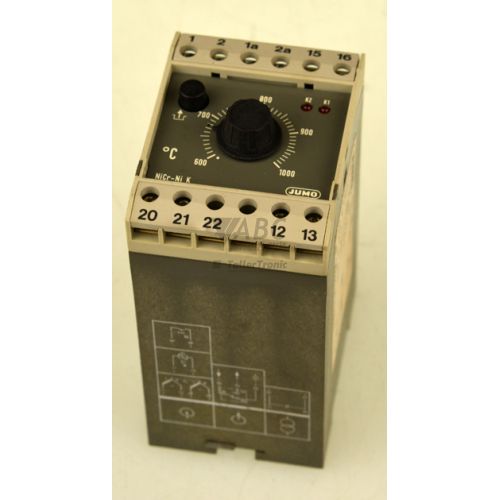
Product photos are for illustration purposes only and may differ from the actual product delivered.
Some of the content on this page was created with the help of AI. While we strive to provide accurate and up-to-date information, errors may occur.