SICK 1019600 S30A-6011DA S3000 Advanced Safety Laser Scanner


Het item werd toegevoegd aan uw offerteaanvraag
Product Information
The SICK 1019600 S30A-6011DA is an advanced optical safety laser scanner from the S3000 Advanced family, engineered for non-contact area monitoring and safeguarding in automated industrial environments. Operating on a 24 V DC supply voltage with an input range of 16.8 to 28.8 V DC, the device delivers a 5.5-meter protective field range alongside a 49-meter warning and distance measurement range. It operates with a 905 nm laser wavelength across a broad 190-degree scanning angle at a 0.5-degree angular resolution and a 60 ms response time, providing precise protection for hazardous area guarding around robotic cells, automated guided vehicle (AGV) navigation, and packaging conveyor systems.
For integration into safety logic networks, the S30A-6011DA features an integrated Enhanced Function Interface (EFI) that enables safe device-to-device communication and direct connection to SICK Flexi Soft or UE410 safety controllers. Complete system configuration is executed using SICK Configuration & Diagnostic Software (CDS) connected via the M8 service interface, supporting up to 4 selectable field sets, 12 safety fields, and 16 monitoring cases. Operating parameters are stored directly inside the removable SX0A series system plug. When replacing a damaged scanner head, maintenance personnel can transfer the configured system plug to a replacement unit from ABC Industrial Parts without connecting a programming PC or downloading software files.
Local operational state and diagnostic reporting are provided directly on the front panel via status LEDs and an integrated 7-segment numerical display. Standard error codes on the display indicate conditions such as optical cover contamination, restart interlock hold, or external device monitoring faults. Routine upkeep involves cleaning the optical window with non-abrasive materials or clearing active field obstructions. If internal hardware faults or motor failures occur, internal servicing is not supported; replacing the unit with a tested exchange scanner from ABC Industrial Parts restores full safety function quickly and reliably.
Technical Specifications
| Manufacturer | Sick |
| Part Number | 1019600 |
| Model / Type | S30A-6011DA |
| Product Family | S3000 Advanced |
| Component Type | Safety Laser Scanner |
| Protective Field Range | 5.5 m |
| Warning Field Range | 49 m |
| Distance Measuring Range | 49 m |
| Scanning Angle | 190 deg |
| Angular Resolution | 0.5 deg |
| Response Time | 60 ms |
| Number of Field Sets | 4 |
| Number of Fields | 12 |
| Number of Monitoring Cases | 16 |
| Supply Voltage | 24 V DC |
| Supply Voltage Range | 16.8 - 28.8 V DC |
| Laser Class | 1 |
| Laser Wavelength | 905 nm |
Programming and Configuration
Parameter setup and custom zone mapping for the S30A-6011DA are performed using SICK Configuration & Diagnostic Software (CDS). Connection to the PC software is established through the integrated M8 service interface port. Within CDS, application engineers can define exact optical zone geometry, configuring up to 4 distinct field sets, 12 individual safety fields, and 16 monitoring cases tailored to machine operational cycles.
All parameter data configured in CDS is transferred directly into internal non-volatile memory located within the removable SX0A series system plug. Because the configuration memory is stored inside the system plug module rather than the scanner head electronics, hardware replacement does not require connected software tools. Transferring the existing system plug to a replacement unit instantly loads all field geometry and operational rules.
Communication and System Integration
The S30A-6011DA includes an Enhanced Function Interface (EFI) designed for high-integrity safety communication between interconnectable safety sensors and control units. The EFI bus allows mutual exchange of status data and field selection signals without redundant discrete wiring, reducing overall cabinet integration complexity.
Seamless integration is supported with SICK Flexi Soft safety controllers and SICK UE410 safety controllers. Through EFI integration, safety controllers dynamically select active monitoring cases and field sets based on real-time operational feedback, such as machine drive speed or AGV travel direction.
Diagnostics and Status Indication
Local status indication is provided on the scanner housing panel through colored LEDs and an integrated 7-segment display. The 7-segment display provides active field set indications, operational state messages, and specific numeric or alphanumeric fault codes for rapid diagnostic assessment.
Detailed historical diagnostics, error logs, and current contamination monitoring figures can be accessed remotely or locally by connecting a PC running SICK CDS software to the M8 service interface.
Status LED Indicators
| LED | Color/Status | Meaning |
|---|---|---|
| Red LED | Red - Solid | Protective field interrupted, safety outputs (OSSDs) OFF state |
| Green LED | Green - Solid | Protective field clear, safety outputs (OSSDs) ON state |
| Yellow LED | Yellow - Solid/Flashing | Warning field interrupted or reset required / interlock state |
| 7-segment display | Numeric/Alpha readout | Displays operational state, field set numbers, and diagnostic fault codes |
Replacement and Spare Part Considerations
When installing a replacement S30A-6011DA, commissioning time is reduced by re-using the existing SX0A system plug attached to the field wiring. Since system parameters reside in the plug, detaching it from the failed scanner and securing it onto the spare scanner unit transfers all field definitions and communication logic automatically.
Prior to re-commissioning, verify that the 24 V DC power supply maintains operating voltage between 16.8 V DC and 28.8 V DC. Check that the front optical window is free from dust or scratches, ensure correct optical clearance around the 190-degree field of view, and verify that the 7-segment readout transitions to normal operational codes following reset.
Error Codes & Fault Codes
The following error codes may be displayed during operation or diagnostics:
| Code | Name | Description | Possible Cause | Recommended Action |
|---|---|---|---|---|
| 1 | Normal Operation - OSSD ON | Protective field clear, OSSDs switched ON. | Normal state. | None required. |
| 2 | Protective Field Interrupted | Object detected inside protective field area. | Obstruction in protective field, dirty optics, or misaligned target. | Clear protective field area, clean optics screen if dirty. |
| 3 | Warning Field Interrupted | Object detected inside warning field zone. | Obstruction in warning field area. | Clear warning field path. |
| 4 | EDM / Contactor Error | External device monitoring fault detected. | Relay contact stuck, incorrect wiring, or feedback signal timing failure. | Check connected contactors and EDM feedback signal wiring. |
| 5 | Configuration Error / System Plug Fault | Parameter mismatch or system plug memory corruption. | System plug disconnected, wrong plug installed, or parameter configuration invalid. | Verify system plug attachment and re-download configuration via CDS software. |
| 6 | Optics Soiled / Contaminated | Optical front screen contamination level exceeded threshold. | Dust, dirt, fingerprints, or scratches on front window. | Clean optical cover with non-abrasive cloth and mild optical cleaner. |
| 7 | Hardware Error | Internal hardware failure detected during self-test. | Internal electronics fault, motor drive error, or sensor failure. | Internal hardware failure — replace scanner head or return unit to SICK for repair. |
| 8 | Input / Output Wiring Error | Cross-circuit or open wire condition detected on control inputs or OSSD outputs. | Short circuit to 24V or GND, wire break, or faulty cabling. | Check control input and OSSD output signal cables for short circuits or breaks. |
| 9 | System Failure | Internal system monitor fault. | Supply voltage fluctuation or internal component failure. | Check supply voltage; if error persists, internal hardware fault — replace sensor. |
| C | Contamination Pre-warning | Optical cover contamination pre-warning active. | Dust accumulation on optics cover. | Clean optics window during next maintenance cycle. |
| E | EFI Communication Error | Communication error on Enhanced Function Interface (EFI) bus. | EFI bus line interrupted, incorrect baud rate, or connected device offline. | Inspect EFI signal lines, shielding, termination, and remote device state. |
| F | Fatal Device Error | Critical system failure causing immediate safe shutdown. | Major internal hardware error, motor failure, or internal mirror rotation error. | Internal hardware failure — return unit for repair or replace scanner head. |
Frequently Asked Questions
How is the SICK S30A-6011DA safety scanner programmed?
Programming is carried out using SICK Configuration & Diagnostic Software (CDS) connected through the M8 service interface port. CDS enables definition of up to 4 field sets, 12 safety fields, and 16 monitoring cases, with parameter configurations saved directly to the removable system plug.
Can an S30A-6011DA scanner head be replaced without a software download?
Yes. Because operational parameters are stored in the memory module of the removable SX0A system plug, swapping the scanner head and reconnecting the existing system plug automatically restores system configuration without requiring a PC download.
What safety controllers are directly compatible with the S30A-6011DA?
The scanner connects seamlessly via its Enhanced Function Interface (EFI) to SICK Flexi Soft Safety Controllers and SICK UE410 Safety Controllers, as well as interconnectable EFI-enabled safety sensors.
What should be done when fault code 6 or C appears on the 7-segment display?
Code C indicates a contamination pre-warning, while code 6 indicates that optics contamination exceeds operational limits. Cleaning the optical front window using a non-abrasive cloth and mild optical cleaner clears these conditions.
How are internal hardware failures (such as fault codes 7 or F) handled?
Fault codes 7 and F indicate critical internal electronic, motor drive, or sensor hardware faults. These internal component failures cannot be serviced in the field and require replacing the scanner head unit.
Take advantage of our exchange formula
A defective product does not have to be worthless. At ABC Industrial Parts, you can hand in defective products and immediately benefit from a discount on your new purchase. This is a smart way to save money while contributing to a circular economy.
Play it safe with our warranty conditions
Industrial plants prefer to keep running invariably, no matter what. Therefore, it is essential that you can rely on high-quality products and/or sustainable repairs. With our warranty conditions, you can count on certainty, whether you choose new, used or repaired products.
Data backup and recovery
Have you lost valuable parameters or data due to a malfunction while the manufacturer no longer provides support? At ABC Industrial Parts, we help you secure this data, both for common and specific products.
Specific firmware and hardware versions
If you are working with specific hardware or firmware versions that are no longer available from the manufacturer, ABC Industrial Parts is your partner. When making your enquiry, clearly state which versions you need, we will then look at the possibilities of supplying those versions, so that your installations continue to function optimally.
Disclaimer:
We are not an authorised distributor of Sick.
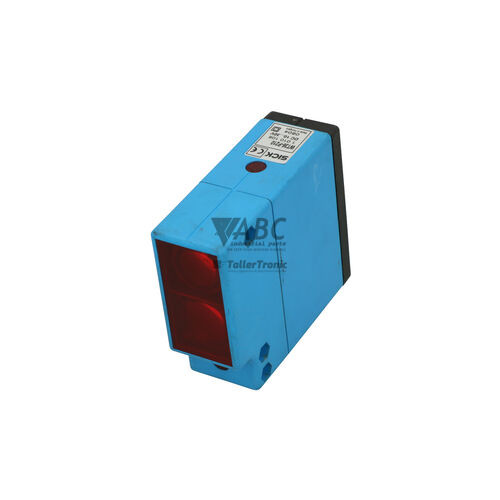
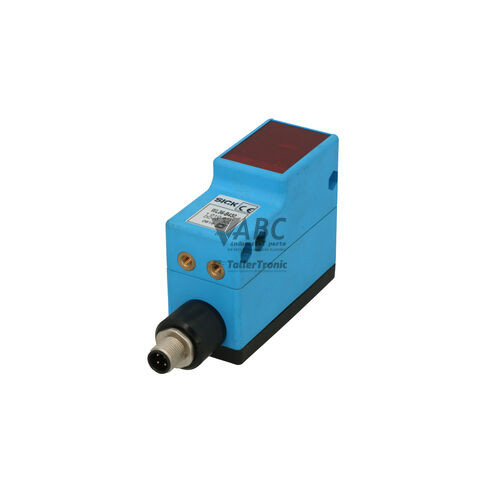
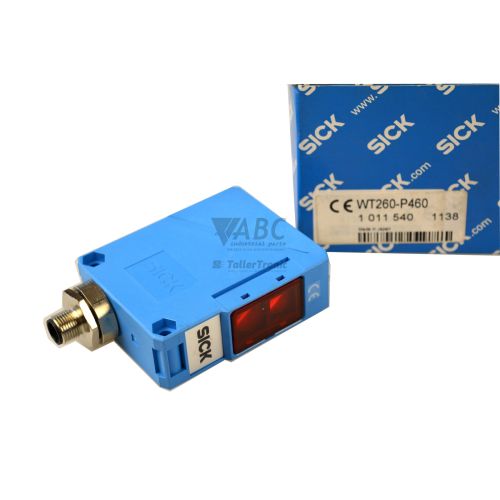
Product photos are for illustration purposes only and may differ from the actual product delivered.
Some of the content on this page was created with the help of AI. While we strive to provide accurate and up-to-date information, errors may occur.