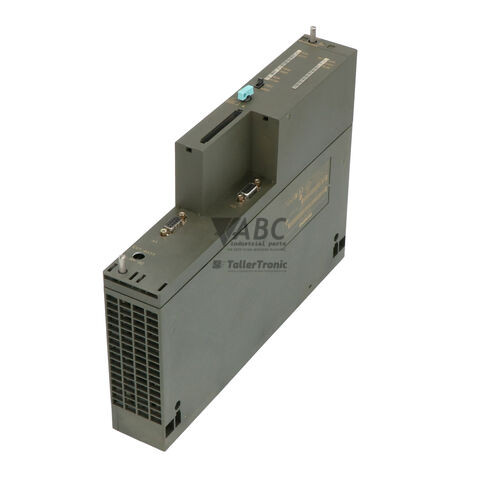
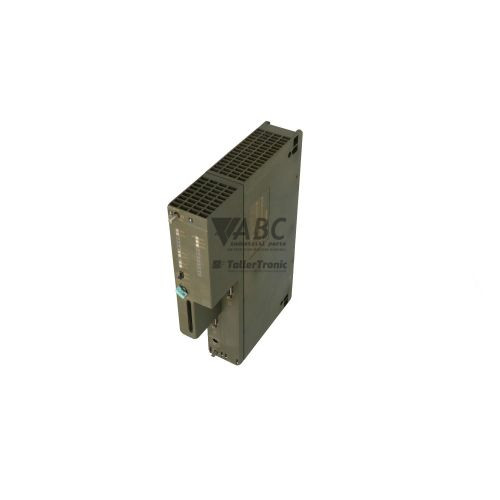
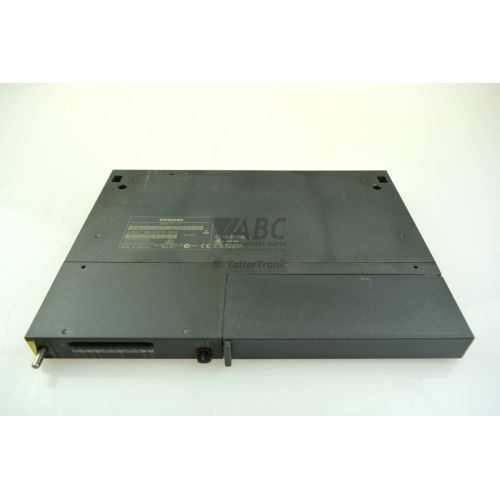
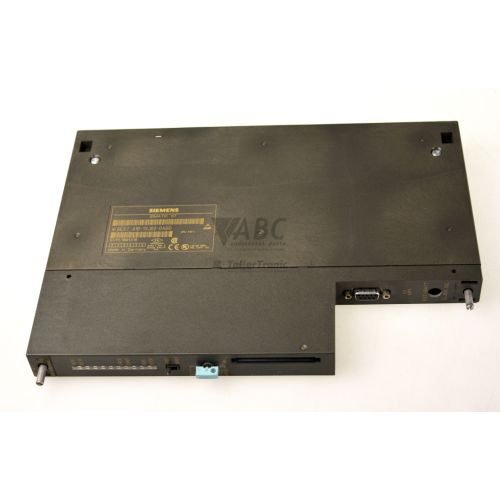
Siemens 6ES7416-2XK02-0AB0 SIMATIC S7-400 CPU 416-2 PLC Module


Het item werd toegevoegd aan uw offerteaanvraag
Product Information
The Siemens 6ES7416-2XK02-0AB0 is a high-performance central processing unit in the SIMATIC S7-400 family designed for demanding manufacturing and process automation applications. Operating within an S7-400 backplane rack, this CPU 416-2 controller delivers processing capability for high-speed machine sequences and distributed I/O control. It features 1.6 MB of integrated work memory split evenly into 800 KB for user program code and 800 KB for process data, backed by 512 KB of integrated RAM load memory. With execution times reaching 0.08 µs for bit, word, and fixed-point operations, and 0.24 µs for floating-point calculations, the processor efficiently manages complex automation routines.
For system connectivity, the 6ES7416-2XK02-0AB0 features dual integrated RS-485 serial interfaces. Interface 1 functions as a combined MPI and PROFIBUS DP port capable of communication speeds up to 12 Mbit/s, while Interface 2 operates as a dedicated PROFIBUS DP line. Integrating a replacement module requires transferring the STEP 7 project file, engineered using STEP 7 V5.0 or higher, or swapping over the optional RAM or Flash EPROM memory card with capacities up to 64 MB. Node addresses on MPI and PROFIBUS networks must match the hardware configuration before restoring power. Support from ABC Industrial Parts can assist in sourcing replacement units and managing offline memory transfers to minimize system downtime.
Diagnostic conditions are indicated on the front face of the module via status LEDs including INTF, EXTF, BUS1F, BUS2F, RUN, STOP, CRST, and FRCE. Internal system issues or execution faults trigger the INTF indicator, whereas external bus communication losses activate BUS1F or BUS2F. At the application layer, the CPU uses system Organization Blocks such as OB80 for cycle time monitoring, OB82 for I/O diagnostic interrupts, and OB86 for DP slave failures. When internal processor hardware failures occur that cannot be cleared through software parameter adjustments, replacing the module with a tested unit through ABC Industrial Parts offers a direct resolution to restore production.
Technical Specifications
| Work Memory | 1.6 MB |
| Work Memory (Code) | 800 kB |
| Work Memory (Data) | 800 kB |
| Integrated Load Memory | 512 kB |
| Bit Operation Processing Time | 0.08 µs |
| Word Operation Processing Time | 0.08 µs |
| Fixed Point Processing Time | 0.08 µs |
| Floating Point Processing Time | 0.24 µs |
| Backplane Bus Current (5V DC) | 1.2 A |
| Power Loss | 4.5 W |
| Interface 1 (MPI / PROFIBUS DP) | 12 Mbit/s |
| Interface 2 (PROFIBUS DP) | 12 Mbit/s |
Programming and Configuration
The Siemens 6ES7416-2XK02-0AB0 is programmed and configured using Siemens STEP 7 Engineering Software version V5.0 or higher. User applications, system parameters, and hardware definitions created in STEP 7 are downloaded directly into the controller's integrated 512 KB load memory or stored onto an external memory card.
Memory expansion is supported through SIMATIC S7-400 RAM or Flash EPROM memory cards with capacities up to 64 MB. Utilizing a memory card retains the program code and user data in non-volatile storage, ensuring full project protection during power cycles or CPU replacements without requiring battery backup for memory retention.
Communication and System Integration
Network integration for the CPU 416-2 is handled by two onboard RS-485 serial ports. Interface 1 provides a multi-point interface (MPI) and PROFIBUS DP capability, supporting transmission rates up to 12 Mbit/s for connecting programming devices, human-machine interfaces, and primary field devices.
Interface 2 operates as a dedicated PROFIBUS DP interface running up to 12 Mbit/s, enabling secondary bus lines for distributed I/O racks and field instrumentation. This dual-interface architecture allows clean segregation between supervisory network traffic and high-speed fieldbus control.
Diagnostics and Status Indication
Diagnostic status is displayed through eight dedicated front-panel LEDs that reflect hardware operational status, bus traffic, and CPU execution modes. Detailed fault diagnostics can be extracted using STEP 7 software by reading the internal diagnostic buffer or monitoring system Organization Blocks OB80 through OB122.
SIMATIC NCM S7 Diagnostics provides additional analysis tools for bus interfaces, helping technicians identify specific network segment faults or addressing collisions across connected PROFIBUS stations.
Status LED Indicators
| LED | Color/Status | Meaning |
|---|---|---|
| INTF | Red - Solid | Internal Error. Indicates internal system error, programming fault, or hardware defect. |
| EXTF | Red - Solid | External Error. Indicates peripheral, I/O module, or process wiring error external to CPU. |
| BUS1F | Red - Solid | Bus Error Interface 1. Indicates transmission error or missing station on MPI/DP interface 1. |
| BUS2F | Red - Solid | Bus Error Interface 2. Indicates transmission error or missing station on PROFIBUS DP interface 2. |
| RUN | Green - Solid | CPU is in RUN mode executing user program. |
| STOP | Yellow - Solid | CPU is in STOP mode. |
| CRST | Yellow - Solid | CPU cold restart is executing or requested. |
| FRCE | Yellow - Solid | Forced values/inputs/outputs are active in CPU. |
Replacement and Spare Part Considerations
When replacing an existing 6ES7416-2XK02-0AB0 CPU module, confirm that the replacement unit matches the part number and hardware revision required by your S7-400 backplane rack setup. Compatibility with the existing STEP 7 configuration project (V5.0 or higher) must be verified prior to commissioning.
Commissioning a replacement unit requires transferring the user program from the original controller. This can be accomplished by moving the existing SIMATIC RAM or Flash EPROM memory card (up to 64 MB) to the new CPU, or downloading the project via STEP 7 over an MPI or PROFIBUS connection. Verify that PROFIBUS DP address switches and network parameters match before starting the processor.
The designated successor module for this CPU is part number 6ES7416-2XP07-0AB0. If upgrading to the successor model, ensure that software hardware configurations are updated accordingly in STEP 7.
Error Codes & Fault Codes
The following error codes may be displayed during operation or diagnostics:
| Code | Name | Description | Possible Cause | Recommended Action |
|---|---|---|---|---|
| OB80 | Time Error | Cycle time exceeded or clock error. | Program cycle time exceeded maximum limit or timer interrupt call overflow. | Check cycle monitor time limit in hardware configuration or optimize application code execution speed. |
| OB82 | Diagnostic Interrupt | Module with diagnostic capability detected a fault. | Wire break, short circuit, channel fault, or power supply missing on signal module. | Read out module-specific detailed diagnostic status using STEP 7. |
| OB83 | Insert/Remove Module Interrupt | Signal or function module inserted or removed during operation. | Module pulled out from rack, loose module connection, or backplane bus fault. | Re-seat module firmly in backplane rack; check locking mechanisms. |
| OB85 | Priority Class Execution Error | Program block call error or missing OB. | Called OB missing from memory during event execution or improper block transfer. | Download required OB into CPU load memory. |
| OB86 | Rack Failure / DP Station Failure | Expansion rack or PROFIBUS DP slave failure. | PROFIBUS line cable disconnection, slave power down, or bus termination fault. | Inspect bus cabling, connectors, bus terminating resistors, and slave power supply. |
| OB87 | Communication Error | Error during execution of communication functions. | Invalid telegram frame, buffer overflow, or lost communication link. | Check active network connections and communication configuration parameters. |
| OB121 | Programming Error | CPU program execution error. | Call of non-existent block, jump vector fault, or parameter transfer error. | Check diagnostic buffer in STEP 7 to locate fault address and rectify program code. |
| OB122 | I/O Access Error | Direct peripheral access failure. | Addressing non-existent module or address range assigned to absent card. | Verify hardware configuration module addresses against program code addresses. |
Frequently Asked Questions
What engineering software is required to configure the 6ES7416-2XK02-0AB0?
The 6ES7416-2XK02-0AB0 requires Siemens STEP 7 Engineering Software V5.0 or higher for hardware configuration, programming, and diagnostics.
What memory card options are supported by this S7-400 CPU?
This module supports SIMATIC S7-400 RAM and Flash EPROM Memory Cards with storage capacities up to 64 MB.
How are network connections physically established on the CPU 416-2?
The module features two integrated RS-485 serial ports. Interface 1 functions as a combined MPI/PROFIBUS DP port, while Interface 2 functions as a dedicated PROFIBUS DP line, both operating at speeds up to 12 Mbit/s.
What does a solid red INTF LED indicate on the front panel?
A solid red INTF (Internal Fault) LED indicates an internal system error, a programming fault within user logic, or a hardware defect inside the CPU.
Is the 6ES7416-2XK02-0AB0 compatible with successor modules?
Yes, the designated successor module is 6ES7416-2XP07-0AB0. Migrating to the successor module requires adjusting the hardware configuration in STEP 7.
Take advantage of our exchange formula
A defective product does not have to be worthless. At ABC Industrial Parts, you can hand in defective products and immediately benefit from a discount on your new purchase. This is a smart way to save money while contributing to a circular economy.
Play it safe with our warranty conditions
Industrial plants prefer to keep running invariably, no matter what. Therefore, it is essential that you can rely on high-quality products and/or sustainable repairs. With our warranty conditions, you can count on certainty, whether you choose new, used or repaired products.
Data backup and recovery
Have you lost valuable parameters or data due to a malfunction while the manufacturer no longer provides support? At ABC Industrial Parts, we help you secure this data, both for common and specific products.
Specific firmware and hardware versions
If you are working with specific hardware or firmware versions that are no longer available from the manufacturer, ABC Industrial Parts is your partner. When making your enquiry, clearly state which versions you need, we will then look at the possibilities of supplying those versions, so that your installations continue to function optimally.
Disclaimer:
We are not an authorised distributor of Siemens.
Product photos are for illustration purposes only and may differ from the actual product delivered.
Some of the content on this page was created with the help of AI. While we strive to provide accurate and up-to-date information, errors may occur.