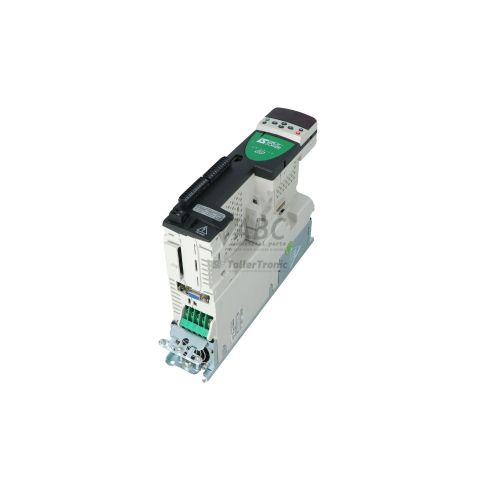
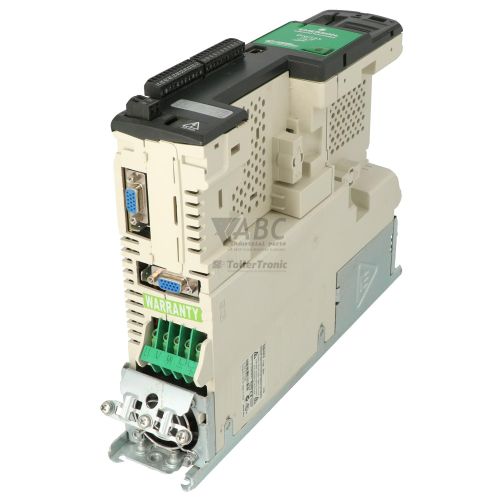
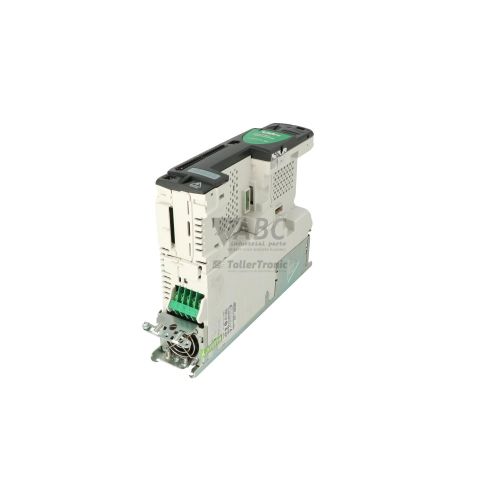
Control Techniques 3098-0052 SP0405 Unidrive SP Variable Frequency Drive


Het item werd toegevoegd aan uw offerteaanvraag
Product Information
The Control Techniques 3098-0052, identified by model code SP0405, is a compact Frame 0 AC variable frequency drive within the Unidrive SP product family. Engineered for dynamic motor control in applications such as web handling, multi-axis conveyors, pumps, and machine tooling, this drive operates on a 380 V AC to 480 V AC three-phase supply at 48 Hz to 62 Hz. It delivers a continuous output current of 7.8 A at a 3.0 kW Heavy Duty rating (4.0 HP) and 8.8 A at a 4.0 kW Normal Duty rating (5.0 HP). Operating modes include Open Loop V/Hz, Open Loop Vector, Closed Loop Vector, Servo, and Rotor Flux Control (RFC), providing precise torque and speed regulation across standard induction and permanent magnet motors.
Interfacing the 3098-0052 into an existing machine configuration relies on its versatile connectivity, including an integrated 15-pin high-density D-sub connector for universal encoder feedback supporting Incremental, SinCos, SSI, EnDat, and HIPERFACE devices, as well as an RS-485 serial port running Modbus RTU. Commissioning a replacement unit typically requires transferring parameter sets, motor maps, and custom motion logic created in software tools such as CTSoft, Connect, SyPTLite, or SyPTPro. Rapid parameter cloning and backup can be completed directly on site without a PC using the onboard Smartcard memory slot, ensuring accurate replication of operating settings. ABC Industrial Parts can support maintenance teams with configured spare units and parameter extraction from existing hardware to minimize machine downtime.
Real-time operating status and fault indications are visible through the drive keypad display, which outputs status codes including rdy for ready, run for output active, inh when inhibited via Safe Torque Off, triP for fault trips, and Auto.t during motor autotuning. Comprehensive diagnostic history is maintained in Menu 10 of the parameter structure, while live monitoring can be performed via RS-485 using CTSoft or Connect. Field troubleshooting should begin by verifying line voltage, motor wiring, and option module seating when fieldbus faults occur. Where internal microcontroller errors or power stage faults occur, such as hardware fault codes HF01, HF04, or HF05, internal components are non-field-serviceable, making drive repair or a tested exchange unit from ABC Industrial Parts the standard route for returning equipment to production.
Technical Specifications
| Manufacturer | Control Techniques |
| Part Number | 3098-0052 |
| Model / Type | SP0405 |
| Product Family | Unidrive SP |
| Component Type | Variable Frequency Drive |
| Frame Size | 0 |
| Supply Voltage Range | 380 V AC - 480 V AC |
| Supply Frequency | 48 Hz - 62 Hz |
| Rated Power (Heavy Duty) | 3.0 kW |
| Rated Power (Normal Duty) | 4.0 kW |
| Continuous Output Current (Heavy Duty) | 7.8 A |
| Continuous Output Current (Normal Duty) | 8.8 A |
| Maximum Output Frequency | 3000 Hz |
| Selectable Switching Frequency | 16 kHz |
| Solution Module Option Slots | 1 |
Programming and Configuration
The Control Techniques 3098-0052 incorporates built-in PLC logic and motion control capabilities programmable via SyPTLite software, alongside full system configuration tools including CTSoft, Connect, and SyPTPro. These software packages allow technicians to adjust parameters, tune current and speed loops, build custom sequence logic, and execute automated motor autotuning routines.
To simplify drive servicing and parameter management, the unit features an onboard Smartcard non-volatile memory slot. The Smartcard allows instant parameter backup, storage, and cloning directly at the drive without connecting a laptop. When installing a replacement SP0405 drive, the stored parameter profile from the original unit can be inserted and read directly into the new drive, restoring operating parameters, I/O configurations, and motion profiles.
Communication and System Integration
Network connectivity on the Control Techniques 3098-0052 starts with an integrated RS-485 serial communication port utilizing the Modbus RTU protocol. This port enables direct connection to human-machine interfaces, industrial controllers, or host PCs running CTSoft or Connect for parameter adjustment, control, and real-time operational monitoring.
For broader fieldbus and Ethernet industrial network integration, the Frame 0 drive provides one expansion slot dedicated to Option Solution Modules. Compatible modules include SM-PROFIBUS-DP, SM-PROFINET, SM-Ethernet, SM-EtherCAT, SM-CANopen, and SM-DeviceNet. Inserting a Solution Module allows the drive to seamlessly communicate within complex multi-axis architectures and centralized PLC automation networks.
Diagnostics and Status Indication
Drive monitoring and diagnostics on the 3098-0052 are supported through keypad display status text, historical trip records in Menu 10, and live PC software diagnostics over the RS-485 port. When a fault condition causes a drive trip, the keypad display flashes the triP status alongside the specific fault mnemonic code.
Status LED Indicators
| LED | Color/Status | Meaning |
|---|---|---|
| Keypad Display: rdy | Solid | Drive is in Ready state, output bridge disabled, waiting for run command |
| Keypad Display: run | Solid | Drive is running and supplying output power to motor |
| Keypad Display: inh | Solid | Drive inhibited: Safe Torque Off / Enable terminal is open circuit |
| Keypad Display: triP | Flashing | Drive has tripped on a fault condition; trip code is displayed alternating |
| Keypad Display: Auto.t | Solid | Drive is currently performing an autotune routine on the motor |
Replacement and Spare Part Considerations
When replacing a Control Techniques 3098-0052 drive, maintenance personnel must confirm that the power rating, input voltage range (380-480 V AC), and frame size match the existing installation. Correct configuration matching requires transferring the parameter set using the Smartcard memory device or reloading the drive project file via CTSoft or Connect software.
Attention should also be given to hardware expansion options and feedback wiring. Any installed Solution Module, such as SM-PROFIBUS-DP or SM-EtherNET, must be transferred to Option Slot 1 of the replacement unit and properly seated before power-up. Encoder connections on the 15-pin high-density D-sub connector must be verified against Parameter 3.38 to ensure the selected feedback protocol matches the feedback hardware.
For long-term facility planning, direct modern migration paths exist through the Control Techniques Unidrive M700 and M701 series. When upgrading to newer platforms, parameter structures and motion code can be translated from legacy Unidrive SP projects to maintain system functional continuity.
Error Codes & Fault Codes
The following error codes may be displayed during operation or diagnostics:
| Code | Name | Description | Possible Cause | Recommended Action |
|---|---|---|---|---|
| UU | Under Voltage Trip | DC bus voltage fell below the minimum operating threshold. | AC supply line failure, main contactor open, line voltage dip, open supply fuse. | Check AC supply voltage, input line fuses, and main supply connections. |
| OU | Over Voltage Trip | DC bus voltage exceeded the maximum allowable limit. | Motor regenerating energy into drive faster than deceleration ramp setting allows, braking resistor failure, or excessive AC line voltage. | Increase deceleration ramp time, check braking resistor value and wiring, or install braking resistor. |
| OI.AC | Instantaneous Over Current | Instantaneous drive output current limit exceeded peak threshold. | Short circuit on output terminals, motor ground fault, excessive acceleration rate, improper motor map or autotune. | Check motor output wiring and motor insulation resistance. Check acceleration parameters and perform autotune. |
| OI.br | Braking Resistor Over Current | Instantaneous current in braking transistor circuit exceeded maximum limit. | Short circuit in braking resistor or braking resistor cable, faulty braking IGBT. | Disconnect drive power and check braking resistor and cable for short circuit. Internal drive hardware fault if resistor is OK. |
| It.AC | Drive Overload (I2t) | Drive continuous current rating exceeded overload time threshold. | Mechanical overload on motor, binding load, incorrect motor parameter settings. | Check load mechanics for jamming or high friction. Check motor current rating settings. |
| It.br | Braking Resistor Overload (I2t) | Braking resistor thermal accumulation exceeded parameter limit. | Deceleration energy too high for installed resistor continuous power rating. | Increase deceleration time or install higher wattage braking resistor and update parameter settings. |
| O.ht1 | Power Stage Over Temperature | Power stage IGBT heatsink temperature exceeded maximum safety threshold. | Cooling fan failure, clogged heatsink cooling fins, high ambient temperature, drive overload. | Check operation of heatsink cooling fan, clean heatsink fins, improve enclosure ventilation. |
| O.ht2 | Control Board Over Temperature | Internal enclosure temperature near control board exceeded maximum rating. | Enclosure cooling failure, high ambient operating temperature. | Ensure cabinet cooling fans/air conditioning are functioning correctly. |
| th | Motor Thermistor Trip | Motor thermistor resistance exceeded trip threshold (motor overtemperature). | Motor overloaded, cooling fan on motor failed, thermistor wiring open. | Allow motor to cool down, check motor load, check motor external cooling fan and thermistor wiring. |
| thS | Motor Thermistor Short Circuit | Motor thermistor input measured short circuit. | Motor thermistor wire shorted to 0V or ground. | Check motor thermistor wiring for short circuit. |
| Ph | Input Phase Loss | Drive detected imbalance or complete loss of an incoming AC power phase. | Loose mains connection, blown input line fuse, phase unbalance on mains supply. | Check all three incoming AC line voltages under load. |
| Enc1 | Encoder 1 Feedback Fault | Main motor feedback encoder signal error or wire break. | Encoder cable disconnected/broken, encoder signal noise, encoder failure, wrong encoder type parameter. | Check encoder wiring and shield connections. Verify encoder type setting in Parameter 3.38. |
| CL1 | Analog Input 1 Current Loop Loss | Input current fell below 3mA on 4-20mA or 20-4mA analog input setting. | Broken wire on analog input 1 signal line, transmitter power failure. | Check analog input current loop wiring and signal source. |
| SL1.Er | Solution Module Slot 1 Error | Communication failure or hardware fault in Option Slot 1 Solution Module. | Option module poorly seated, module hardware failure, firmware incompatibility. | Remove power, re-seat Solution Module in slot 1. If fault persists, replace module. |
| HF01 | Hardware Fault 01 - Data Processing Error | Internal CPU / micro-controller hardware error during processing. | Internal board component failure or severe electrical noise disruption. | Internal hardware fault - power cycle drive. If trip persists, return unit for repair or replace drive. |
| HF04 | Hardware Fault 04 - Power Stage Circuit Error | Internal power board interface hardware failure detected. | Power board failure, gate driver failure, internal ribbon cable disconnected. | Internal hardware fault - non-field-serviceable. Return drive for repair or replace unit. |
| HF05 | Hardware Fault 05 - Control Board Error | Control board internal supply voltage or hardware monitoring failure. | Internal control board power supply failure. | Internal hardware fault - return drive for repair or replace unit. |
Frequently Asked Questions
What power rating and input voltage does the Control Techniques 3098-0052 drive support?
The 3098-0052 (Model SP0405) operates on a 380-480 V AC three-phase supply (48-62 Hz). It delivers 3.0 kW (7.8 A continuous) under Heavy Duty rating or 4.0 kW (8.8 A continuous) under Normal Duty rating.
How do I back up and transfer parameters to a replacement SP0405 drive?
Parameter backup and cloning can be completed using the onboard Smartcard non-volatile storage without requiring a PC. Alternatively, parameters and motion logic can be uploaded and saved using CTSoft, Connect, SyPTLite, or SyPTPro software via the RS-485 port.
What motor feedback encoder types are supported by the 3098-0052?
The drive includes a universal feedback encoder interface on a 15-pin high-density D-sub connector, supporting Incremental, SinCos, SSI, EnDat, and HIPERFACE encoder devices.
What option modules can be installed for fieldbus communication?
The drive features one Option Solution Module slot that accepts modules such as SM-PROFIBUS-DP, SM-PROFINET, SM-Ethernet, SM-EtherCAT, SM-CANopen, and SM-DeviceNet.
What should I do if the drive displays a hardware fault code such as HF01, HF04, or HF05?
Fault codes starting with HF indicate internal hardware or microcontroller disruptions that are non-field-serviceable. After attempting a power cycle, if the fault persists, the drive must be repaired or replaced.
What is the recommended modern upgrade path for the discontinued Unidrive SP0405?
Direct migration paths are provided by the Control Techniques Unidrive M700 and M701 series drives.
Take advantage of our exchange formula
A defective product does not have to be worthless. At ABC Industrial Parts, you can hand in defective products and immediately benefit from a discount on your new purchase. This is a smart way to save money while contributing to a circular economy.
Play it safe with our warranty conditions
Industrial plants prefer to keep running invariably, no matter what. Therefore, it is essential that you can rely on high-quality products and/or sustainable repairs. With our warranty conditions, you can count on certainty, whether you choose new, used or repaired products.
Data backup and recovery
Have you lost valuable parameters or data due to a malfunction while the manufacturer no longer provides support? At ABC Industrial Parts, we help you secure this data, both for common and specific products.
Specific firmware and hardware versions
If you are working with specific hardware or firmware versions that are no longer available from the manufacturer, ABC Industrial Parts is your partner. When making your enquiry, clearly state which versions you need, we will then look at the possibilities of supplying those versions, so that your installations continue to function optimally.
Disclaimer:
We are not an authorised distributor of Control Techniques.
Product photos are for illustration purposes only and may differ from the actual product delivered.
Some of the content on this page was created with the help of AI. While we strive to provide accurate and up-to-date information, errors may occur.