Lenze E94AYCEP ETH POWERLINK-MODULE Communication Module



Het item werd toegevoegd aan uw offerteaanvraag
Product Information
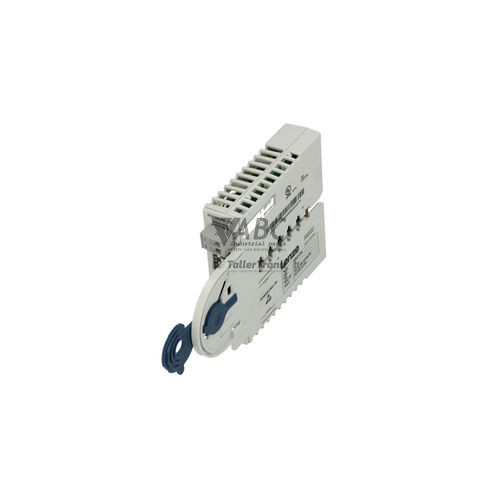
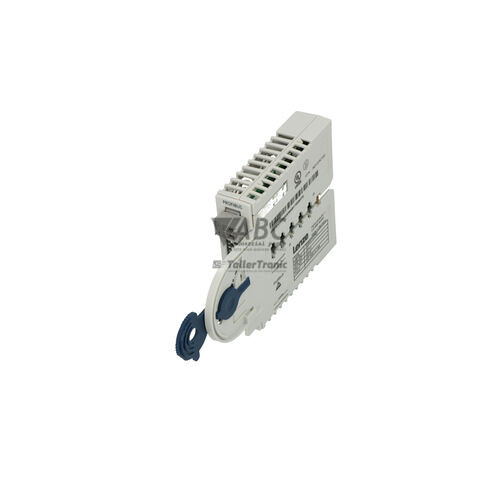
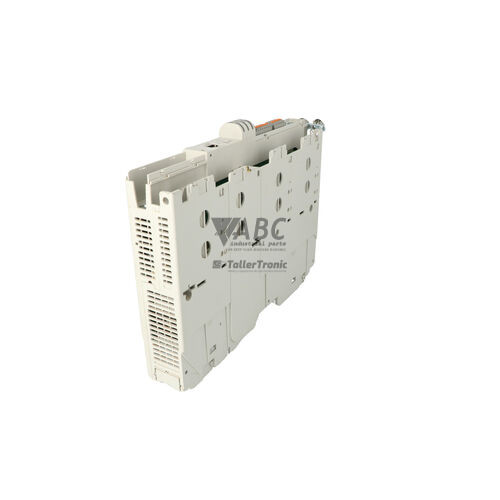
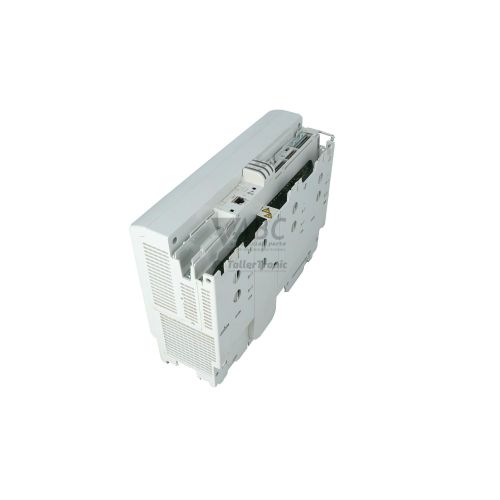
The Lenze E94AYCEP ETH POWERLINK-MODULE is an Ethernet POWERLINK communication interface engineered for the Lenze Servo Drives 9400 family, including HighLine, StateLine, Single Drive, and Multi Drive architectures. Operating as an Ethernet POWERLINK Controlled Node (CN) compliant with the EPSG DS301 profile, this plug-in module mounts directly into the MXI1 or MXI2 extension slots of the host drive. Equipped with two RJ45 ports operating at 100 Mbit/s, the device integrates servo drives into real-time fieldbus networks for precise multi-axis motion synchronization across packaging, textile, printing, material handling, and automotive assembly machinery.
Integrating a replacement module into an active network is facilitated by dual RJ45 connectors featuring an integrated internal hub. This dual-port architecture supports line, star, and tree network topologies, enabling direct daisy-chaining between drives without requiring external Ethernet switches. Putting a replacement E94AYCEP unit into service does not require manual parameter programming or field software transfer, as operational configuration data resides in the non-volatile memory of the host 9400 drive and automatically restores to the module upon power-up. When replacing a failed communication unit, ABC Industrial Parts can assist in providing verified hardware to help restore reliable fieldbus operation.
Real-time diagnostic feedback is provided via four front-panel LED indicators monitoring node status, bus errors, and port link/activity state. Advanced diagnostics, diagnostic buffer access, and CANopen over Ethernet object dictionary monitoring are available through Lenze Engineer commissioning software. Initial troubleshooting for network or slot communication faults involves checking module seating in the MXI1 or MXI2 slot, verifying physical RJ45 connections, and power cycling the host drive host. If hardware failure indications or slot communication errors persist after verifying the installation, internal board faults are indicated, and obtaining a replacement unit from ABC Industrial Parts offers a fast path back to full production.
Technical Specifications
| Manufacturer | Lenze |
| Part Number | E94AYCEP |
| Model / Type | ETH POWERLINK-MODULE |
| Product Family | Servo Drives 9400 |
| Component Type | Communication Module |
| Communication Protocol | Ethernet POWERLINK (EPSG DS301) |
| Node Role | Controlled Node (CN) |
| Transmission Speed | 100 Mbit/s |
| Number of Ports | 2 |
| Connector Type | RJ45 |
| Network Topologies | Line, Star, Tree |
| Extension Slots | MXI1, MXI2 |
| Compatible Drives | Lenze Servo Drives 9400 HighLine, StateLine, Single Drive, Multi Drive |
Programming and Configuration
The Lenze E94AYCEP module interfaces directly with Lenze Engineer commissioning software for drive setup, real-time diagnostic monitoring, and network parameter adjustments. System parameters and network node configurations are mapped within CANopen over Ethernet / POWERLINK object dictionary diagnostic registers, enabling comprehensive supervision of fieldbus communication and node states.
Parameter retention is managed centrally by the host Lenze 9400 series servo drive. Store-and-forward configuration handling ensures that network mapping and node setup data reside in the non-volatile memory of the drive host, removing the need for manual configuration export or software re-parameterization when installing a replacement module into an active machine.
Communication and System Integration
The E94AYCEP communication module operates over 100 Mbit/s Fast Ethernet physical infrastructure using the Ethernet POWERLINK protocol compliant with the EPSG DS301 profile. Operating in the Controlled Node (CN) role, it delivers deterministic, real-time data transfer for multi-axis synchronization in demanding industrial motion applications.
Physical connection is established via two front-panel RJ45 ports backed by an integrated internal hub. This hardware architecture supports flexible field cabling topologies, including line, star, and tree networks. The dual-port design allows direct daisy-chaining between consecutive servo drives across an automation line, eliminating external Ethernet switches and reducing overall network hardware overhead.
Diagnostics and Status Indication
Visual status evaluation for the E94AYCEP is available directly on the module faceplate using four dedicated LED indicators. These lights cover node operating state, fieldbus errors, and link/activity state on each individual RJ45 port. In addition to physical status indicators, diagnostics can be performed remotely using Lenze Engineer software to interrogate the drive diagnostic buffer or monitor diagnostic registers in the object dictionary.
Status LED Indicators
| LED | Color/Status | Meaning |
|---|---|---|
| BS (Bus Status / RUN) | Green/Red - Off / Blinking / Solid Green / Constant Red | Indicates POWERLINK node operational state: Off (Stopped/Initialization), Blinking (Pre-Operational), Solid Green (Operational), Constant Red/Flash (Internal initialization failure or module fault) |
| BE (Bus Error / ERR) | Red - Solid / Off | Indicates network error, packet loss, or loss of sync with Managing Node (MN). Persistent error on power-up indicates internal hardware failure |
| L/A1 (Link / Activity 1) | Green - Solid / Flashing | Solid green indicates physical connection on Port 1; flashing indicates network traffic activity |
| L/A2 (Link / Activity 2) | Green - Solid / Flashing | Solid green indicates physical connection on Port 2; flashing indicates network traffic activity |
Replacement and Spare Part Considerations
When replacing a failed E94AYCEP module in a Lenze 9400 servo drive system, verify that the unit is correctly inserted into either the MXI1 or MXI2 extension slot while the drive host is fully powered down. Ensure the physical latching mechanism is fully engaged before re-applying power to the system.
Because configuration parameters are stored in the host servo drive non-volatile memory, manual parameterization or engineering software transfers are not required during a routine module exchange. Upon power-up, the drive host automatically reloads operational parameters to the replacement E94AYCEP module, restoring fieldbus communication seamlessly.
Error Codes & Fault Codes
The following error codes may be displayed during operation or diagnostics:
| Code | Name | Description | Possible Cause | Recommended Action |
|---|---|---|---|---|
| 0x00b10000 | Communication error slot 1 | Internal communication fault between drive controller host and module in slot 1. | Module improperly seated, corrupted parameter configuration, or internal hardware fault. | Check physical seat of module E94AYCEP. Power cycle drive. If fault persists, replace the module. |
| 0x00b20000 | Communication error slot 2 | Internal communication fault between drive controller host and module in slot 2. | Module improperly seated, corrupted parameter configuration, or internal hardware fault. | Check physical seat of module E94AYCEP. Power cycle drive. If fault persists, replace the module. |
Frequently Asked Questions
How are configuration parameters restored when replacing a Lenze E94AYCEP module?
Operational and network parameters are stored in the non-volatile memory of the host Lenze 9400 servo drive. When a new E94AYCEP module is installed, parameters automatically reload from the host drive upon initial power-up without requiring manual re-parameterization.
Which expansion slots on Lenze 9400 drives support the E94AYCEP module?
The E94AYCEP installs into either the MXI1 or MXI2 module extension slots on Lenze Servo Drives 9400 HighLine, StateLine, Single Drive, and Multi Drive architectures.
Is an external Ethernet switch required to connect multiple E94AYCEP modules in series?
No external switch is required. The E94AYCEP features dual RJ45 ports backed by an internal hub, enabling daisy-chained line, star, and tree network topologies.
What does a constant red light on the BE (Bus Error) LED indicate?
A constant red BE LED indicates a network error, packet loss, or loss of synchronization with the Managing Node. A persistent red BE error upon power-up points to an internal hardware failure.
How do you clear slot communication error fault codes 0x00b10000 or 0x00b20000?
Verify that the E94AYCEP module is securely seated in the MXI1 or MXI2 slot and power cycle the drive host. If the fault code persists after verifying physical seating, replace the module.
Take advantage of our exchange formula
A defective product does not have to be worthless. At ABC Industrial Parts, you can hand in defective products and immediately benefit from a discount on your new purchase. This is a smart way to save money while contributing to a circular economy.
Play it safe with our warranty conditions
Industrial plants prefer to keep running invariably, no matter what. Therefore, it is essential that you can rely on high-quality products and/or sustainable repairs. With our warranty conditions, you can count on certainty, whether you choose new, used or repaired products.
Data backup and recovery
Have you lost valuable parameters or data due to a malfunction while the manufacturer no longer provides support? At ABC Industrial Parts, we help you secure this data, both for common and specific products.
Specific firmware and hardware versions
If you are working with specific hardware or firmware versions that are no longer available from the manufacturer, ABC Industrial Parts is your partner. When making your enquiry, clearly state which versions you need, we will then look at the possibilities of supplying those versions, so that your installations continue to function optimally.
Disclaimer:
We are not an authorised distributor of Lenze.
Product photos are for illustration purposes only and may differ from the actual product delivered.
Some of the content on this page was created with the help of AI. While we strive to provide accurate and up-to-date information, errors may occur.