Lenze E94AYCER Profinet Communication Module



Het item werd toegevoegd aan uw offerteaanvraag
Product Information
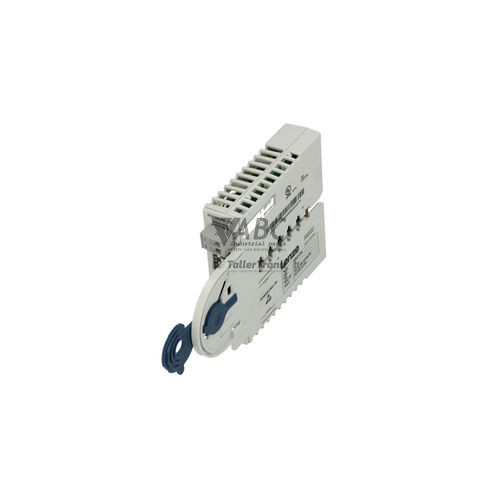
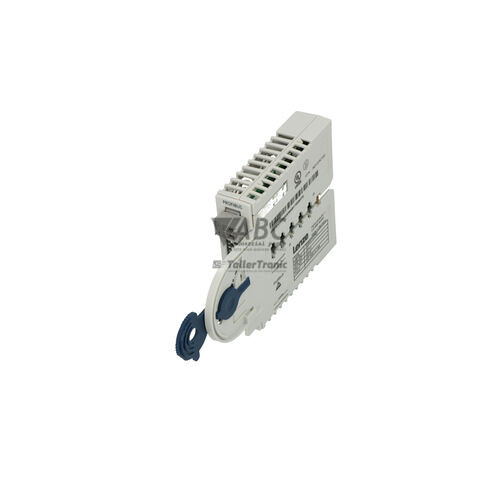
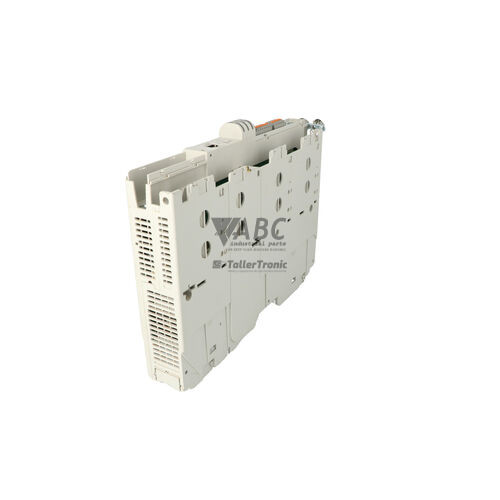
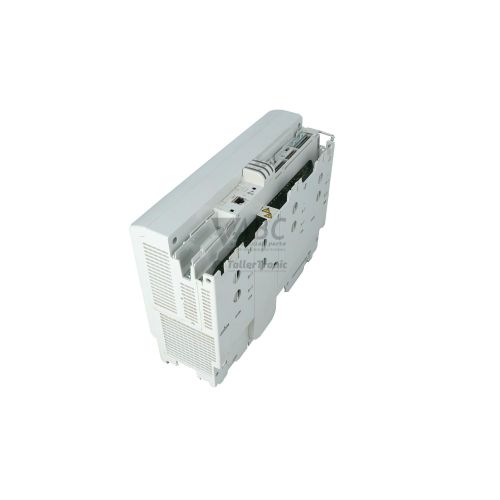
The Lenze E94AYCER is a PROFINET communication option module designed for direct integration into the Lenze 9400 Servo Drive platform. Installed in either the MXI1 or MXI2 extension slots of the drive, this communication interface connects host drive hardware directly to high-speed Industrial Ethernet networks. The module features an integrated 2-port Ethernet switch with dual shielded RJ45 connectors, enabling seamless insertion into line and ring bus topologies without requiring additional external switches in the control cabinet.
Connecting the E94AYCER to an automation system provides real-time data transmission at 100 Mbit/s, supporting both PROFINET Real-Time (RT) and Isochronous Real-Time (IRT) communication profiles for central IO Controllers such as Siemens SIMATIC S7-1200 and S7-1500 PLCs. System parameterization and drive integration are conducted using Lenze L-force Engineer software, while operational parameters are backed up in the non-volatile memory of the host 9400 servo drive. When commissioning a spare, automatic device replacement via PROFINET DCP and LLDP protocols allows a new module to automatically inherit network names and IP parameters upon power-up. ABC Industrial Parts supports technical teams requiring ready-to-deploy replacement units and expert guidance for drive communications.
Field diagnostic feedback is provided on the module front plate by four dedicated status LEDs: BUS RUN, BUS ERR, L/A1, and L/A2. These indicators provide immediate visual verification of bus status, cyclic data exchange, and physical Ethernet activity across both ports. System controllers can also process diagnostic alarm telegrams, and technicians can evaluate operational flags using Lenze Engineer software or a fieldbus network analyzer. If a hardware or initialization stack fault occurs, re-seating the module in the MXI slot can resolve intermittent connection issues; persistent internal faults indicate board-level failure where sourcing a replacement unit through ABC Industrial Parts provides the fastest path to restored machine operation.
Technical Specifications
| Manufacturer | Lenze |
| Part Number | E94AYCER |
| Component Type | Communication Module |
| Product Family | Servo Drives 9400 |
| Module Slot Compatibility | MXI1 / MXI2 |
| Ethernet Ports | 2 |
| Transmission Rate | 100 Mbit/s |
| Connector Type | RJ45 |
| Supported Protocols | PROFINET RT, PROFINET IRT |
Programming and Configuration
Parameterization of the Lenze E94AYCER module is managed via the Lenze L-force Engineer software environment. Through this interface, engineers can define process data structures, transmission cycles, and fieldbus operating parameters. Network settings and drive configurations are stored securely within the non-volatile memory card of the host Lenze 9400 Servo Drive, protecting operational parameters against power loss.
Integration into third-party PLC engineering environments, such as Siemens TIA Portal or STEP 7, requires importing the corresponding GSDML device description file. This file provides the controller with exact module capabilities and I/O mapping configurations. Field replacement is simplified by PROFINET Discovery and Configuration Protocol (DCP) and Link Layer Discovery Protocol (LLDP), which enable automatic assignment of network station names and IP addresses without manual engineering intervention.
Communication and System Integration
The E94AYCER is equipped with an integrated 2-port Ethernet switch operating at 100 Mbit/s through dual RJ45 connectors. This design allows the module to be integrated directly into line or ring fieldbus topologies, significantly reducing cabinet wiring complexity and eliminating the need for standalone external network switches in packaging systems, automotive manufacturing lines, material handling networks, and printing machinery.
The module supports both PROFINET Real-Time (RT) for standard cyclic process data exchange and Isochronous Real-Time (IRT) for high-precision motion control tasks. PROFINET IRT delivers microsecond-level clock synchronization across multiple servo axes, enabling synchronized multi-axis positioning and tight velocity control across complex drive networks.
Diagnostics and Status Indication
The front plate of the E94AYCER module features four diagnostic LEDs that supply continuous status information regarding network communication and port link activity. In addition to visual inspection, maintenance technicians can access detailed diagnostic parameters using Lenze L-force Engineer software, evaluate PROFINET alarm telegrams sent directly to the PLC IO Controller, or utilize Wireshark and dedicated PROFINET network analyzers for traffic analysis.
Status LED Indicators
| LED | Color/Status | Meaning |
|---|---|---|
| BUS RUN | Green - Solid / Flashing | Green ON: Normal cyclic PROFINET communication active. Green Flashing: Device ready, waiting for connection or setup. |
| BUS ERR | Red - Solid / Flashing | Red ON / Flashing: PROFINET communication error, loss of cyclic data, invalid configuration, or duplicate IP address. |
| L/A1 (Link/Activity Port 1) | Green - Solid / Flashing | Green ON: Physical Ethernet link established on Port 1. Green Flashing: Ethernet data traffic active on Port 1. |
| L/A2 (Link/Activity Port 2) | Green - Solid / Flashing | Green ON: Physical Ethernet link established on Port 2. Green Flashing: Ethernet data traffic active on Port 2. |
Replacement and Spare Part Considerations
Before replacing an E94AYCER communication module, ensure the host Lenze 9400 Servo Drive is powered down completely. Insert the replacement unit into the designated extension slot (MXI1 or MXI2) and confirm that the backplane connector is firmly seated. Because communication parameters and drive profiles are retained in the host drive's memory module, the new card can adopt operational drive settings automatically.
Network identification requires that the new module matches the station name and IP structure configured in the central PLC project. If automatic device replacement via LLDP/DCP is enabled on the PROFINET controller, the network master automatically assigns the correct device name and IP address upon startup. If fault code 0x00A10003 appears after replacement, verify that the GSDML file version in the PLC project matches the physical hardware revision.
Error Codes & Fault Codes
The following error codes may be displayed during operation or diagnostics:
| Code | Name | Description | Possible Cause | Recommended Action |
|---|---|---|---|---|
| 0x00A10001 | PROFINET Connection Timeout | Cyclic data exchange interrupted between PROFINET IO Controller and E94AYCER module on MXI slot 1. | Network cable disconnected, PLC stopped, network switch failure, or high traffic noise. | Check Ethernet cabling and connections. Verify PLC IO Controller status and PROFINET cycle timing. |
| 0x00A10002 | PROFINET Module Hardware/Stack Fault | Internal hardware or stack initialization failure on module plugged into slot MXI1. | Module defective, poor backplane connection, or internal board error. | Re-seat communication module in slot. If error persists, replace E94AYCER module. |
| 0x00A10003 | Invalid PROFINET Configuration | Configuration received from IO Controller does not match parameter settings or module capability. | Incorrect GSDML file version in PLC engineering software or mismatched I/O mapping. | Verify GSDML file version and I/O data configuration in PLC engineering project. |
| 0x00A10004 | Duplicate IP Address / Name Conflict | IP address or PROFINET device name assigned to E94AYCER is already in use by another network node. | Duplicate IP or station name configuration on the subnet. | Check network for IP address conflicts using PROFINET DCP discovery tool and reassign unique name/IP. |
Frequently Asked Questions
Which drive systems are compatible with the Lenze E94AYCER module?
The E94AYCER module is designed specifically for insertion into the MXI1 or MXI2 extension slots of the Lenze 9400 Servo Drive series.
Which software packages are used to configure the E94AYCER module?
Drive and fieldbus parameters are configured using Lenze L-force Engineer software. PLC communication mapping requires the corresponding Lenze GSDML file in your PLC software, such as Siemens TIA Portal or STEP 7.
Does replacing an E94AYCER module require manual reprogramming?
Not usually. Because drive settings are backed up in the non-volatile memory of the host Lenze 9400 drive, and PROFINET supports automatic device replacement via LLDP and DCP, a replacement module can automatically adopt its network identity and settings upon connection.
What does a solid red BUS ERR LED indicate on the module?
A solid or flashing red BUS ERR LED indicates a PROFINET communication error, loss of cyclic data, an invalid configuration, or a duplicate IP address/name conflict on the network.
What action should be taken if fault code 0x00A10002 is reported?
Fault code 0x00A10002 indicates an internal hardware or stack initialization error. First, power down the unit and re-seat the module in its MXI slot. If the error remains after powering back up, the module hardware is defective and requires replacement.
Take advantage of our exchange formula
A defective product does not have to be worthless. At ABC Industrial Parts, you can hand in defective products and immediately benefit from a discount on your new purchase. This is a smart way to save money while contributing to a circular economy.
Play it safe with our warranty conditions
Industrial plants prefer to keep running invariably, no matter what. Therefore, it is essential that you can rely on high-quality products and/or sustainable repairs. With our warranty conditions, you can count on certainty, whether you choose new, used or repaired products.
Data backup and recovery
Have you lost valuable parameters or data due to a malfunction while the manufacturer no longer provides support? At ABC Industrial Parts, we help you secure this data, both for common and specific products.
Specific firmware and hardware versions
If you are working with specific hardware or firmware versions that are no longer available from the manufacturer, ABC Industrial Parts is your partner. When making your enquiry, clearly state which versions you need, we will then look at the possibilities of supplying those versions, so that your installations continue to function optimally.
Disclaimer:
We are not an authorised distributor of Lenze.
Product photos are for illustration purposes only and may differ from the actual product delivered.
Some of the content on this page was created with the help of AI. While we strive to provide accurate and up-to-date information, errors may occur.