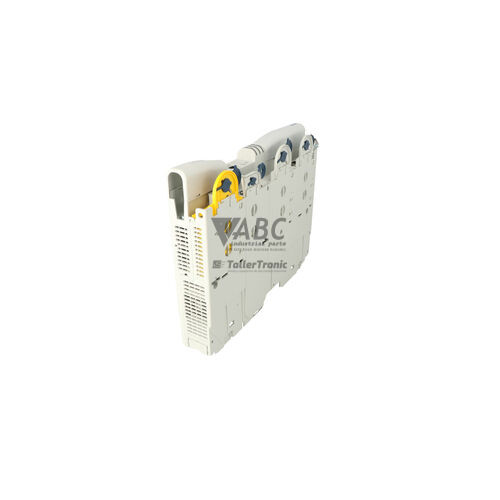
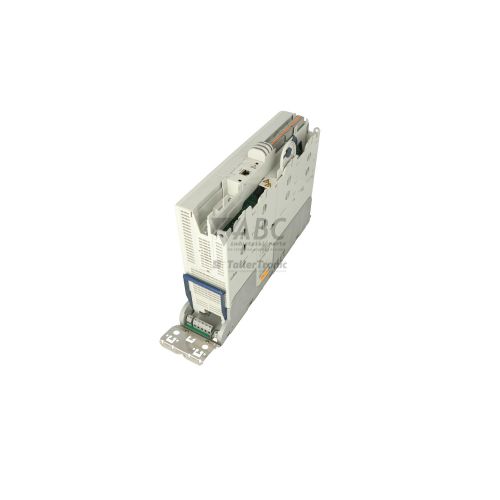
Lenze E94ASHE0174 9400 HighLine Servo Drive



Het item werd toegevoegd aan uw offerteaanvraag
Product Information
The Lenze E94ASHE0174 is a panel-mounted 9400 HighLine single-drive servo inverter within the Lenze 9400 Servo Drives family, engineered for precise multi-axis motion control. Designed for three-phase AC power systems operating between 320 V AC and 528 V AC, the drive delivers 7.5 kW (10 hp) rated power and a continuous output current of 16.5 A with a 13 A mains input current. It incorporates an integrated EMC filter and an internal brake chopper, providing compact installation and reliable power control at a default 4 kHz switching frequency across an output frequency range of 0 to 599 Hz.
For system communication, the drive features an onboard CANopen interface alongside two modular extension slots supporting fieldbus cards such as PROFINET (E94AYCER), EtherCAT (E94AYCET), EtherNet/IP, or PROFIBUS-DP. Encoder feedback integration is accommodated through a multi-protocol interface compatible with resolvers, incremental encoders, SinCos, Hiperface, and SSI absolute encoders, supported by 8 digital inputs, 4 digital outputs, 2 analog inputs, and 2 analog outputs. Commissioning a replacement unit is streamlined by transferring the pluggable MM500 memory card from the existing drive, which retains full parameter datasets and application software without requiring complete re-engineering. Parameters can also be managed using Lenze Engineer v2.0 or higher and EASY Starter software, with ABC Industrial Parts available to assist with drive preparation and spare unit setup.
Diagnostic information is displayed via three front-panel status LEDs indicating power/readiness state, fault/TRIP conditions, and fieldbus activity, while numerical fault codes can be accessed using an optional E94AZKCE001 keypad module or software diagnostics. Fault codes such as 0x0011 for overcurrent, 0x0021 for DC bus overvoltage, and 0x0061 for CANopen errors assist maintenance personnel in isolating field wiring or parameter issues. When internal control board failures or unresolvable trips occur, such as system fault 0x0091, component-level repairs are required; sourcing a replacement or utilizing repair services through ABC Industrial Parts provides a direct pathway to restoring production operations.
Technical Specifications
| Manufacturer | Lenze |
| Part Number | E94ASHE0174 |
| Model / Type | 9400 HighLine Single Drive |
| Component Type | Servo Drive |
| Rated Power | 7.5 kW |
| Rated Power (HP) | 10 hp |
| Supply Voltage Range | 320 - 528 V AC (3-Phase) |
| Mains Input Current | 13 A |
| Continuous Output Current | 16.5 A |
| Output Frequency Range | 0 - 599 Hz |
| Switching Frequency | 4 kHz |
| Mounting Style | Panel Mount |
| Digital I/O Channels | 8 Digital Inputs / 4 Digital Outputs |
| Analog I/O Channels | 2 Analog Inputs / 2 Analog Outputs |
| Integrated Bus Interface | CANopen |
Programming and Configuration
The Lenze E94ASHE0174 servo drive utilizes Lenze Engineer software version 2.0 or higher and Lenze EASY Starter for device configuration, parameter adjustment, and online commissioning. Connecting to the drive for engineering tasks can be accomplished through the E94AZCUS USB diagnostic adapter or via networked fieldbus interfaces.
Complete parameter sets, drive profiles, and application runtime software reside on the pluggable MM500 memory card. When commissioning or replacing a drive, this removable memory module allows technical personnel to back up and restore complete drive configurations without manual parameter entry.
Communication and System Integration
Onboard CANopen communication provides integrated system bus capability for high-speed multi-axis synchronization and control. Network integration into broader industrial architectures is expanded via two module slots designed to accept optional communication cards, including E94AYCER for PROFINET and E94AYCET for EtherCAT, as well as optional PROFIBUS-DP and EtherNet/IP modules.
The drive features comprehensive input/output capability for system control, offering 8 digital inputs, 4 digital outputs, 2 analog inputs, and 2 analog outputs. Feedback interface compatibility covers a broad range of feedback devices, including resolvers, incremental encoders, SinCos, Hiperface, and absolute SSI encoders.
Diagnostics and Status Indication
Visual monitoring of operational states is provided by three LED indicators on the drive housing. The green Ready/Power LED signals unit readiness and DC bus charging status, the red Fault LED indicates trip or warning conditions, and the combined Yellow/Green Bus LED reflects communication activity on CANopen or installed fieldbus expansion modules.
Comprehensive troubleshooting is supported through the diagnostic logbook accessible via Lenze software tools or through the E94AZKCE001 keypad diagnostic module, which displays real-time error codes directly on site. Diagnostic registers can also be polled across fieldbus connections for automated machine monitoring.
Status LED Indicators
| LED | Color/Status | Meaning |
|---|---|---|
| Ready / Power (Green) | Green - Solid / Blinking | On = Drive ready for operation / DC bus charged. Blinking = Drive initializing or standby. |
| Fault / Error (Red) | Red - Solid / Blinking | On = Active fault condition (TRIP state). Blinking = Warning or pending fault condition. Indicates active error blocking operation. |
| CAN / Bus LED | Yellow/Green - Active | Indicates active communication status on CANopen / optional fieldbus interface. |
Replacement and Spare Part Considerations
When swapping an existing drive with a spare Lenze E94ASHE0174 unit, verify that the 3-phase supply voltage (320 V AC to 528 V AC) and output power specifications match the installation. Ensuring identical part numbers guarantees mechanical enclosure compatibility and correct hardware capability.
Drive parameter migration can be completed quickly by removing the MM500 memory module from the original drive and inserting it into the replacement unit. This transfers all stored motor profiles, network settings, and application parameters without requiring software manipulation or complex re-commissioning steps.
If optional fieldbus modules such as the E94AYCER PROFINET or E94AYCET EtherCAT cards are installed on the original drive, they must be uninstalled and moved to the expansion slots of the replacement drive to maintain network node addressing and physical fieldbus connections.
Error Codes & Fault Codes
The following error codes may be displayed during operation or diagnostics:
| Code | Name | Description | Possible Cause | Recommended Action |
|---|---|---|---|---|
| 0x0011 | OC1 Short circuit / Overcurrent | Short circuit or severe overcurrent detected at motor terminals. | Short circuit in motor cable, short circuit in motor winding, acceleration time set too short, motor parameter mismatch. | Check motor cable and connections for short circuits, verify motor parameters and ramp-up times. If error persists with motor disconnected, internal hardware fault — return unit for repair. |
| 0x0012 | OC2 Earth fault | Ground fault / earth leakage current detected. | Earth fault in motor wire or motor insulation, excessive capacitive charging currents in long motor cables. | Check motor and wiring for ground insulation faults, check maximum motor cable length rules. |
| 0x0021 | OU Overvoltage DC bus | DC bus voltage exceeds upper threshold limit. | Excessive regenerative energy during deceleration, deceleration ramp too short, brake chopper defective or braking resistor disconnected/broken. | Increase deceleration time, verify external braking resistor connection and resistance value, inspect brake chopper circuit. |
| 0x0022 | LU Undervoltage DC bus | DC bus voltage fell below lower threshold limit. | Mains supply voltage drop, phase loss in supply line, failure of input power supply. | Check mains supply voltage, check supply fuses and contactors. |
| 0x0031 | OH Heatsink overtemperature warning | Heatsink temperature exceeds warning limit threshold. | High ambient temperature, clogged cooling fins, cabinet fan failure. | Clean heat sink fins, check cooling fan operation, lower cabinet temperature. |
| 0x0032 | OH1 Heatsink overtemperature shutdown | Heatsink temperature exceeded critical trip threshold. | Severe cooling restriction, fan failure, sustained overloading. | Allow drive to cool, ensure adequate cabinet ventilation, verify fan operation. |
| 0x0035 | OH4 Motor overtemperature | Motor temperature sensor reported excessive temperature. | Motor thermal overload, thermal sensor cable broken or disconnected, incorrect sensor type setting. | Check motor cooling and load condition, verify thermal sensor connections and setting (KTY / PTC / PT1000). |
| 0x0061 | CE0 CANopen communication error | Loss of CANopen network node or telegram timeout. | Cable break, missing termination resistor, wrong node ID or baud rate mismatch. | Check bus cabling, check terminating resistors (120 Ohm at bus ends), check baud rate settings. |
| 0x00A1 | FO1 Feedback system error | Encoder or resolver signal missing, corrupted, or invalid track signals. | Damaged feedback cable, defective encoder/resolver, shielding issue causing signal interference. | Inspect feedback cable connection and shield grounding, test encoder/resolver unit. |
| 0x0071 | NMAX Motor overspeed | Actual motor speed exceeded maximum speed threshold. | Unstable speed controller tuning, external driven load pushing motor, encoder signal corruption. | Check speed controller parameter settings, check feedback cables, inspect mechanical load. |
| 0x0091 | PE Program / System hardware fault | Internal program error or micro-controller memory/processor failure. | Firmware corruption or internal control board component hardware fault. | Perform power cycle. If error returns after power cycle, internal hardware fault — replace or return unit for repair. |
Frequently Asked Questions
How do I transfer parameters when replacing a Lenze E94ASHE0174 drive?
Parameter transfer can be accomplished by swapping the pluggable MM500 memory card from the old drive into the replacement unit. Alternatively, software parameter backup and restore can be performed using Lenze Engineer v2.0+ or EASY Starter via a USB diagnostic adapter.
What options are available for fieldbus communication on the E94ASHE0174?
The drive includes an onboard CANopen system bus as standard. In addition, two extension slots allow installation of optional fieldbus communication modules, including PROFINET (E94AYCER), EtherCAT (E94AYCET), PROFIBUS-DP, and EtherNet/IP.
Which motor encoder feedback types are supported by this servo drive?
The drive features a multi-protocol feedback interface compatible with Resolvers, Incremental encoders, SinCos encoders, Hiperface, and absolute SSI encoders.
What should be checked if the drive reports a 0x0021 overvoltage fault?
Fault 0x0021 indicates DC bus overvoltage. Check if deceleration ramp times are set too short, inspect the external braking resistor for loose or broken connections, measure resistor resistance, and verify the operation of the internal brake chopper.
What does fault code 0x0091 indicate?
Code 0x0091 indicates a program or internal system hardware fault on the microcontroller or memory. If cycling main power does not clear the error, an internal hardware failure is present and the drive must be replaced or sent for repair.


Take advantage of our exchange formula
A defective product does not have to be worthless. At ABC Industrial Parts, you can hand in defective products and immediately benefit from a discount on your new purchase. This is a smart way to save money while contributing to a circular economy.
Play it safe with our warranty conditions
Industrial plants prefer to keep running invariably, no matter what. Therefore, it is essential that you can rely on high-quality products and/or sustainable repairs. With our warranty conditions, you can count on certainty, whether you choose new, used or repaired products.
Data backup and recovery
Have you lost valuable parameters or data due to a malfunction while the manufacturer no longer provides support? At ABC Industrial Parts, we help you secure this data, both for common and specific products.
Specific firmware and hardware versions
If you are working with specific hardware or firmware versions that are no longer available from the manufacturer, ABC Industrial Parts is your partner. When making your enquiry, clearly state which versions you need, we will then look at the possibilities of supplying those versions, so that your installations continue to function optimally.
Disclaimer:
We are not an authorised distributor of Lenze.
Product photos are for illustration purposes only and may differ from the actual product delivered.
Some of the content on this page was created with the help of AI. While we strive to provide accurate and up-to-date information, errors may occur.