Siemens 6AV2144-8GC10-0AA0 TP700 Comfort INOX HMI Touch Panel


Het item werd toegevoegd aan uw offerteaanvraag
Product Information
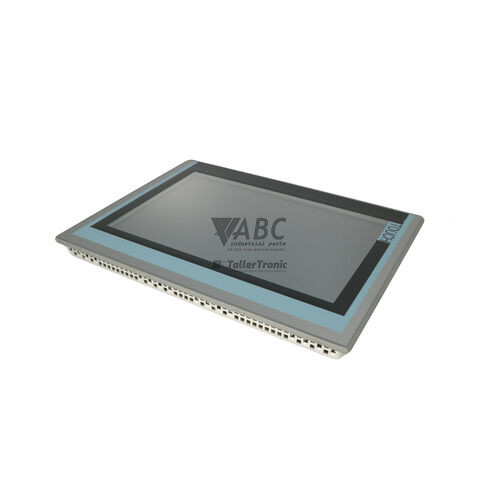
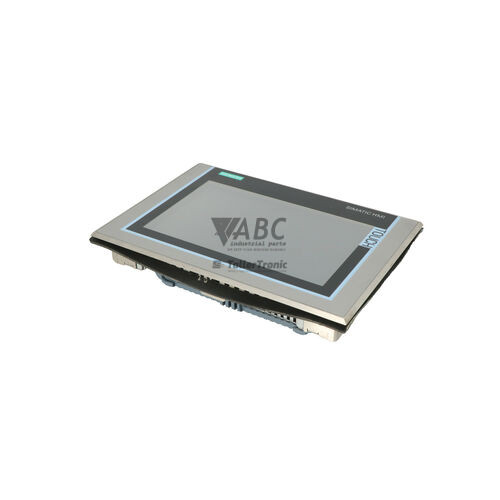
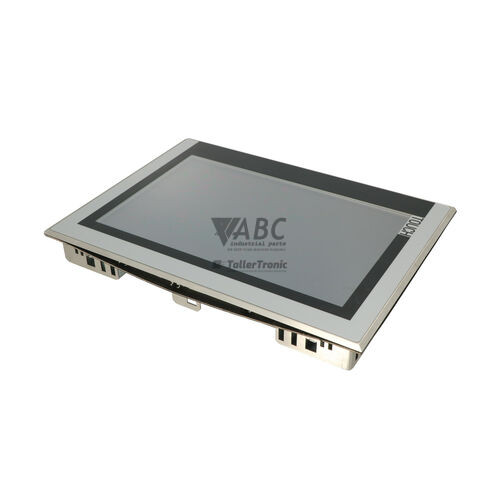
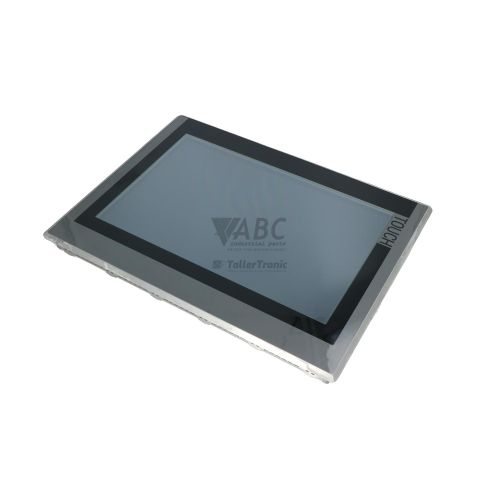
The Siemens 6AV2144-8GC10-0AA0 is a high-performance operator panel within the SIMATIC HMI Comfort Panels family, designated as the TP700 Comfort INOX touch panel. Purpose-built for hygienic production environments, this human-machine interface features a smooth AISI 304 stainless steel front bezel designed to DIN EN 1672-2 standards, providing IP66K and NEMA 4X/12 protection against high-pressure washdowns and chemical cleaning agents. The unit is built around a bright 7-inch widescreen TFT LCD display with 800 x 480 WVGA resolution, rendering 16 million colors across wide viewing angles for clear visualization of complex machinery status. It operates on a nominal supply voltage of 24 V DC (with an acceptable range of 19.2 to 28.8 V DC) and provides 12 MB of usable internal flash memory for configuration data in food, beverage, pharmaceutical, and chemical processing facilities.
Interfacing with control networks is handled through an integrated dual-port PROFINET IRT switch, alongside dedicated PROFIBUS DP/MPI connections, two USB Host ports, and a USB Mini-B client interface. Commissioning a replacement unit relies on project configuration created with TIA Portal WinCC Comfort V11 SP2 or higher. The TP700 Comfort INOX features dual SD card slots: one dedicated to user data archiving and logging, and a second system slot that supports continuous automatic system backup. When a hardware swap is required, transferring the SIMATIC HMI system SD card from the existing panel to a replacement unit allows for zero-engineering parameter recovery and immediate runtime operation without needing software tools on the factory floor. ABC Industrial Parts can assist in sourcing ready-to-deploy replacement panels and verifying backup media integrity.
Diagnostic information is delivered on-screen via the WinCC System Alarm Control message buffer and integrated PROFINET or S7 system views. Physical link status and network activity are displayed via a dual-state green LED on the PROFINET port, where solid green indicates an established physical link and flashing green indicates active data transmission. First-line troubleshooting for system alarms should include verifying the 24 V DC power supply level, inspecting Ethernet and PROFIBUS cable integrity, confirming network IP and node address configurations, and ensuring the SIMATIC HMI system SD card is properly seated. When persistent internal electronic failures or screen damage occur, component-level repairs or a fully tested exchange panel through ABC Industrial Parts provide an effective route back to production.
Technical Specifications
| Manufacturer | Siemens |
| Part Number | 6AV2144-8GC10-0AA0 |
| Model / Type | TP700 Comfort INOX |
| Component Type | HMI Touch Panel |
| Product Family | SIMATIC HMI Comfort Panels |
| Display Size | 7 inch |
| Display Resolution | 800 x 480 pixels |
| Display Type | TFT LCD |
| Display Colors | 16,777,216 |
| Backlight MTBF | 80,000 h |
| Front Bezel Material | AISI 304 Stainless Steel (DIN EN 1672-2) |
| Front Protection Rating | IP66K / NEMA 4X, 12 |
| Configuration Memory | 12 MB |
| Operating System | Windows CE 6.0 |
| Nominal Supply Voltage | 24 V DC |
| Supply Voltage Range | 19.2 - 28.8 V DC |
| Rated Current | 0.5 A |
| Power Consumption | 12 W |
| Interfaces | PROFINET IRT (2-port switch), PROFIBUS DP / MPI |
| USB Interfaces | 2x USB Host, 1x USB Mini-B Client |
| Card Slots | 2x SD card slots (1 System, 1 Data logging) |
Programming and Configuration
The Siemens 6AV2144-8GC10-0AA0 TP700 Comfort INOX panel is configured using TIA Portal WinCC Comfort V11 SP2 or higher engineering software. The display utilizes 12 MB of internal configuration memory to store project screens, alarms, graphic assets, and system settings running under the Windows CE 6.0 operating system.
Commissioning a replacement panel requires loading the compiled WinCC Comfort project file via Ethernet using TIA Portal or restoring the project image using SIMATIC ProSave. Continuous automated backups can also be executed using the dedicated system SD card slot, allowing zero-engineering replacement by swapping the system memory card directly into a replacement panel.
Communication and System Integration
Network integration for the TP700 Comfort INOX is centered on an integrated dual-port PROFINET IRT switch, enabling line and ring network topologies without requiring external switches. The panel also features a combined PROFIBUS DP and MPI interface, allowing direct connection to legacy networks.
In addition to SIMATIC S7-1200, S7-1500, S7-300, and S7-400 PLCs, the panel supports multi-protocol communication with third-party controllers via Modbus TCP/RTU and EtherNet/IP. Physical connectivity is rounded out by two USB Host ports for peripheral expansion and a USB Mini-B client port for maintenance access.
Diagnostics and Status Indication
The TP700 Comfort INOX provides multi-layered diagnostic routines including the WinCC System Alarm Control screen buffer, TIA Portal Online & Diagnostics via Ethernet, and the SIMATIC ProSave Diagnostic Status utility.
A dedicated status LED provides immediate visual feedback on fieldbus connection states and active network traffic.
Status LED Indicators
| LED | Color/Status | Meaning |
|---|---|---|
| PROFINET Link / Activity LED | Green - Solid / Flashing | Green indicates established network link; Flashing green indicates data transmission/activity. |
Replacement and Spare Part Considerations
When replacing an existing panel with a spare 6AV2144-8GC10-0AA0, ensure that the physical mounting cutout and sealing gasket meet the IP66K and NEMA 4X hygienic standards required for washdown zones. Check that the supply voltage matches the specified 24 V DC nominal rating.
To minimize downtime during hardware replacement, transfer the SIMATIC HMI system SD card from the damaged unit to the replacement panel's system card slot. If a system card is not present, the project runtime must be downloaded using TIA Portal WinCC Comfort (V11 SP2 or higher) or restored using SIMATIC ProSave.
Error Codes & Fault Codes
The following error codes may be displayed during operation or diagnostics:
| Code | Name | Description | Possible Cause | Recommended Action |
|---|---|---|---|---|
| 1000000 | System Alarm: Connection established | Communication connection to controller/PLC established successfully. | Normal operation message after network setup. | No action required. |
| 1000001 | System Alarm: Connection disconnected | Communication connection to controller/PLC interrupted. | Cable disconnected, controller powered off, wrong IP address or PROFIBUS address configuration. | Check physical cable connection, check PLC power status, verify network addresses in project configuration. |
| 1100001 | System Alarm: System memory low | Available panel main memory has fallen below critical threshold. | Too many active archives, memory leak in custom script, or overly large runtime data structures. | Restart panel runtime; optimize project size and logging routines in TIA Portal. |
| 1400001 | System Alarm: System card missing or corrupted | System SD card not detected or read error occurred. | System SD card removed during operation or filesystem corrupted. | Reinsert valid SIMATIC HMI system SD card; replace SD card if damaged. |
Frequently Asked Questions
What engineering software is required to program the Siemens TP700 Comfort INOX?
Programming and project transfers require TIA Portal WinCC Comfort V11 SP2 or higher.
How does the system SD card assist in panel replacement?
The dedicated system SD card automatically maintains a continuous system backup, allowing a zero-engineering replacement where project data and runtime settings transfer directly to a spare panel without using software tools.
What protection level does the front panel offer for washdown areas?
The smooth AISI 304 stainless steel front panel is rated at IP66K and NEMA 4X/12, making it resistant to high-pressure cleaning and harsh chemical washdowns in food, beverage, and pharmaceutical facilities.
Which PLCs can connect directly to the 6AV2144-8GC10-0AA0 panel?
The panel natively communicates with Siemens SIMATIC S7-1200, S7-1500, S7-300, and S7-400 controllers, as well as third-party PLCs using Modbus TCP/RTU or EtherNet/IP protocols.
What does system alarm 1000001 indicate on the display?
Alarm 1000001 signals that the communication connection to the controller has been interrupted, requiring physical cable inspection, PLC power verification, and network address checks.
Take advantage of our exchange formula
A defective product does not have to be worthless. At ABC Industrial Parts, you can hand in defective products and immediately benefit from a discount on your new purchase. This is a smart way to save money while contributing to a circular economy.
Play it safe with our warranty conditions
Industrial plants prefer to keep running invariably, no matter what. Therefore, it is essential that you can rely on high-quality products and/or sustainable repairs. With our warranty conditions, you can count on certainty, whether you choose new, used or repaired products.
Data backup and recovery
Have you lost valuable parameters or data due to a malfunction while the manufacturer no longer provides support? At ABC Industrial Parts, we help you secure this data, both for common and specific products.
Specific firmware and hardware versions
If you are working with specific hardware or firmware versions that are no longer available from the manufacturer, ABC Industrial Parts is your partner. When making your enquiry, clearly state which versions you need, we will then look at the possibilities of supplying those versions, so that your installations continue to function optimally.
Disclaimer:
We are not an authorised distributor of Siemens.
Product photos are for illustration purposes only and may differ from the actual product delivered.
Some of the content on this page was created with the help of AI. While we strive to provide accurate and up-to-date information, errors may occur.