Siemens 6AV2144-8MC10-0AA0 TP1200 Comfort INOX HMI Panel


Het item werd toegevoegd aan uw offerteaanvraag
Product Information
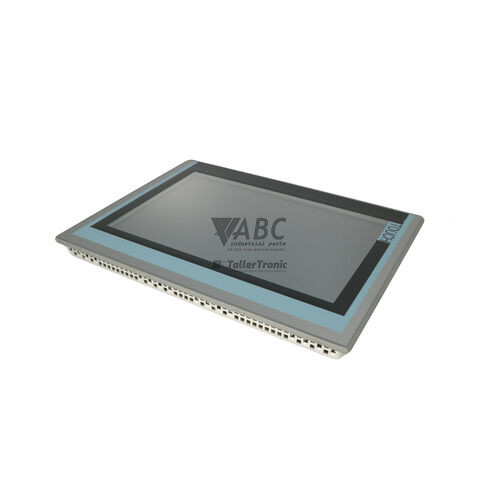
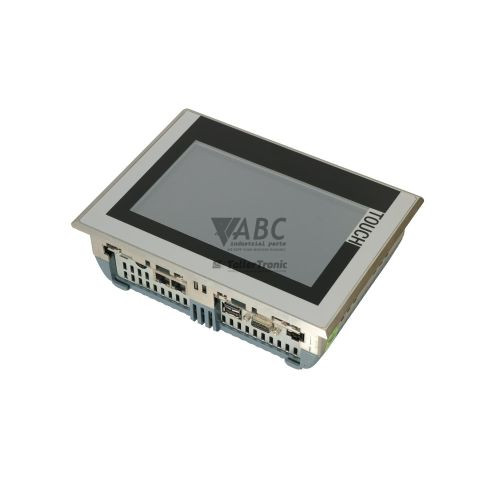
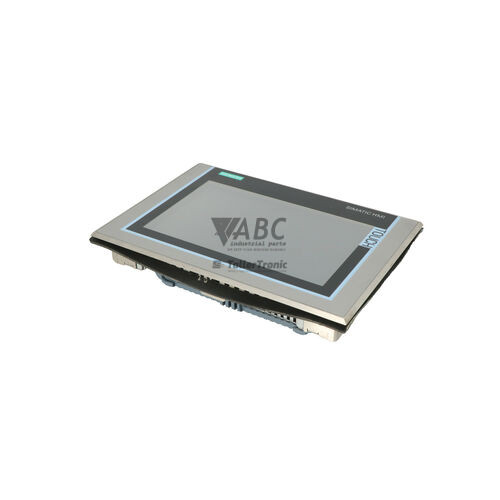
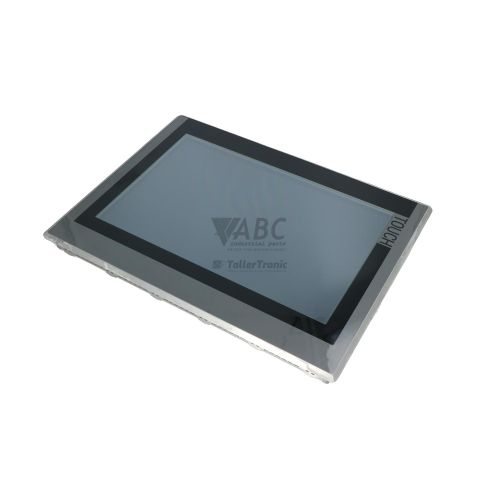
The Siemens 6AV2144-8MC10-0AA0 Operator Panel TP1200 Comfort Inox is an industrial HMI touch panel designed for process visualization and machine operation in hygienic environments. Belonging to the SIMATIC HMI Comfort Panels family, this unit features a 12.1-inch widescreen TFT display providing 16,777,216 visual colors and a WXGA resolution of 1280 x 800 pixels. Constructed with a specialized stainless steel front bezel rated to IP66K and NEMA 4X and NEMA 12 standards, the panel resists high-pressure washdown spray, splash zones, and aggressive cleaning chemicals. It operates on a rated 24 V DC supply voltage across an allowable range of 19.2 to 28.8 V DC, utilizing an analog resistive touchscreen that allows precise control inputs even when operators wear protective gloves.
Network integration for the TP1200 Comfort Inox is provided through an integrated 2-port PROFINET RJ45 switch operating at 10/100 Mbit/s, a separate Gigabit Ethernet RJ45 port operating at 10/100/1000 Mbit/s, and an isolated 9-pin Sub-D interface supporting RS422 and RS485 PROFIBUS DP and MPI communication. Peripheral connectivity includes two USB 2.0 Host ports, one Mini-USB 2.0 Client port, and dual SD/MMC card slots. Commissioning a replacement unit involves transferring the runtime visualization project into the panel's 12 MB usable user memory using WinCC Comfort, WinCC Advanced, or WinCC Professional within TIA Portal V11 SP2 or higher, or using the SIMATIC ProSave utility. Automated field recovery without an engineering station is enabled by inserting a system SD card into the dedicated backup slot, which restores configuration parameters and project files automatically. ABC Industrial Parts can assist maintenance teams with suitable replacement units and backup transfer procedures during field commissioning.
System status and operational state are monitored through hardware status LEDs, including a POWER indicator and Ethernet Link/Activity LEDs, along with built-in control panel diagnostic tools, system alarm views, and a Web server interface accessible over HTTP or HTTPS. Diagnostic software routines like TIA Portal Online & Diagnostics provide visibility into active fieldbus connections and system alarms. Standard maintenance events include disconnected fieldbus cables (code 1000000) or card removal notifications (code 140000), which can be resolved by checking cable seating, power states, and card retention. When internal runtime exceptions occur (code 190000), clearing the issue may require cycling panel power, retransferring the project, or updating panel firmware via ProSave. If hardware defects prevent screen activation or network communication, internal board servicing is not field-executable, and sourcing a tested spare unit from ABC Industrial Parts provides an effective method to recover plant production.
Technical Specifications
| Manufacturer | Siemens |
| Part Number | 6AV2144-8MC10-0AA0 |
| Model / Type | Operator Panel TP1200 Comfort Inox |
| Product Family | SIMATIC HMI Comfort Panels |
| Component Type | HMI Touch Panel |
| Display Size | 12.1 in |
| Display Resolution | 1280 x 800 pixels |
| Display Type | TFT (16.7M Colors) |
| Control Element | Resistive Touchscreen |
| Usable User Memory | 12 MB |
| Supply Voltage | 24 V DC |
| Supply Voltage Range | 19.2 - 28.8 V DC |
| Rated Current | 0.85 A |
| Maximum Current | 1.3 A |
| Active Power Consumption | 20 W |
| Front Protection Rating | IP66K / NEMA 4X, 12 |
| PROFINET Interfaces | 1 x 2-port RJ45 (10/100 Mbit/s) |
| Industrial Ethernet Interfaces | 1 x RJ45 (10/100/1000 Mbit/s Gigabit) |
| Serial / Fieldbus Interfaces | 1 x Sub-D 9-pin isolated (RS422/RS485 PROFIBUS DP/MPI) |
| USB Interfaces | 2 x USB Host 2.0, 1 x Mini-USB Client 2.0 |
| Card Slots | 2 x SD/MMC Card Slots (System Backup & Data Storage) |
Programming and Configuration
Engineering and application design for the Siemens 6AV2144-8MC10-0AA0 operator panel are conducted using WinCC Comfort, WinCC Advanced, or WinCC Professional integrated into TIA Portal version V11 SP2 or higher. The environment allows developers to create graphical visualization screens, configure PLC tag linkages, establish alarm logging frameworks, and program recipe management systems. The panel is equipped with 12 MB of usable user memory to retain compiled runtime projects, system graphics, and operational data.
For routine maintenance, firmware deployment, and field backup operations, the standalone SIMATIC ProSave software tool interfaces directly with the panel over Ethernet, PROFINET, PROFIBUS, or USB connections. ProSave facilitates full memory backups, operating system restoration, and license transfer tasks without requiring the full TIA Portal engineering suite.
The panel incorporates dual SD/MMC card slots that split functional operations between data logging and system maintenance. Inserting a system SD card into the dedicated backup slot activates continuous, background backups of device parameters and software runtime images, enabling automatic plug-and-play project restoration during panel replacements.
Communication and System Integration
The TP1200 Comfort Inox offers multi-protocol connectivity across several physical interfaces. An integrated 2-port PROFINET switch (RJ45, 10/100 Mbit/s) supports line and ring network structures for real-time automation control. An independent Gigabit Ethernet interface (RJ45, 10/100/1000 Mbit/s) allows connection to higher-level plant networks, while an isolated 9-pin Sub-D connector provides RS422 and RS485 communication over PROFIBUS DP and MPI fieldbus lines.
The panel communicates directly with Siemens controller platforms, including SIMATIC S7-1200, S7-1500, S7-300, and S7-400 PLCs. Native drivers are integrated into the runtime system to facilitate simultaneous communication across multiple controllers.
In addition to Siemens protocol support, the unit contains pre-installed drivers for third-party automation systems. This enables direct network integration with Allen-Bradley ControlLogix and CompactLogix PLCs over EtherNet/IP, as well as devices operating on Modbus TCP and Modbus RTU protocols, eliminating the need for protocol translation gateways.
Diagnostics and Status Indication
Diagnostics for the 6AV2144-8MC10-0AA0 panel are accessible via hardware indicators, runtime alarm displays, and built-in software tools. Onboard diagnostics can be viewed through the panel Control Panel menus, TIA Portal Online & Diagnostics, WinCC System Diagnostic Views, and an integrated Web server operating over HTTP or HTTPS interfaces.
Physical LED indicators on the panel provide immediate visual notification of operating status and network activity. Monitoring these LEDs alongside system fault codes helps isolate power issues, network breaks, and memory card errors.
Status LED Indicators
| LED | Color/Status | Meaning |
|---|---|---|
| POWER | Green - Solid / Flashing / Off | Solid Green = Normal operation / Supply voltage present; Off = No supply voltage; Flashing = Boot process or standby state. |
| Ethernet Link/Activity | Green / Yellow - Solid / Flashing | Green = Ethernet connection established; Yellow/Flashing = Data traffic active. |
Replacement and Spare Part Considerations
When replacing a failed 6AV2144-8MC10-0AA0 panel, confirm that the replacement unit matches the exact part number and INOX specification to maintain compliance with IP66K front sealing requirements in food processing, chemical, or pharmaceutical cleanroom zones. Ensure that the 24 V DC power supply delivers an operating voltage within 19.2 to 28.8 V DC and can meet the 1.3 A maximum current requirement during startup.
Transferring the application to a spare panel can be performed by downloading the runtime project from TIA Portal (V11 SP2 or higher), loading an image file via SIMATIC ProSave, or using the SIMATIC system SD card. If the original panel was equipped with a system memory card in the system slot, moving that card to the replacement unit automatically loads the project data, device name, and network configuration during initial boot without software interaction.
Following replacement, verify network communications across PROFINET, Industrial Ethernet, or PROFIBUS DP connections. Check that node addresses, IP configurations, and subnet masks correspond to PLC settings. If power supply stability and software loads are confirmed but display or boot failures persist, internal hardware damage is indicated, requiring device exchange or bench repair.
Error Codes & Fault Codes
The following error codes may be displayed during operation or diagnostics:
| Code | Name | Description | Possible Cause | Recommended Action |
|---|---|---|---|---|
| 1000000 | Connection disconnected | The communication connection between the HMI panel and the PLC/controller has been interrupted. | Network cable disconnected, PLC powered off, incorrect IP address/PROFIBUS address, or fieldbus line fault. | Check cable connection, verify controller power state, check network settings and subnet masks. |
| 1000001 | Connection established | Communication connection between the panel and the designated controller has been successfully established. | Normal operation message after startup or reconnection. | No corrective action needed. |
| 140000 | Memory card removed | The SD/MMC card was removed from the memory slot during runtime. | Card manually removed or poor contact in card slot. | Reinsert memory card. Avoid removing card during write operations. |
| 140001 | Memory card inserted | A memory card was detected in one of the card slots. | Normal notification following card insertion. | No corrective action needed. |
| 140002 | Memory card full | The memory card has insufficient remaining space for data logging, archiving, or backup. | Log files or archive files filled available storage space. | Export or delete archived logs, or replace card with one having free storage space. |
| 190000 | General System Fault | An internal runtime exception or operating system error occurred. | Firmware conflict, corrupted runtime project, or internal hardware error. | Restart panel power. If problem persists, retransfer project or perform operating system update/restore using ProSave. Return unit for repair if hardware fault persists. |
Frequently Asked Questions
How is a visualization project transferred to a replacement TP1200 Comfort INOX panel?
Projects can be transferred using WinCC Comfort, WinCC Advanced, or WinCC Professional within TIA Portal (V11 SP2 or higher) over Ethernet, PROFINET, or USB connections. Alternatively, if a system SD card was active in the original panel's system slot, transferring the card to the new panel automatically restores the runtime project and configuration settings upon power-up.
Which software tools are used for servicing and maintenance of the 6AV2144-8MC10-0AA0?
TIA Portal (WinCC Comfort or higher) is used for project engineering and modifications, while the standalone SIMATIC ProSave utility is used for operating system updates, backup/restore operations, and license management. Onboard diagnostic menus, WinCC System Diagnostic Views, and a built-in Web server provide additional troubleshooting tools.
Can the TP1200 Comfort INOX communicate with non-Siemens controllers?
Yes. Beyond Siemens SIMATIC S7-1200, S7-1500, S7-300, and S7-400 PLCs, the panel includes communication drivers for Allen-Bradley ControlLogix and CompactLogix PLCs via EtherNet/IP, alongside support for Modbus TCP and Modbus RTU protocols.
What protection rating is provided by the INOX panel front?
The front frame features a stainless steel design rated to IP66K and NEMA 4X / NEMA 12 standards, providing protection against splash water, high-pressure washdown cleaning jets, and harsh chemical exposure in hygienic production areas.
How does the system backup SD card slot aid in field recovery?
When a dedicated system SD card is kept in the system slot, the panel continuously maintains an updated mirror of the system state and project files. In the event of panel failure, installing this system card into a replacement panel restores all project data and system parameters automatically on startup without requiring an engineering workstation.
Take advantage of our exchange formula
A defective product does not have to be worthless. At ABC Industrial Parts, you can hand in defective products and immediately benefit from a discount on your new purchase. This is a smart way to save money while contributing to a circular economy.
Play it safe with our warranty conditions
Industrial plants prefer to keep running invariably, no matter what. Therefore, it is essential that you can rely on high-quality products and/or sustainable repairs. With our warranty conditions, you can count on certainty, whether you choose new, used or repaired products.
Data backup and recovery
Have you lost valuable parameters or data due to a malfunction while the manufacturer no longer provides support? At ABC Industrial Parts, we help you secure this data, both for common and specific products.
Specific firmware and hardware versions
If you are working with specific hardware or firmware versions that are no longer available from the manufacturer, ABC Industrial Parts is your partner. When making your enquiry, clearly state which versions you need, we will then look at the possibilities of supplying those versions, so that your installations continue to function optimally.
Disclaimer:
We are not an authorised distributor of Siemens.
Product photos are for illustration purposes only and may differ from the actual product delivered.
Some of the content on this page was created with the help of AI. While we strive to provide accurate and up-to-date information, errors may occur.