Siemens 6ES7214-1BD21-0XB0 SIMATIC S7-200 CPU 224 PLC


Het item werd toegevoegd aan uw offerteaanvraag
Product Information
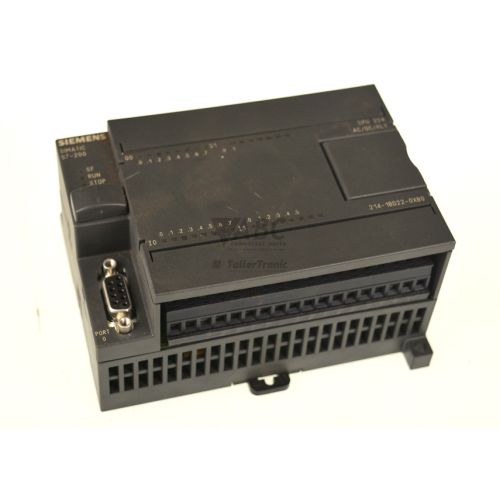
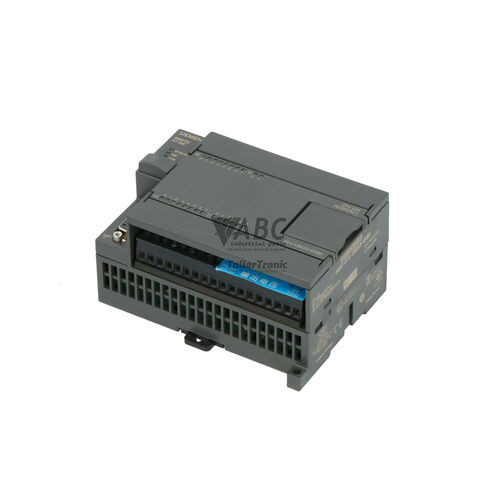
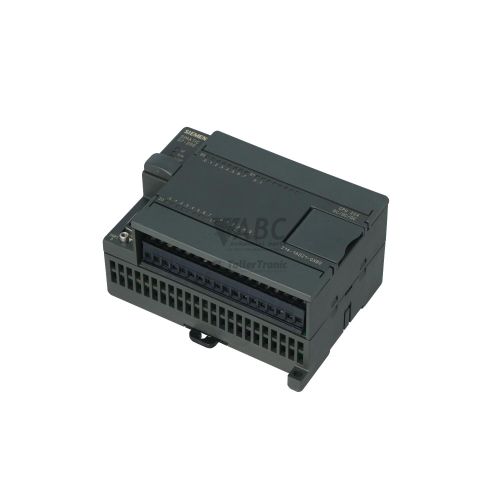
The Siemens 6ES7214-1BD21-0XB0 is a compact programmable logic controller CPU in the SIMATIC S7-200 series, specifically the CPU 224 AC/DC/Relay model engineered for standalone machine automation and logic control. Operating on a wide-range AC power supply accepting 85 to 264 V AC (120 to 240 V AC nominal), this unit combines execution logic, power conversion, and onboard field input/output channels within a single housing. The unit provides 14 onboard digital inputs rated for 24 V DC and 10 high-capacity relay outputs capable of direct load switching up to 2 A per channel. Integrated non-volatile EEPROM storage permanently retains 8 KB of user program memory and 5 KB of data memory without requiring battery back-up.
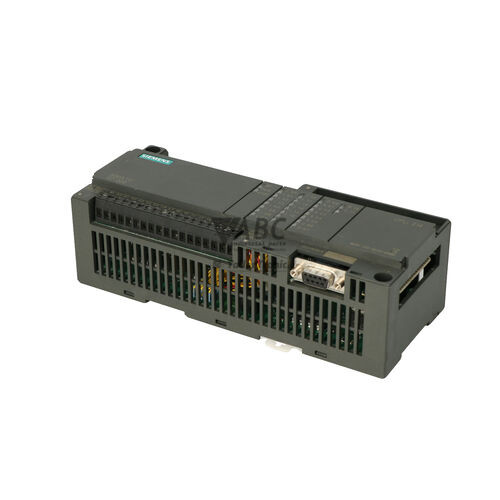
Field wiring and network integration utilize an onboard 9-pin Sub-D RS-485 serial port supporting transmission speeds up to 187.5 kbit/s. The interface natively supports Point-to-Point Interface (PPI), MPI slave functionality, and user-programmable Freeport modes for communicating with operator panels, barcode scanners, and peripheral hardware. Commissioning a replacement unit requires restoring the machine control application using STEP 7-Micro/WIN software (version v3.2 or v4.0) via a Siemens PC/PPI programming cable. When installing a spare 6ES7214-1BD21-0XB0 controller, verifying firmware compatibility, matching DIP switch settings, and checking terminal block wiring ensures proper system operation. ABC Industrial Parts provides technical support and tested replacement hardware to help restore operational capability.
System monitoring and field troubleshooting are facilitated by front-panel LED indicators displaying System Fault (SF), RUN, STOP, and individual digital I/O states. A solid red SF light indicates a system error, memory corruption, expansion bus failure, or unrecoverable internal hardware fault, which can be further diagnosed via the STEP 7-Micro/WIN PLC Diagnostic Information window. Basic field checks include confirming line voltage across the 85–264 V AC terminals, inspecting local expansion bus connections, and validating CPU operating modes. Internal processor or circuit board failures cannot be repaired in the field, making unit replacement or repair through ABC Industrial Parts the most reliable solution for minimizing machine downtime.
Technical Specifications
| Manufacturer | Siemens |
| Part Number | 6ES7214-1BD21-0XB0 |
| Model / Type | SIMATIC S7-200 CPU 224 AC/DC/Relay |
| Component Type | PLC CPU Controller |
| Supply Voltage Range | 85 - 264 V AC |
| Nominal Supply Voltage | 120 - 240 V AC |
| Digital Inputs Onboard | 14 (24 V DC) |
| Digital Outputs Onboard | 10 Relay |
| Max Output Current Channel | 2 A |
| Program Memory | 8 kB (Non-volatile EEPROM) |
| Data Memory | 5 kB (Non-volatile EEPROM) |
| Serial Interface Port | RS-485 (9-pin Sub-D) |
| Max Baud Rate | 187.5 kbit/s |
| Engineering Software | STEP 7-Micro/WIN v3.2 or v4.0 |
| Direct Hardware Replacement | 6ES7214-1BD23-0XB0 |
| Lifecycle Status | Discontinued |
Programming and Configuration
Programming the Siemens 6ES7214-1BD21-0XB0 controller is conducted using STEP 7-Micro/WIN engineering software, specifically versions v3.2 or v4.0. Establishing a connection between the engineering workstation and the CPU requires a Siemens PC/PPI programming cable attached to the 9-pin Sub-D RS-485 communication port. The software environment provides tools for ladder logic and function block programming, real-time status monitoring, and system configuration.
The CPU 224 utilizes built-in non-volatile EEPROM memory to permanently hold the compiled user program, device configuration settings, and retentive data registers without requiring a continuous battery supply. When commissioning a replacement or spare CPU, the user project must be reloaded directly into the onboard EEPROM storage using STEP 7-Micro/WIN to ensure complete operational recovery after power cycles.
Communication and System Integration
Serial and network integration on the 6ES7214-1BD21-0XB0 controller relies on an onboard 9-pin Sub-D RS-485 interface operating at data transmission speeds up to 187.5 kbit/s. The physical interface natively supports Siemens Point-to-Point Interface (PPI) for programming and operator panel connection, as well as MPI slave protocol for integration into multi-drop network architectures.
For specialized equipment interaction, the RS-485 port can be programmed in Freeport mode. This user-configured communication mode allows custom ASCII or binary serial protocols to interface with third-party devices such as barcode scanners, serial printers, or custom human-machine interfaces. System I/O capacity can be expanded beyond the local 14 digital inputs and 10 relay outputs by connecting SIMATIC S7-200 expansion modules to the expansion bus interface.
Diagnostics and Status Indication
Operational diagnostics and hardware status are displayed through dedicated status LEDs on the front face of the controller. Remote diagnostic functions are accessed by connecting STEP 7-Micro/WIN online to view internal PLC status registers and inspect the PLC Diagnostic Information window for logged system events.
Status LED Indicators
| LED | Color/Status | Meaning |
|---|---|---|
| SF | Red - Solid | System Fault indicator. Solid red indicates fatal hardware error, memory corruption, system software error, or expansion module error. An unresolvable solid SF LED indicates an internal hardware/board failure that requires repair or unit replacement. |
| RUN | Green - Solid | Solid green indicates CPU is in RUN mode executing user program. |
| STOP | Yellow - Solid | Solid yellow indicates CPU is in STOP mode. |
| I/O LEDs | Green - Solid | Green LEDs indicating logical status of individual digital inputs and digital outputs. |
Replacement and Spare Part Considerations
Replacing an existing Siemens 6ES7214-1BD21-0XB0 controller requires transferring the application program to the replacement CPU using STEP 7-Micro/WIN and a Siemens PC/PPI cable. Because the unit stores its program and parameters in non-volatile EEPROM, downloading a clean project backup restores original functionality. Terminal blocks should be inspected and wired accurately to accommodate the 85–264 V AC line input, 24 V DC digital inputs, and 2 A relay output connections.
For maintenance operations requiring hardware replacement, the Siemens 6ES7214-1BD23-0XB0 model serves as a direct hardware replacement. When swapping units, ensure that attached SIMATIC S7-200 expansion modules are properly aligned on the expansion bus and that software projects match the operational hardware revision.
Error Codes & Fault Codes
The following error codes may be displayed during operation or diagnostics:
| Code | Name | Description | Possible Cause | Recommended Action |
|---|---|---|---|---|
| 0001 | Internal Hardware Fault | Fatal hardware failure detected during CPU self-test or operation. | Internal memory error, processor failure, or ASIC fault. | Cycle power to CPU. If error persists, internal hardware fault is unrecoverable; unit requires replacement or repair. |
| 0002 | User Program Checksum Error | User program or configuration stored in EEPROM/RAM corrupted. | Electrical interference, failed EEPROM write, or power disruption during program load. | Clear CPU memory using STEP 7-Micro/WIN and reload project. If memory error persists, replace CPU. |
| 0003 | Watchdog Timeout | User program scan time exceeded configured maximum watchdog time. | Infinite loop in program execution or excessively long logic execution path. | Review user program for execution loops; optimize code or increase watchdog timeout limit in configuration. |
| 0004 | Expansion Bus Fault | Communication failure or mismatch on local expansion bus. | Loose module connector, faulty ribbon cable, or defective expansion module. | Check expansion module connectors, verify module sequence, and ensure expansion power is adequate. |
| 0005 | Stack Overflow Error | Execution stack overflowed during subroutines or interrupt calls. | Deeply nested subroutine calls or recursive interrupt calls. | Modify program structure to reduce nesting levels. |
Frequently Asked Questions
Which programming software is required for the Siemens 6ES7214-1BD21-0XB0?
The CPU 224 requires Siemens STEP 7-Micro/WIN software version v3.2 or v4.0, along with a Siemens PC/PPI programming cable connected to the onboard RS-485 port.
Does the 6ES7214-1BD21-0XB0 require a battery to preserve its memory?
No battery is required. The controller incorporates permanent non-volatile EEPROM memory that retains the 8 KB program memory and 5 KB data memory during power outages.
What does a solid red SF light mean on the controller?
A solid red SF (System Fault) LED signals a fatal system error, internal hardware failure, memory corruption, or an expansion bus error. Diagnostic status can be verified online via STEP 7-Micro/WIN.
Which model serves as a direct hardware replacement for the 6ES7214-1BD21-0XB0?
The Siemens 6ES7214-1BD23-0XB0 serves as a direct hardware replacement for the discontinued 6ES7214-1BD21-0XB0 controller.
What load capacity do the onboard relay outputs support?
The 10 onboard relay outputs support a maximum current rating of 2 A per channel, allowing direct control of external devices without additional interposing relays.
Take advantage of our exchange formula
A defective product does not have to be worthless. At ABC Industrial Parts, you can hand in defective products and immediately benefit from a discount on your new purchase. This is a smart way to save money while contributing to a circular economy.
Play it safe with our warranty conditions
Industrial plants prefer to keep running invariably, no matter what. Therefore, it is essential that you can rely on high-quality products and/or sustainable repairs. With our warranty conditions, you can count on certainty, whether you choose new, used or repaired products.
Data backup and recovery
Have you lost valuable parameters or data due to a malfunction while the manufacturer no longer provides support? At ABC Industrial Parts, we help you secure this data, both for common and specific products.
Specific firmware and hardware versions
If you are working with specific hardware or firmware versions that are no longer available from the manufacturer, ABC Industrial Parts is your partner. When making your enquiry, clearly state which versions you need, we will then look at the possibilities of supplying those versions, so that your installations continue to function optimally.
Disclaimer:
We are not an authorised distributor of Siemens.
Product photos are for illustration purposes only and may differ from the actual product delivered.
Some of the content on this page was created with the help of AI. While we strive to provide accurate and up-to-date information, errors may occur.