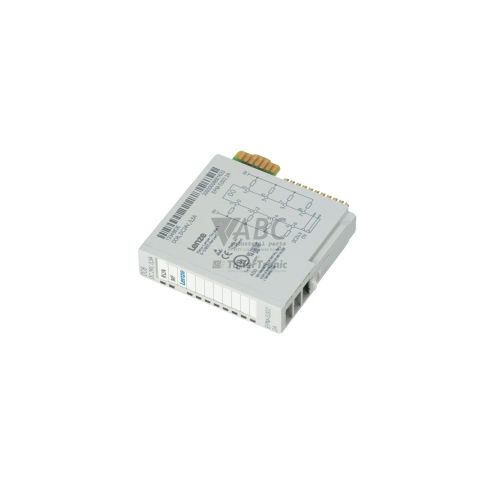
Lenze 13349823 EPM-S202.2A Analog Input Module


Het item werd toegevoegd aan uw offerteaanvraag
Product Information
The Lenze 13349823 EPM-S202.2A is a four-channel analog input module engineered for the Lenze I/O System 1000 slice platform. Operating within distributed automation systems and control cabinets, this expansion module acquires analog signals from transmitters, pressure sensors, flow transducers, and potentiometers. It provides 16-bit measurement resolution (15 bits plus sign) across four independently parameterizable channels, supporting unipolar voltage (0 to 10 V), bipolar voltage (-10 to +10 V), and current signals (0 to 20 mA and 4 to 20 mA). Signal integrity and system protection are maintained via 500 V RMS galvanic isolation between field connections and the backplane, with wiring handled via push-in tension clamp terminals.
Designed for integration into System 1000 backplane assemblies, the EPM-S202.2A communicates with higher-level network controllers through fieldbus couplers for EtherCAT, PROFINET, or CANopen. Channel parameters and measurement ranges are assigned using Lenze EASY Starter engineering software or Lenze PLC Designer. Because parameter profiles are stored centrally in the master controller or bus coupler, putting a replacement unit into service does not require manual software reprogramming; configuration settings download automatically upon module installation. ABC Industrial Parts supports maintenance teams with spare units to ensure seamless replacement and minimal process interruption.
Diagnostic indication is provided on the front panel via a STAT LED and individual channel indicators labeled 1 through 4. The STAT LED signals normal operational status in green or indicates internal faults and backplane communication errors in red. Channel LEDs display green during normal signal acquisition, glow red to alert operators to wire breaks or out-of-range inputs on 4 to 20 mA loops, and remain off when inactive. System diagnostics can also be monitored through cyclic fieldbus process data bits or EASY Starter software. When internal ADC or hardware faults occur that power cycles cannot clear, ABC Industrial Parts can provide tested replacements to restore operational capability.
Technical Specifications
| Manufacturer | Lenze |
| Part number | 13349823 |
| Model/type | EPM-S202.2A |
| Product family | I/O System 1000 |
| Component type | Analog Input Module |
| Analog inputs | 4 channels |
| Resolution | 16 bit (15-bit + sign) |
| Input voltage range (unipolar) | 0 to 10 V |
| Input voltage range (bipolar) | -10 to +10 V |
| Input current range 1 | 0 to 20 mA |
| Input current range 2 | 4 to 20 mA |
| Galvanic isolation | 500 V RMS |
| Backplane current consumption | 60 mA |
| Field wiring connection | Push-in tension clamp terminals |
Programming and Configuration
Parameter setup and channel definitions for the Lenze 13349823 EPM-S202.2A module are configured using Lenze EASY Starter engineering software or Lenze PLC Designer. Each of the four input channels is configured independently to specify input type (voltage or current), active range (0-10 V, ±10 V, 0-20 mA, or 4-20 mA), and diagnostic threshold settings such as wire break detection.
System integration relies on centralized parameter management. Parameters are stored in the primary PLC controller or the fieldbus coupler head. When replacing a damaged module, the parameter profile is automatically transmitted across the backplane bus to the new EPM-S202.2A unit upon power-up, eliminating the need to connect engineering tools directly to individual replacement slice modules.
Communication and System Integration
The EPM-S202.2A slice module installs on the Lenze I/O System 1000 backplane rail, drawing 60 mA of current directly from the internal backplane bus. Communication with higher-level control systems is achieved via System 1000 fieldbus couplers supporting EtherCAT, PROFINET, or CANopen protocols.
Field device wiring attaches directly to push-in tension clamp terminals designed for secure, tool-free connection. The module maintains 500 V RMS galvanic isolation between field-side sensor lines and backplane logic connections to protect control networks against ground loops and external electrical disturbances.
Diagnostics and Status Indication
The module features comprehensive diagnostic capabilities utilizing front-panel LED indicators, cyclic process data bits transferred via fieldbus, diagnostic registers readable by the controller, and visual monitoring within EASY Starter software.
Overall module condition is reported by the STAT LED, which lights solid green during normal operation and solid red when hardware or backplane communications errors occur. Channel LEDs 1 through 4 indicate individual input states: off when inactive, green for normal signal processing, and red when measuring range overflow, underflow, or wire breaks are detected.
Status LED Indicators
| LED | Color/Status | Meaning |
|---|---|---|
| STAT | Green / Red - Solid Green (Operational) / Solid Red (Fault) | Module status indicator: Green = operational; Red = internal fault or communications error. |
| 1..4 | Green / Red / Off - Off / Solid Green / Red | Channel status indicators: Off = disabled/inactive; Green = normal operation; Red = out of range or wire break. |
Replacement and Spare Part Considerations
When selecting a replacement for a faulty unit, verify that the part number 13349823 and model EPM-S202.2A match the existing installed slice module. Physical swap-out involves disconnecting the push-in tension clamp terminal block, unlocking the module from the I/O System 1000 backplane, and mounting the new slice in place.
Because channel parameters are stored centrally in the system coupler or PLC master, manual parameter entry is not required during replacement. Upon reconnecting system power, parameter settings are transferred automatically across the backplane to configure the replacement module's signal ranges and diagnostic settings.
Error Codes & Fault Codes
The following error codes may be displayed during operation or diagnostics:
| Code | Name | Description | Possible Cause | Recommended Action |
|---|---|---|---|---|
| DIAG_OVERRANGE | Measuring Range Overflow | Analog input signal value exceeds the configured maximum limit of the active measuring range. | Input voltage or current exceeds upper threshold; incorrect channel configuration; sensor fault. | Check input signal level with multimeter; verify range parameter configuration in PLC/software. |
| DIAG_UNDERRANGE | Measuring Range Underflow | Analog input signal value drops below the configured lower threshold limit. | Input signal polarity inverted; input current below valid signal lower threshold; sensor drift. | Check wiring polarity and input signal value; check sensor calibration. |
| DIAG_WIRE_BREAK | Wire Break / Open Circuit | Open circuit detected on a channel configured for 4...20 mA current measurement. | Broken signal wire; disconnected sensor; external transducer power failure. | Inspect input wiring and terminal connection; verify current loop integrity and transmitter power supply. |
| DIAG_HW_FAULT | Hardware / Internal Module Fault | Internal monitoring detected hardware failure or internal communication loss across backplane. | Internal EEPROM or ADC failure; backplane connector pin damage. | Cycle module power. If error persists, hardware is damaged and requires replacement. |
Frequently Asked Questions
How is a replacement Lenze 13349823 EPM-S202.2A module configured?
The module receives its channel configuration automatically from the system master controller or fieldbus coupler upon installation, eliminating manual parameter setup.
Which signal types can be measured by the EPM-S202.2A input channels?
Each of the 4 channels can be individually configured for 0 to 10 V, -10 to +10 V, 0 to 20 mA, or 4 to 20 mA signals.
What does a solid red channel LED indicate on the module?
A solid red channel LED indicates that an active input signal is out of range or that a wire break has occurred on a 4 to 20 mA current loop.
Which engineering software is compatible with this module?
The EPM-S202.2A is supported by Lenze EASY Starter engineering software and Lenze PLC Designer.
What action should be taken if the STAT LED lights up solid red?
A solid red STAT LED indicates an internal hardware failure or backplane communication error. Cycle power to the module; if the fault condition persists, internal components such as the ADC or EEPROM may be damaged, requiring module replacement.
Take advantage of our exchange formula
A defective product does not have to be worthless. At ABC Industrial Parts, you can hand in defective products and immediately benefit from a discount on your new purchase. This is a smart way to save money while contributing to a circular economy.
Play it safe with our warranty conditions
Industrial plants prefer to keep running invariably, no matter what. Therefore, it is essential that you can rely on high-quality products and/or sustainable repairs. With our warranty conditions, you can count on certainty, whether you choose new, used or repaired products.
Data backup and recovery
Have you lost valuable parameters or data due to a malfunction while the manufacturer no longer provides support? At ABC Industrial Parts, we help you secure this data, both for common and specific products.
Specific firmware and hardware versions
If you are working with specific hardware or firmware versions that are no longer available from the manufacturer, ABC Industrial Parts is your partner. When making your enquiry, clearly state which versions you need, we will then look at the possibilities of supplying those versions, so that your installations continue to function optimally.
Disclaimer:
We are not an authorised distributor of Lenze.
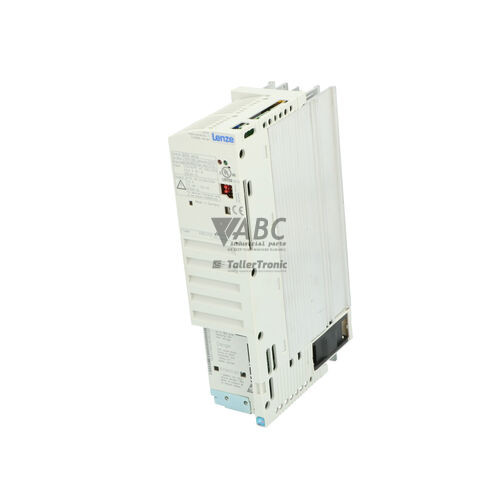
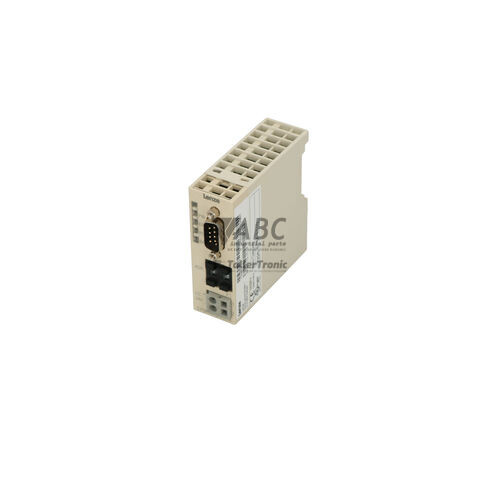
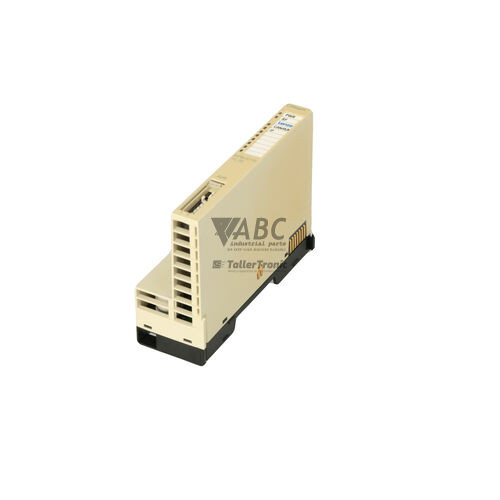
Product photos are for illustration purposes only and may differ from the actual product delivered.
Some of the content on this page was created with the help of AI. While we strive to provide accurate and up-to-date information, errors may occur.