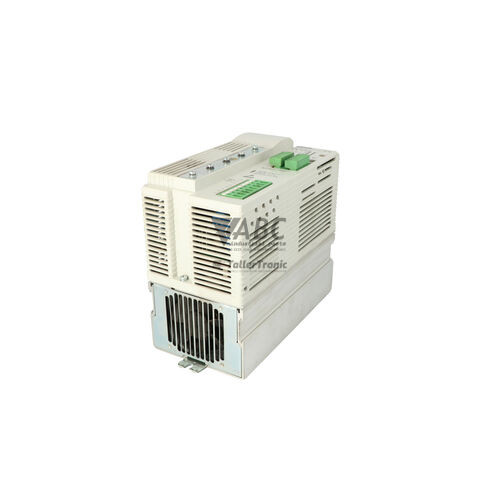
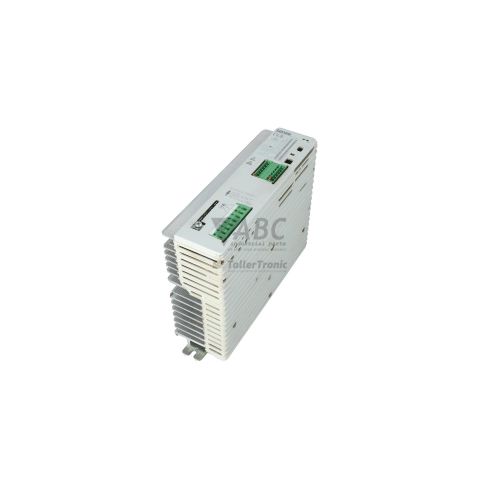
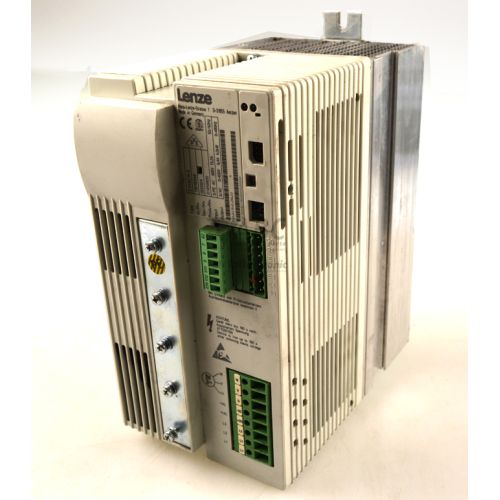
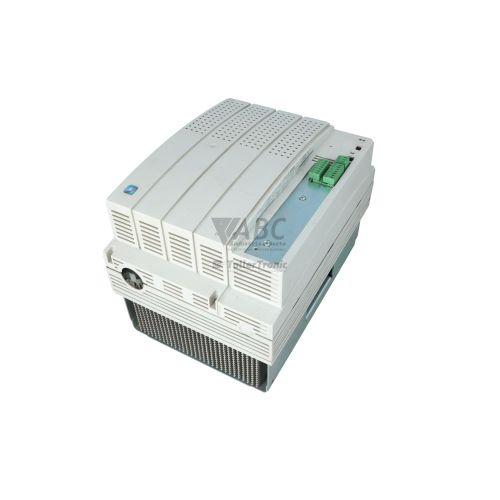
Lenze 13018345 EVF8212-E 8200 Vector Frequency Inverter


Het item werd toegevoegd aan uw offerteaanvraag
Product Information
The Lenze 13018345 EVF8212-E is a 1.5 kW frequency inverter from the Lenze 8200 vector family, designed for controlling three-phase AC induction motors in automated industrial environments. Operating from a three-phase 400 V to 480 V AC mains supply with an admissible voltage range of 320 V to 528 V AC, this unit provides an output current rating of 3.9 A and supports up to 150% overload current (5.85 A) for 60 seconds. Featuring an IP20 protection rating for control cabinet mounting, the drive outputs variable output voltages up to line voltage at frequencies ranging from 0 to 480 Hz using either selectable V/f characteristics or sensorless vector control. Common applications include speed and torque regulation across conveyor systems, industrial pumps and fans, and packaging equipment.
Integrating the unit into existing machines relies on configuring drive parameters and matching fieldbus communication requirements. The inverter accepts multi-pin option modules to establish connections across PROFIBUS-DP (EMF2133IB), CANopen (EMF2173IB / EMF2178IB), or LECOM RS232/RS485 (EMF2102IB) networks. Setting up a replacement unit requires transferring operational parameter sets, as up to four independent parameter profiles can be stored within the internal non-volatile EEPROM. Parameters can be copied using a pluggable Keypad XT display (EMZ8201BB) or via Lenze Global Drive Control (GDC) PC software. Support from ABC Industrial Parts is available when extracting parameters from donor units or preparing replacement hardware for service.
System state monitoring is available via red and green status LEDs located on the front panel and installed modules, displaying solid or flashing patterns for drive operation, ready status, and faults. Current active fault codes appear directly on the optional Keypad XT, while historical diagnostic events remain stored in parameter code C0168 and can be viewed through the GDC software diagnostic window. Fault conditions such as overvoltage, overcurrent, and heatsink overtemperature often point to external motor wiring, load, or ventilation issues. When memory checksum failures or internal thermal faults persist, hardware faults cannot be serviced in the field, making a tested replacement or repair unit from ABC Industrial Parts the most practical path to restoring production.
Technical Specifications
| Manufacturer | Lenze |
| Part Number | 13018345 |
| Model / Type | EVF8212-E |
| Product Family | 8200 vector |
| Component Type | Frequency Inverter |
| Rated Output Power | 1.5 kW |
| Supply Voltage | 3x 400 / 480 V AC |
| Supply Voltage Range | 320 - 528 V AC |
| Rated Output Current | 3.9 A |
| Max Output Current | 5.85 A (150% for 60 s) |
| Output Voltage | 0 - U_mains V AC |
| Output Frequency Range | 0 - 480 Hz |
| Default Switching Frequency | 8 kHz (adjustable 2 - 16 kHz) |
| Control Method | V/f characteristic or sensorless vector control |
| Protection Rating | IP20 |
Programming and Configuration
Drive setup and parameter management on the Lenze EVF8212-E are executed through Lenze Global Drive Control (GDC) engineering software or directly at the inverter using the Keypad XT (EMZ8201BB) operator display unit. Up to four complete, distinct parameter sets can be written to and retained inside the drive's internal non-volatile EEPROM memory, allowing flexible configuration changes for multi-product machinery.
When transferring parameters to a new unit, the saved parameter profiles can be downloaded from GDC or copied via the Keypad XT module. In scenarios where parameter corruption occurs or a clean setup is needed, setting parameter code C0002 to 1 restores the drive to its original factory default settings, allowing manual re-commissioning or a fresh software parameter download.
Communication and System Integration
The EVF8212-E utilizes a modular function slot structure that accommodates optional fieldbus and communication interfaces. Depending on system requirements, users can install optional communication modules into the dedicated front slot to connect the inverter to standard industrial automation networks.
Supported communication modules include the PROFIBUS-DP module (EMF2133IB), CANopen modules (EMF2173IB / EMF2178IB), and the LECOM RS232/RS485 serial module (EMF2102IB). Proper communication requires configuring baud rates and node address switches on the installed option module and matching watchdog monitoring times using parameter code C0125.
Diagnostics and Status Indication
The inverter provides active feedback through integrated red and green LEDs on the front panel and installed option modules. These LEDs display solid or flashing illumination patterns to represent drive operational status, ready state, and active fault conditions during operation.
For technical troubleshooting, active trip codes are shown directly on the Keypad XT module display or inside the diagnostic monitoring window of the Global Drive Control software. Additionally, a historical log of recent diagnostic events is preserved in parameter code C0168.
Status LED Indicators
| LED | Color/Status | Meaning |
|---|---|---|
| Front Panel / Module LEDs | Red / Green - Solid / Flashing | Indicates drive operation, ready status, and fault conditions |
Replacement and Spare Part Considerations
The Lenze EVF8212-E is designed as a direct drop-in replacement within established Lenze 8200 vector drive installations. Replacing a unit requires verifying that the physical power ratings (1.5 kW, 3.9 A output) and control option modules match the original installation setup.
When swapping drives, the communication module (such as PROFIBUS-DP EMF2133IB or CANopen EMF2173IB / EMF2178IB) must be physically moved or duplicated on the replacement drive, and all non-volatile parameter sets must be transferred using the Keypad XT or Global Drive Control software.
For future hardware migration planning, Lenze recommends the i550 series (specifically model i55AE215F00010001S) as a official successor pathway, though retrofitting to this newer family requires panel adjustments and control program adjustments.
Error Codes & Fault Codes
The following error codes may be displayed during operation or diagnostics:
| Code | Name | Description | Possible Cause | Recommended Action |
|---|---|---|---|---|
| OC1 | Short Circuit | Short circuit at inverter output terminals or motor windings | Short circuit in motor cable, motor winding isolation fault, or fast acceleration ramp time | Check motor wiring for short circuits; check motor winding insulation; extend acceleration time |
| OC2 | Earth Fault | Ground fault / earth fault detected at output phase | Ground fault in motor cable or motor winding, excessive cable capacity to earth | Check motor and cable insulation resistance to earth; reduce motor cable length or fit output filter |
| OC3 | Overload During Acceleration | Output current limit exceeded during acceleration phase | Acceleration time too short, mechanical overload or drive blockage | Increase acceleration time (C0012); check mechanical load for jamming |
| OC4 | I x t Motor Overload | Calculated motor thermal overload limit reached | Continuous motor operation at high current/low speed without auxiliary fan, incorrect motor data in parameters | Check motor sizing and mechanical load; verify motor current setting C0087; allow motor to cool |
| OC5 | I x t Inverter Overload | Inverter thermal load limit reached (I x t of power stage) | Continuous output current exceeds rated output current over permitted limit | Reduce drive load; increase acceleration/deceleration times; check drive thermal sizing |
| OU | Overvoltage DC Bus | DC bus intermediate circuit voltage exceeded upper limit | Regenerative energy during deceleration too high, deceleration ramp time too short, mains voltage too high | Increase deceleration ramp time (C0013); install braking resistor or brake chopper unit; check mains voltage |
| LU | Undervoltage DC Bus | DC bus intermediate circuit voltage fell below minimum operating threshold | Mains voltage supply failure, line voltage dip, open supply fuse or circuit breaker | Check mains input voltage and supply fuses; verify line connections |
| OH | Heatsink Overtemperature | Inverter heatsink temperature exceeded upper limit | Inadequate control cabinet ventilation, fan failure, ambient temperature too high (>45°C/50°C), clogged cooling fins | Clean heatsink cooling fins; verify enclosure fan operation; check cabinet ambient temperature |
| OH4 | Motor Overtemperature (PTC) | Motor thermal sensor input activated (PTC / thermal contact) | Motor overheating due to overload or inadequate motor cooling | Check motor thermal condition, mechanical load, and external fan; check PTC wiring |
| OH7 | Internal Drive Temperature | Internal temperature inside inverter housing too high | Control cabinet temperature excessively high or internal drive cooling path obstructed | Improve enclosure cooling and air circulation; check for internal fault — return unit for repair if condition persists |
| NMAX | Speed Limit Exceeded | Motor speed exceeded maximum permissible limit | Incorrect feedback setup, active load overhauling motor speed, setpoint overshot | Check speed controller tuning and max speed parameter setting C0011 |
| CE0 | Communication Error (LECOM / Bus) | Watchdog timeout or loss of communication on control interface | Cable fault, disconnected serial/bus cable, PC software offline or master PLC failure | Check communication cable, bus connections, and baud rate settings; check parameter C0125 watchdog time |
| CE1 | Automation Module Error | Communication fault between inverter control board and plugged automation/fieldbus module | Fieldbus module loose or defective, fieldbus network error | Check fieldbus module seating and connections; verify fieldbus controller status |
| EE | EEPROM Memory Error | Internal EEPROM checksum or data integrity failure | Power failure during parameter save, hardware memory defect | Reload factory settings (C0002 = 1) and re-download parameter set; if fault persists: internal hardware fault — return unit for repair |
| EER | EEPROM Read/Write Fault | Internal non-volatile memory read or write failure | EEPROM hardware component failure | Internal hardware fault — replace the unit or return for repair |
| LP1 | Motor Phase Failure | Failure detected in one or more motor output phases | Disconnected motor lead, contactor open on output side, winding open circuit | Check output wiring and motor connections; verify output contactor operation |
| P13 | Parameter Data Error | Inconsistent or corrupted parameter set loaded | Incompatible parameter set downloaded from different software/firmware version | Reset parameters to default (C0002) and re-commission drive manually or with GDC |
Frequently Asked Questions
What software is used to program the Lenze EVF8212-E frequency inverter?
The inverter is configured and monitored using Lenze Global Drive Control (GDC) software or manually using the Keypad XT (EMZ8201BB) operator module.
How do I reset the EVF8212-E inverter to factory default settings?
You can restore factory default parameters by setting parameter code C0002 to 1 using either the Keypad XT or GDC software.
Which fieldbus communication modules are compatible with this drive?
The EVF8212-E supports plug-in option modules including PROFIBUS-DP (EMF2133IB), CANopen (EMF2173IB and EMF2178IB), and LECOM RS232/RS485 (EMF2102IB).
Where can historical fault codes be accessed on the drive?
Fault history is stored internally under parameter code C0168, which can be read via the Keypad XT display or in the GDC software diagnostic window.
What is the recommended modern successor for the EVF8212-E drive?
Lenze recommends the i550 series inverter, part number i55AE215F00010001S, as the successor drive.
Take advantage of our exchange formula
A defective product does not have to be worthless. At ABC Industrial Parts, you can hand in defective products and immediately benefit from a discount on your new purchase. This is a smart way to save money while contributing to a circular economy.
Play it safe with our warranty conditions
Industrial plants prefer to keep running invariably, no matter what. Therefore, it is essential that you can rely on high-quality products and/or sustainable repairs. With our warranty conditions, you can count on certainty, whether you choose new, used or repaired products.
Data backup and recovery
Have you lost valuable parameters or data due to a malfunction while the manufacturer no longer provides support? At ABC Industrial Parts, we help you secure this data, both for common and specific products.
Specific firmware and hardware versions
If you are working with specific hardware or firmware versions that are no longer available from the manufacturer, ABC Industrial Parts is your partner. When making your enquiry, clearly state which versions you need, we will then look at the possibilities of supplying those versions, so that your installations continue to function optimally.
Disclaimer:
We are not an authorised distributor of Lenze.
Product photos are for illustration purposes only and may differ from the actual product delivered.
Some of the content on this page was created with the help of AI. While we strive to provide accurate and up-to-date information, errors may occur.