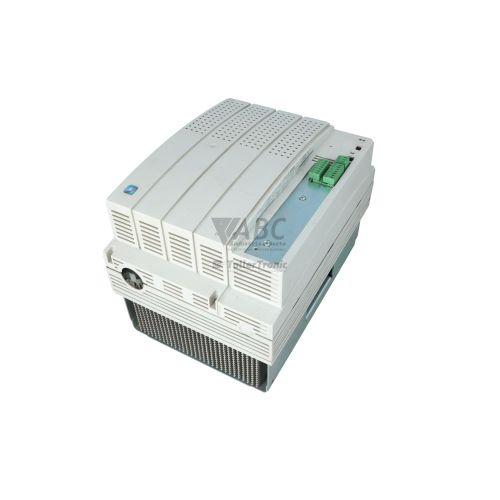
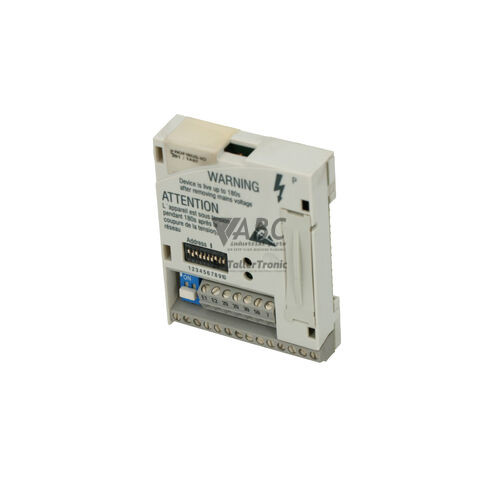
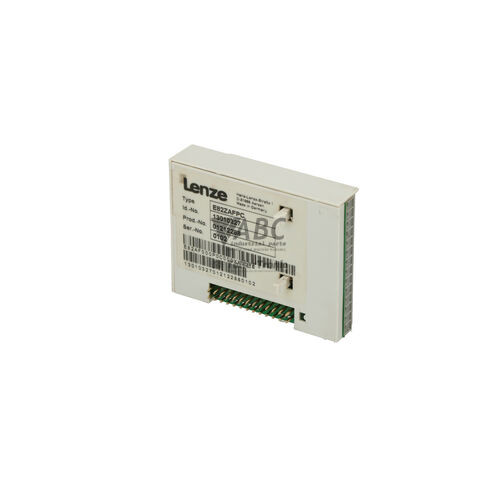
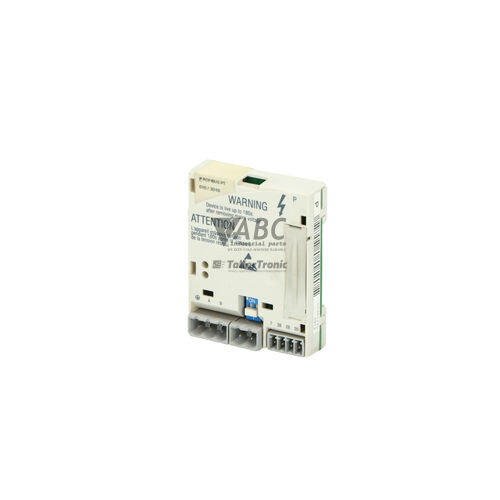
Lenze 13018572 E82ZAFAC System Bus CAN Module


Het item werd toegevoegd aan uw offerteaanvraag
Product Information
The Lenze 13018572 E82ZAFAC is a system bus CAN communication module engineered for the Lenze 8200 vector frequency inverter family and 8200 motec drive units featuring a Function Module Interface (FIF) slot. Designed to expand fieldbus connectivity across local and distributed drive networks, this compact function module inserts directly into the host inverter's FIF slot. It provides synchronized speed and torque control across multi-axis conveyor networks, material handling setups, packaging machinery, textile manufacturing, and automotive assembly lines.
Physical integration relies on two integrated RJ45 connectors that allow straightforward daisy-chain wiring from drive to drive without additional external splitters. The module supports both the proprietary Lenze System Bus (CAN) protocol for inter-drive communication and the standardized CANopen DS301 profile for host PLC system integration. Hardware commissioning is completed using physical DIP switches located on the module board to configure node addresses from 1 to 63, select transmission speeds between 10 kbit/s and 1000 kbit/s, and enable the integrated bus terminating resistor. When installing a replacement unit, setting the onboard DIP switches to match the original unit allows hardware swap without software programming. Optional parameter monitoring and diagnostic configuration can be conducted via Lenze Global Drive Control (GDC) software using the Lenze E82ZBC System Bus USB/RS232 Adapter. ABC Industrial Parts can support maintenance teams in sourcing tested replacement units for legacy 8200 vector systems.
Real-time operational status and network diagnostics are provided by front panel CAN-RUN and CAN-ERR LEDs. The green CAN-RUN indicator signals bus state—off during bus-off or reset conditions, blinking during pre-operational states, and solid when operational on the Lenze System Bus. The red CAN-ERR LED highlights network and module errors, including single flashes for warning limits, double flashes for node guarding or heartbeat errors, and a solid state for bus-off conditions or internal hardware failures. Common drive error messages include CE0 for CAN communication timeouts, CE1 for bus-off states, CE2 for buffer overflow, CE3 for monitoring timeouts, H10 for FIF hardware faults, and H11 for module incompatibility. Initial troubleshooting should verify RJ45 cable seating, correct DIP switch configuration, and bus termination. If the CAN-ERR LED remains solid with a valid bus connection or an H10 fault persists after reseating, internal hardware failure is indicated, requiring module replacement or repair through ABC Industrial Parts.
Technical Specifications
| Manufacturer | Lenze |
| Part number | 13018572 |
| Model/type | E82ZAFAC |
| Product family | 8200 vector |
| Component type | Communication Module |
| Host interface | FIF Slot (Function Module Slot) |
| Supported protocols | Lenze System Bus (CAN), CANopen DS301 |
| Interface connectors | 2x RJ45 |
| Maximum baud rate | 1000 kbit/s |
| Selectable baud rates | 10, 20, 50, 125, 250, 500, 1000 kbit/s |
| Node address range | 1 to 63 |
| Bus termination | Switchable integrated resistor via DIP switch or external resistor |
Programming and Configuration
Hardware configuration of the Lenze E82ZAFAC communication module is performed directly on the board using integrated DIP switches. These physical selectors allow technicians to define the network node address across a range of 1 to 63 and set the transmission speed to 10, 20, 50, 125, 250, 500, or 1000 kbit/s. The board also features an integrated bus terminating resistor that can be switched on or off via DIP switch settings, eliminating the need for external terminating resistors in multi-node setups.
For advanced monitoring, parameter backup, and drive diagnostics, the module interacts with Lenze Global Drive Control (GDC) software. Connection between a field PC and the CAN system bus is established using a Lenze E82ZBC System Bus USB/RS232 Adapter. Because primary network parameters are maintained mechanically via DIP switches, direct unit swapping during field maintenance requires no software reprogramming, provided the replacement module's switch positions are aligned with the target drive node configuration.
Communication and System Integration
The Lenze 13018572 E82ZAFAC module integrates Lenze 8200 vector and 8200 motec frequency inverters into automated control architectures via dual RJ45 interface connectors. Dual ports enable loop-through daisy-chain cabling from device to device, reducing field wiring complexity across multi-axis drive line-ups.
The interface supports dual communication profiles, including the proprietary Lenze System Bus protocol for synchronized multi-axis drive interaction and the standardized CANopen DS301 profile for master controller communication. Data transfer rates can be adjusted up to 1000 kbit/s to match network bandwidth requirements. The built-in bus termination resistor ensures signal integrity at the physical network endpoints when enabled.
Diagnostics and Status Indication
Diagnostic monitoring for the Lenze E82ZAFAC module is provided by two LEDs located on the front interface panel: CAN-RUN (green) and CAN-ERR (red). These status lights provide instant visual identification of operational states, pre-operational phases, warning limits, heartbeat monitoring faults, and bus-off events.
In addition to visual indicators, status monitoring can be conducted through Lenze Global Drive Control (GDC) software or via fault codes displayed on the host inverter's operating keypad. External CANbus monitors and network analysis tools can also be connected to evaluate system bus traffic and parameter exchanges.
Status LED Indicators
| LED | Color/Status | Meaning |
|---|---|---|
| CAN-RUN | Green - Off / Blinking / Solid | Off: Bus off or reset. Blinking: Pre-operational state. Solid: Operational state on System Bus. |
| CAN-ERR | Red - Off / Single Flash / Double Flash / Solid | Off: Normal operation. Single flash: Warning limit reached. Double flash: Node guarding / Heartbeat error. Solid: Bus Off state or severe internal hardware failure. If permanently lit with valid bus connection, internal failure requires module replacement. |
Replacement and Spare Part Considerations
When replacing a Lenze 13018572 E82ZAFAC module, ensure the host inverter is powered down before removing or inserting the unit into the Function Module Interface (FIF) slot. Mechanical seating must be firmly established to maintain proper electrical contact between the inverter control board and the module connectors.
Before putting a spare module into service, verify that the physical DIP switches on the new module are positioned identically to the original unit. This includes setting the node address (1-63), selecting the matching baud rate (10 to 1000 kbit/s), and setting the internal bus termination switch correctly based on the module's physical location in the CAN network. Matching these switch settings avoids communication timeouts and node addressing conflicts upon system restart.
Error Codes & Fault Codes
The following error codes may be displayed during operation or diagnostics:
| Code | Name | Description | Possible Cause | Recommended Action |
|---|---|---|---|---|
| CE0 | CAN Communication Error / Time-out | Communication failure on CAN system bus interface. | Bus cable disconnected, incorrect baud rate, broken wire, missing terminating resistor. | Check RJ45 cabling, verify DIP switch settings for baud rate and node address, check bus termination. |
| CE1 | CAN Bus-Off State | CAN controller on function module entered Bus-Off state due to excessive transmit/receive error counters. | Extreme EMI/noise interference, wrong baud rate setting, duplicate node address, faulty RJ45 wiring. | Verify wiring and grounding, check for duplicate node addresses on network, power cycle drive. |
| CE2 | CAN Buffer Overflow | Receive or transmit buffer overflow on CAN system bus module. | High network load, unexpected packet burst on CAN bus. | Reduce transmission rates of PDOs/SDOs, adjust task cycle time. |
| CE3 | CAN Monitoring Error (Node Guarding / Heartbeat) | Node guarding or heartbeat monitoring frame timed out. | Master controller stopped transmitting, master cable unplugged. | Check PLC/master status and cable connection. |
| H10 | FIF Module Hardware Fault | Host inverter cannot communicate with function module in FIF slot. | Function module improperly seated, damaged contacts, or internal board failure on E82ZAFAC. | Power down, re-seat E82ZAFAC module. If fault persists, module has an internal hardware failure and must be replaced. |
| H11 | FIF Module Incompatible / Unknown | Function module in FIF slot not recognized or not supported by inverter firmware revision. | Incompatible firmware version on host drive or incorrect module insertion. | Check inverter compatibility, replace module if damaged. |
Frequently Asked Questions
What is the function of the Lenze 13018572 E82ZAFAC module?
The Lenze 13018572 E82ZAFAC is a communication module that plugs into the Function Module Interface (FIF) slot of Lenze 8200 vector and 8200 motec frequency inverters. It adds CAN system bus connectivity, supporting both the Lenze System Bus protocol and standardized CANopen DS301.
How are the node address and baud rate configured on the E82ZAFAC module?
Node addresses (1 to 63) and baud rates (10 to 1000 kbit/s) are configured using physical DIP switches on the module board. Integrated bus termination is also controlled via these onboard switches.
What do the CAN-RUN and CAN-ERR LEDs on the front panel indicate?
The green CAN-RUN LED indicates operational status (solid), pre-operational status (blinking), or bus off/reset (off). The red CAN-ERR LED signals normal operation (off), warning limits reached (single flash), node guarding/heartbeat errors (double flash), or a bus-off condition / hardware fault (solid).
How do I troubleshoot fault code CE0 or CE1 on the drive?
Fault CE0 indicates a CAN communication timeout, while CE1 indicates a CAN bus-off condition. Check RJ45 cable connections, confirm that DIP switch settings for node address and baud rate match the network configuration, verify proper bus termination, and check system grounding.
Is software required when installing a replacement E82ZAFAC module?
No software is required for standard unit replacement. Because address, baud rate, and termination settings are stored in physical DIP switches, aligning the switches on the spare unit with the original module allows immediate operation upon insertion into the host inverter's FIF slot.
Take advantage of our exchange formula
A defective product does not have to be worthless. At ABC Industrial Parts, you can hand in defective products and immediately benefit from a discount on your new purchase. This is a smart way to save money while contributing to a circular economy.
Play it safe with our warranty conditions
Industrial plants prefer to keep running invariably, no matter what. Therefore, it is essential that you can rely on high-quality products and/or sustainable repairs. With our warranty conditions, you can count on certainty, whether you choose new, used or repaired products.
Data backup and recovery
Have you lost valuable parameters or data due to a malfunction while the manufacturer no longer provides support? At ABC Industrial Parts, we help you secure this data, both for common and specific products.
Specific firmware and hardware versions
If you are working with specific hardware or firmware versions that are no longer available from the manufacturer, ABC Industrial Parts is your partner. When making your enquiry, clearly state which versions you need, we will then look at the possibilities of supplying those versions, so that your installations continue to function optimally.
Disclaimer:
We are not an authorised distributor of Lenze.
Product photos are for illustration purposes only and may differ from the actual product delivered.
Some of the content on this page was created with the help of AI. While we strive to provide accurate and up-to-date information, errors may occur.